/

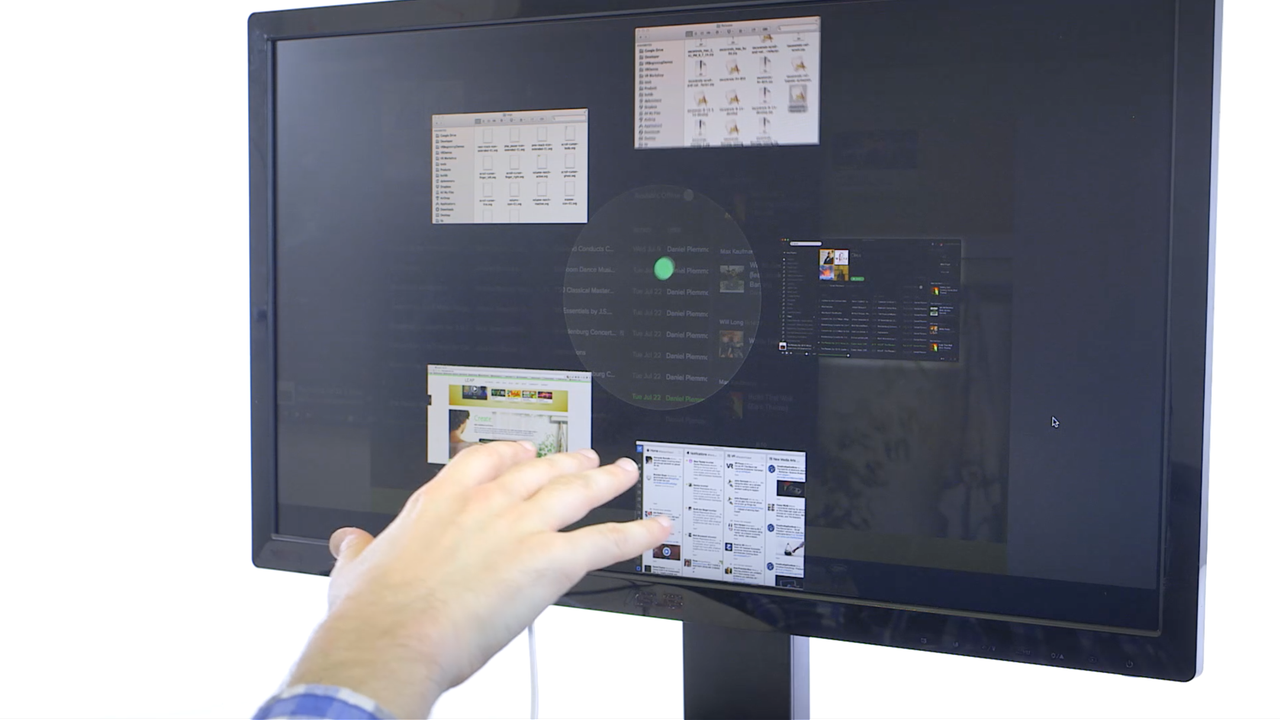
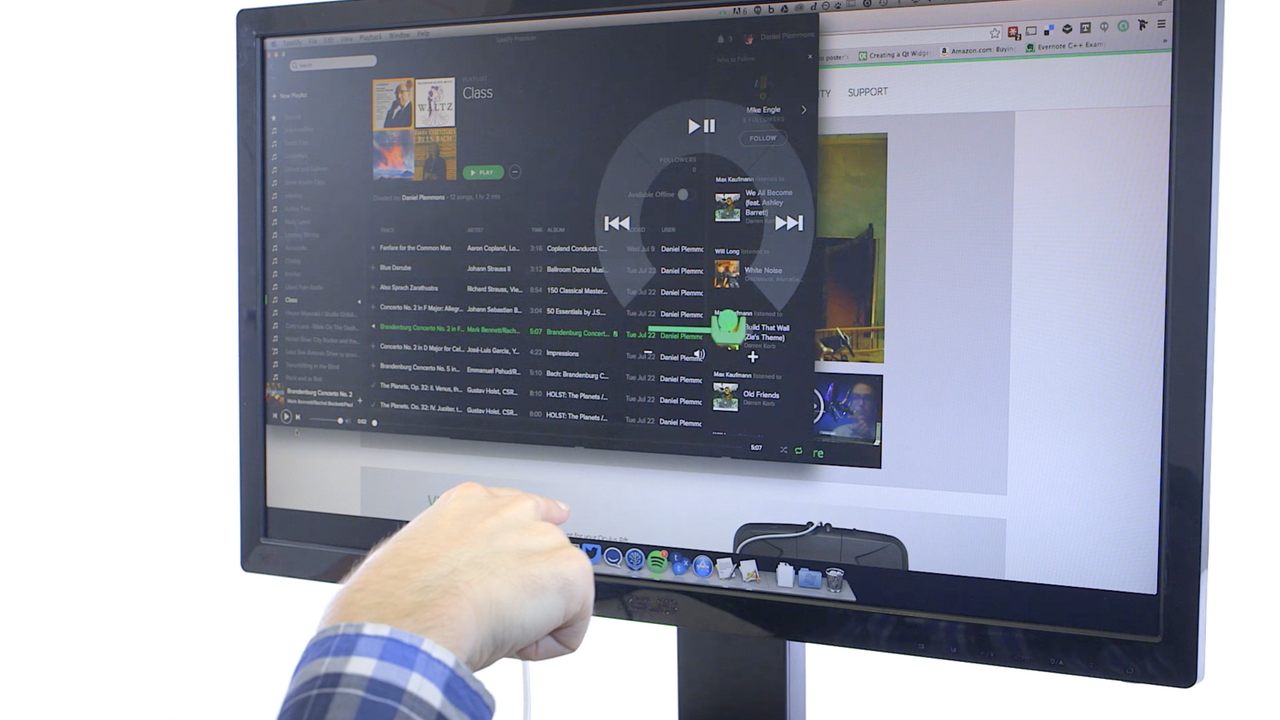
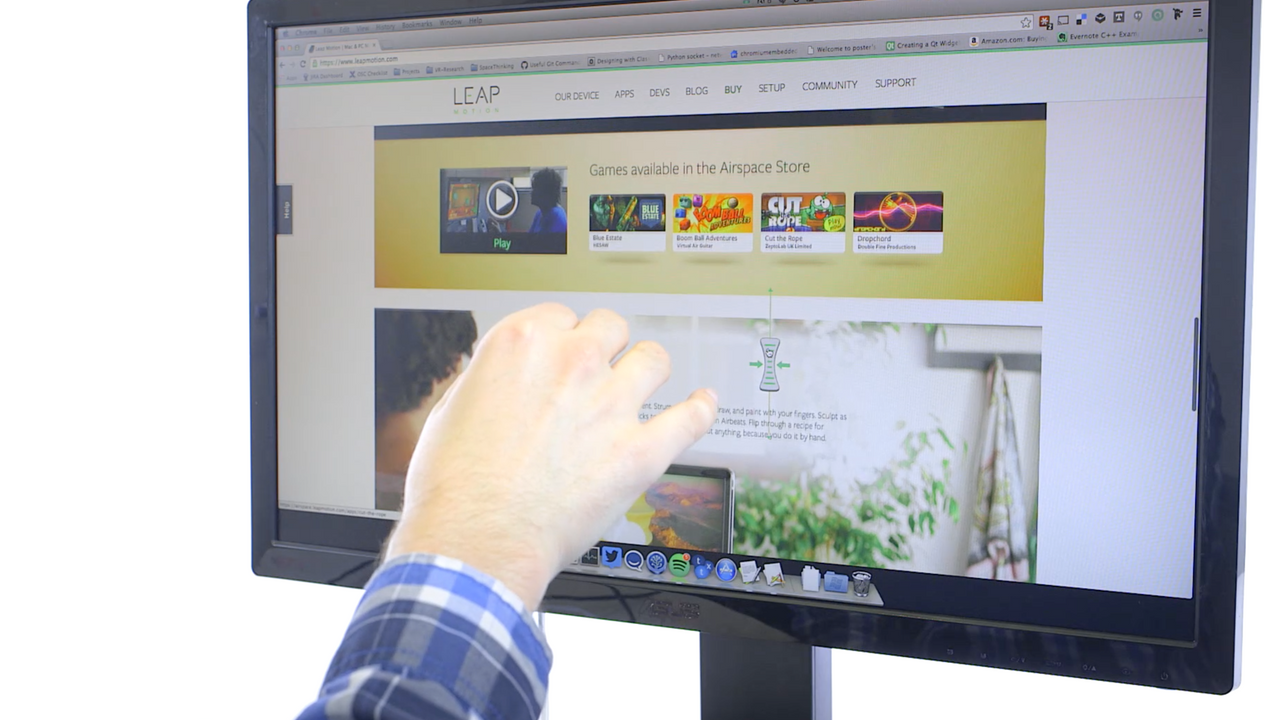
Shortcuts gives you quick access to common computer controls. Play your favorite music and videos, scroll through web pages and documents, or switch between apps with quick, simple gestures. This is just the beginning for Shortcuts as we continue to refine and add new features – and we’re looking forward to your feedback.
Media and volume controls. Point at the screen with your index finger to reveal media controls – play, previous track, next track, and a volume slider.
Scrolling. Pinch your fingers and drag to vertically scroll through web pages, applications, and documents.
Application switching. Flip your hand upside-down and raise your hand to reveal the Application Switcher, then grab and drag a window into the center of your screen to bring it to focus. To exit, simply drop your hand out of view.
Shortcuts supports the following media players on Windows: iTunes, VLC, Windows Media Player, and Spotify (native client).
On Mac, Shortcuts supports the following media players: iTunes, VLC, Quicktime, and Spotify (native client).
Please visit: https://www.leapmotiontechnology.com/help.html
Change Log for v1.0.1:
-New option to adjust scroll sensitivity
-New preferences to have app autolaunch on system start
-Added error notifications
-Added hand cursor for application switching
-Added preferences section to display app version number
-Bug fixes and hand tracking improvements
When I click the 'Shortcuts' icon, it looks like it is loading but then disappears... help me please
21 out of 27 customers found this review helpful
Very nice little app. Loving controlling Spotify from this. Two bits of feedback. I know you stated it's being worked on, but can't stress enough support for multiple monitors. Lets be honest, if we have a LEAP Motion we are somewhat geeky, chances are we also have 2 monitors. Also, the ability to adjust how long until the media control wheel appears would amazing! I'm an impatient person and would be nice for me if it could come up faster, but I get not everyone is the same.
5 out of 6 customers found this review helpful
I have been using this app on windows 8.0 and just updated to 8.1. Right after the update the scrolling feature ceased to work. The osd comes up, and when grasping it is moves up and down but springs back to the center as if the scrolling is done. the window that should have been scrolled does not move and generally does not work. However the switch window function does work.
6 out of 9 customers found this review helpful
This application works nearly perfekt, especially the media controll is great! Only sometimes i´m having trouble with the application switcher, which sometimes randomly causes the app to crash (i´m using win 8.1). Only i´d like to have more features like control cursor, then the applikation is perfekt! Edit: I found out, that the crashes are caused by running "touchless for windows" parallely, even with tracking disabled.But this is easy to fix, by closing it ;)
3 out of 4 customers found this review helpful
V G
1 out of 2 customers found this review helpful
When I click the 'Shortcuts' icon, it looks like it is loading but then disappears... help me please
21 out of 27 customers found this review helpful
Very nice little app. Loving controlling Spotify from this. Two bits of feedback. I know you stated it's being worked on, but can't stress enough support for multiple monitors. Lets be honest, if we have a LEAP Motion we are somewhat geeky, chances are we also have 2 monitors. Also, the ability to adjust how long until the media control wheel appears would amazing! I'm an impatient person and would be nice for me if it could come up faster, but I get not everyone is the same.
5 out of 6 customers found this review helpful
I have been using this app on windows 8.0 and just updated to 8.1. Right after the update the scrolling feature ceased to work. The osd comes up, and when grasping it is moves up and down but springs back to the center as if the scrolling is done. the window that should have been scrolled does not move and generally does not work. However the switch window function does work.
6 out of 9 customers found this review helpful
This application works nearly perfekt, especially the media controll is great! Only sometimes i´m having trouble with the application switcher, which sometimes randomly causes the app to crash (i´m using win 8.1). Only i´d like to have more features like control cursor, then the applikation is perfekt! Edit: I found out, that the crashes are caused by running "touchless for windows" parallely, even with tracking disabled.But this is easy to fix, by closing it ;)
3 out of 4 customers found this review helpful
windows8.1无法启动
Windows 7+
Intel Core i3+ or equivalent AMD Processor
2GB RAM
5MB Hard Drive Space Free