
Ask a Question/Support/Ergonomics
Comfortable use of your Leap Motion Controller

Leap Motion Support
posted this on Jul 21 22:12
Here are a few simple ways to help make using the Leap Motion Controller feel natural and easy.
What you shouldn't do:
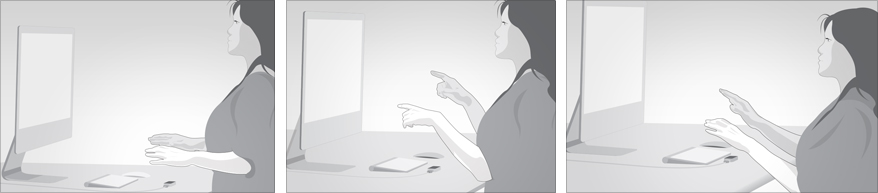
Don't hunch over your device. Keep its field of view clear from obstructions, including yourself. Don't bend your elbows and your wrists with your arms close together. Don't hold your arms straight ahead of you in the air. Don't rest your elbows on a surface with your elbows pointed out to the side.

What you should do:
Place the Leap Motion Controller on your desk where it's comfortable to use. Relax your shoulders. If standing or sitting high in a chair, hold your elbows near your side, and keep your forearms parallel to the floor and at a right angle from your body. If sitting at usual desk height, you can rest your elbows or forearms on your desk, but not on a sharp edge. Hold your hands just above the device, your wrist and hands in roughly a straight line.