/



Note: this app is not fully compatible with OSX 10.11 - El Capitan.
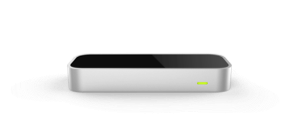
Use your Leap Motion Controller to interact with your Mac.
Touchless for Mac creates a virtual trackpad in the air. Just lift your hand or a finger to navigate your computer. Browse the web, open applications and documents, and control menu items — without touching anything.
Touchless for Mac includes intro, basic, and advanced levels, so you can choose your level of 3D interaction.
Minor bug fixes
I eat a lot of rotisserie chicken. Like, a lot. I eat a whole chicken every day. I also work from home, at my computer. You can see how this would pose a problem to my online productivity during the day. But with Touchless for Mac, I don't have to worry about that for obvious reasons. So here's to getting full functionality out of my Mac while simultaneously greasing up my fingers with meaty chickeny goodness, without having to worry about ruining my mouse and keyboard. Harrumph!
39 out of 47 customers found this review helpful
Once I got used to it, Touchless actually worked quite well--I've almost been able to replace my trackpad with it. I also like that I don’t have to swipe aggressively to use it. There are only a few things missing: Right-click, customizable gestures (like defining one's own gestures or at least picking which of the default gestures I want active), closed-hand support (mainly to cancel whatever gesture I'm currently doing), & editable hover/click zones. Overall, though, this app has been great!
13 out of 16 customers found this review helpful
I've tried various other Mouse control tools such as BeterTouchTool and AirControl, but none of those come close to the experience of Touchless. Still the detection of whether I want to scroll or just tap could be a little more accurate. (Switching between one and two fingers)
3 out of 6 customers found this review helpful
Dunno why this doesn't come packaged with the basic Leap software - controls are intuitive and easy to pick up (or you can read the help guide). I've tried AirInput, and this gives much less false positives. And it's free. Which is awesome.
3 out of 8 customers found this review helpful
BTT is a very complex and really well built app, but it behaves bad with my configuration. For now I find Touchless a bit more convenient and stable. Also it's a huge plus that you can actually doodle with it in Photoshop.
1 out of 2 customers found this review helpful
Unable to control the Mac. Can't even select an application from the dock. Got a feeling there was pressure to release this by July 15, 2013 without adequate beta testing. I will not purchase any apps until the free ones work and excite me the way the concept did.
19 out of 20 customers found this review helpful
I eat a lot of rotisserie chicken. Like, a lot. I eat a whole chicken every day. I also work from home, at my computer. You can see how this would pose a problem to my online productivity during the day. But with Touchless for Mac, I don't have to worry about that for obvious reasons. So here's to getting full functionality out of my Mac while simultaneously greasing up my fingers with meaty chickeny goodness, without having to worry about ruining my mouse and keyboard. Harrumph!
39 out of 47 customers found this review helpful
The only reason I bought the Leap was it's seeming ability to control my Mac's interface. At this point I truly feel duped by the promotional rhetoric and videos. I found it intolerably difficult to simply move the cursor effectively, harder still to do anything once I got it to the right place on my desktop. If's jittery, buggy and should have never left beta.
19 out of 21 customers found this review helpful
This is my second day with the LEAP and I agree with most of the people that as a first timer, it takes time to learn how to use it correctly. A great advice I can give you is to set up the tracking priority to "Precision" instead of "Balance." It will be way more accurate and the motion will be as smooth as it could be (forget it says that the setting prioritizes one thing over the other). Just have fun, and as some one said: "Practice makes perfect."
10 out of 10 customers found this review helpful
Once I got the hang of it, I wanted to be able to use this for everything. I even found myself wanting to see the web redesigned to work better with the Touchless interactions, like bigger more graphical interfaces. This is best for scrolling and browsing. Also really nice for rotating and resizing photos using Advanced mode.
13 out of 15 customers found this review helpful
Mac OS 10.7+
Intel i3 2GHz+
4GB+ RAM
10 MB Hard Drive Space
Leap Motion Software version 1.0.1 or greater