26 July 2013 by vdods
0 Comments
Do You Feel Lucky?

The Leap Motion Controller offers an expansive landscape of new possibilities for user control of computer applications, and in particular, games. Who didn’t, as a kid, run around with their thumb-and-index “gun" drawn, playing cops and robbers, shooting each other with the unmistakeable “bang, bang, you’re dead" gesture – relying on the unwritten rules of the playground to enforce pretend injury or death?

Those were simpler times. Fortunately, the simplicity of the shooting gesture long-ingrained from childhood can be used as a control mechanism for games (and maybe even more – OS clicking gesture, anyone?). Nostalgic violence can now be augmented through computers!

Now to launch into math-textbook-author mode. Put on your thinking hats and chug the rest of your coffee!

Read More

23 July 2013 by pohungc
0 Comments
Leap First Person Look

Here’s a quick and dirty Unity demo showing how you can use the Leap Motion Controller as a mouse replacement for looking around in a traditional first-person control scheme.

There is a jumping puzzle that’s there as a skill test to compare the difference between using a mouse and using the Leap Motion Controller. Mouse input also works, so you can try both for a comparison.

You can also pull cubes towards the camera by closing your fist. This is to demonstrate that the same hand used for camera look can perform other gestures as well.

Here’s the link to the project source + binaries.

19 July 2013 by langsound
0 Comments
Leaping Without Looking

How can we develop applications for the Leap Motion Controller that don’t require constant visual feedback?

Imaging using your mouse with your eye shut. How well would it work? Now imaging typing with your eyes shut. How well does it work?

As a musician and musical interaction designer, I have to ask this question for every project I make: Can I use this interface without having to look at it? In order to read music, follow a conductor, or take visual cues from my audience or bandmates, being able to operate your instrument without the need for constant visual feedback is absolutely essential. I can’t read the notes of a new composition very well while staring at the fretboard of my guitar or keyboard of my piano.

Read More

16 July 2013 by leapmotiondeveloper
0 Comments
Leap.js: Easy Leap Motion Functionality with JavaScript

Developing with JavaScript for the Leap Motion Controller offers some unique advantages for web-based applications. However, as sites and apps have grown more complex, you can be left with the task of trying to track compatibility across all your third-party scripts and libraries.

In an effort to make the integration and continued maintenance of your Leap Motion-optimized web experience as simple as possible, we have now moved the hosting of our JavaScript library, leap.js, over to a dedicated CDN using version-protected URLs – js.leapmotion.com.

What this means is that you can include our library, test once, and rest assured that we’re not going to break your site at some point in the future. The URL to access leap.js includes the version number, so all you need to do is update the version number when you’re ready to update.

Our goal is to make integrating Leap Motion functionality into your site as easy as possible – whether you want to add a widget into your existing site, create a full-screen interactive 3D experience, or provide an alternative browsing experience automatically to any site visitor with a Leap Motion Controller.

To help developers get started, we’ve collected some great interactive leap.js samples from developers around the world. We will continue to add them to our growing gallery, so that developers of all levels will have a playground to experiment with the new design paradigms that the Leap Motion Controller enables for the web.

Read More

13 July 2013 by rabedik
0 Comments
Understanding Latency: Part 2

We’ve seen how hardware, software, and graphics constraints can all work to produce latency. Now it’s time to put them all together, and ask what we can take away from this analysis.

The best way to illustrate the impacts of these different factors is to look at their respective contributions under different scenarios. These measurements are averages across a few different machines, so performance on your machine in particular can be better or worse than these numbers.

Read More

13 July 2013 by rabedik
0 Comments
Understanding Latency: Part 1

Latency is an important factor in making any human interface feel right. The Leap Motion Controller has lower latency than other similar products on the market, but exactly how low is it? The honest answer is that it depends on quite a few different variables, some of which are often overlooked.

We’ve learned from empirical evidence in building and testing motion control systems that there is some amount of latency that is tolerable by the human visual and nervous system, in that the delay is still imperceptible. This line is fuzzy and changes from person to person, but we’ve found that a good threshold is around 30 milliseconds on average.

An analogy for this threshold is the pixel density needed for a display to be of “Retina" resolution - any better, and you might not even be able to tell. You could say that being under this 30-millisecond threshold might refer to a “Nervous" controller.

Reducing latency has been a strong motivator for us here at Leap Motion since day one, and our success depends on how the latency is measured. In the first part of this article, we’ll examine various sources of delay between the time when you make a movement until that movement is fully processed and the result is visible to you. In the second part, we’ll see what happens when these factors come together, and what that means for our technology.

Read More

10 July 2013 by pohungc
0 Comments
Leap Physics Sandbox

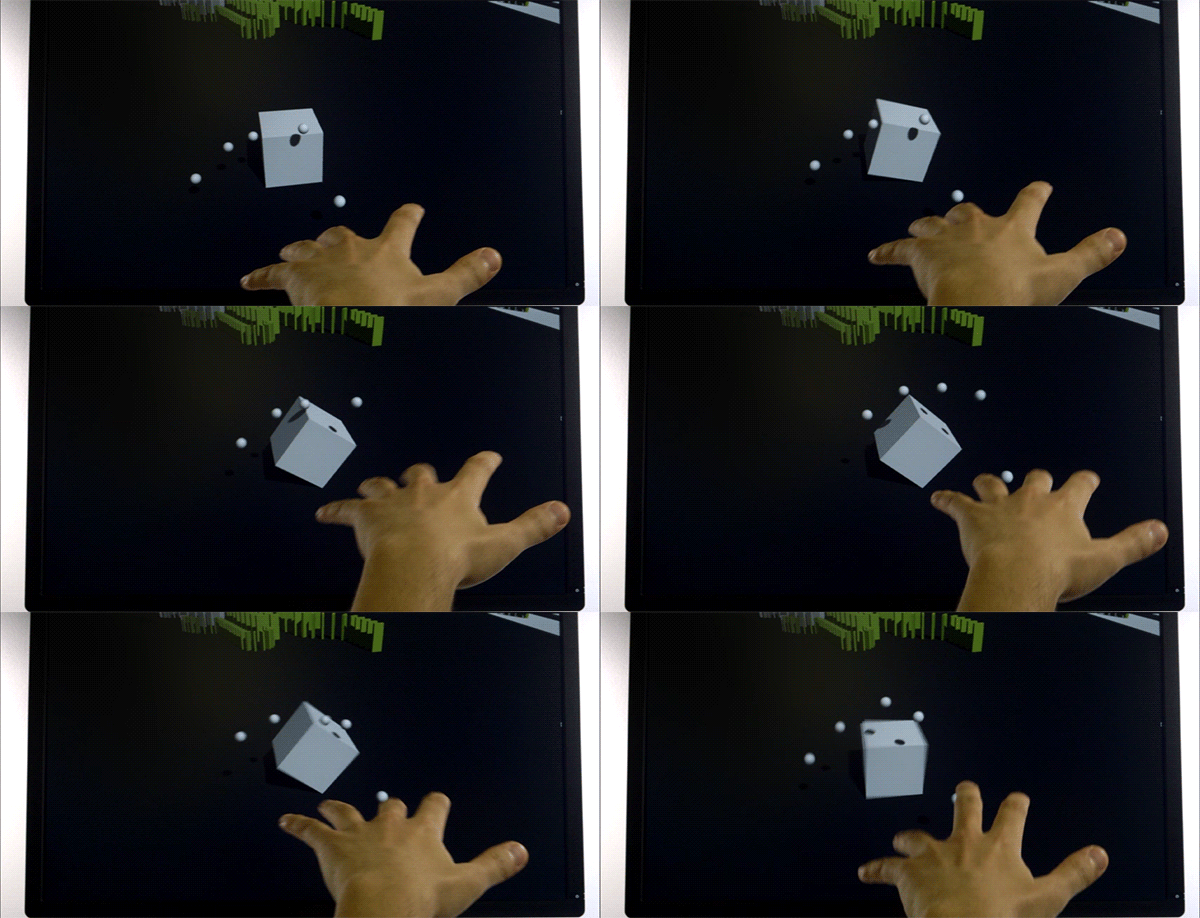
One of the first things I built is a physics sandbox. Physics sandboxes have always been fun to mess around with even with only keyboard and mouse.

With very little time, I was able to start pushing a box around a scene in Unity3D with my fingers. Unity has a 3D physics engine built in, so it was very little work on my part to get this very simple demo to work. It felt very much like a “Hello World" for simple 3D interactions using the Leap Motion controller.

image

Read More

27 June 2013 by cabbiboleapmotion
0 Comments
Mesh Manipulation

When creating new demos for the Leap Motion Controller, the first question I tend to ask myself is: ‘How can I create something that was not possible to make before?’ This line of thought tends to lead me to a place of wondering how I can make a spaceship that lets me wing suit base jump on the moons of Jupiter, but sometimes it just makes me want to create a demo. One of the things that really excites me about the Leap Motion Controller is the extra dimension of interaction, especially when it pertains to 3D objects.

All of this made me decide to create a program that let you manipulate the mesh of a sphere. If you have a Leap Motion Controller, the program is available at http://cabbibo.com/leap/meshGallery/

As many people who I’ve talked to who are programming with the Leap Motion Controller have told me, one of the bigger issues that you have to solve is how to start and stop a motion. In the case of mesh manipulation this is especially difficult, because the way that you begin or end a motion cannot affect the placement of the vertex you are moving.

In the end there were a few things I did to try and solve this problem.

The first was to make it so that the ‘plucker’ which would attach itself to a vertex, would be a point that lay directly in the middle of the two ‘finger markers’, as seen in the screen shot below.

Read More

20 June 2013 by leapmotiondeveloper
0 Comments
Inside Leap Motion: The Software Engineering Team

It took years to design and build the Leap Motion Controller, and our software engineers are the people who bring the potential of the device’s hardware to life. Earlier this week, we asked some members of our software engineering team to talk about their lives, work, and passions.

image

Read More

14 June 2013 by leapmotiondeveloper
0 Comments
Developer Spotlight: Double Fine on Making Their First Leap Motion Game

Game designers around the world have been inspired by the Leap Motion Controller’s incredible speed and accuracy to create games that take advantage of our unique 3D interaction technology. Last week, we caught up with Patrick Hackett – a game designer with popular indie developer Double Fine Productions – about his creative process in developing for the Leap Motion Controller.

Double Fine is widely known for creating quirky, innovative games that capture the public imagination. Their debut app for Leap Motion is the score challenge game Dropchord, which allows you to become a master DJ – dodging scratches, collecting notes, and jamming to an original electronic soundtrack. During our visit to Double Fine’s offices in San Francisco, we were invited behind the scenes to meet some of the amazing people who brought Dropchord to life.

Read More