


Gesture Control made simple. Your Mac at your fingertips
App Switching, Gestures, and More
Ever wish you could reach out and control your Mac with a flip of the wrist? Do you dream of switching apps with your fingertips? Swish does all these tasks and more.
Swap between modes for switching apps, controlling your music, and performing other actions. Bind keyboard shortcuts or various predefined actions to a host of gestures.
Extremely Simple
Swish makes controlling your Mac very simple. Start off with our interactive tutorial to learn how to perform gestures. Use our Visualizer to display the optimal position of your hand and fingers while using the Leap Motion Controller. Choose from an assortment of gesture presets to eliminate the daunting task of configuring your gestures.
Gestures
From the customizable actions for swipe gestures to the various taps used to switch modes, Swish is powered by gestures. Use our various customization options to make the Swish experience your very own. Increase the system volume, select a song to play, or undo your last action, all by changing a gesture's settings. There are so many possibilities for what you can do with Swish.
App Switching
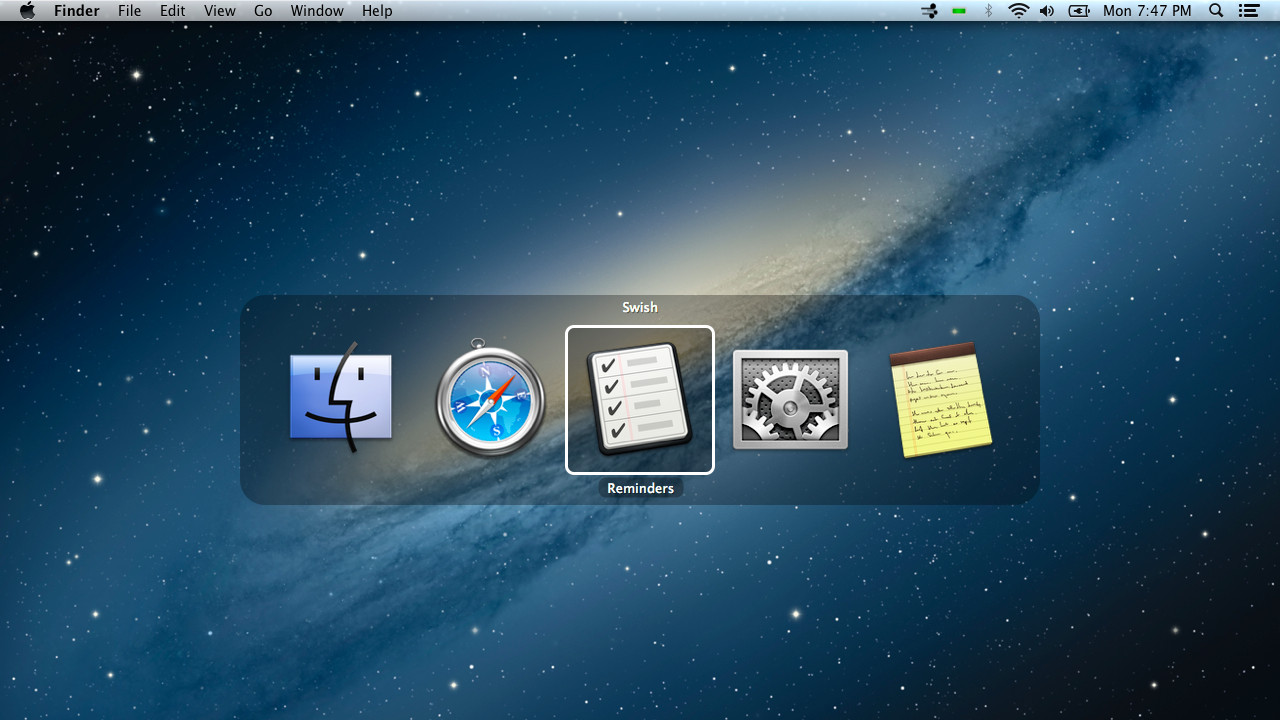
Application multitasking is one of the greatest functions of modern computing and is only expanded with Swish. Simply perform a double tap gesture with a single finger (don't worry, our tutorial shows you how) to open the App Switcher. From there, all of your currently open applications are displayed, similar to pressing Command + Tab on your keyboard. A point and a tap is all it takes to switch to another app and continue working.
Configuration for the smallest detail
Not only does Swish offer many different options for gesture actions, but it also comes with many different options to make it work even better. There are gesture sensitivity options for those who need something a little more personalized, making gestures conform to you, not to Swish. Even with all of this customization, we keep things simple, with teaching tools such as our Visualizer, an interactive tutorial, and various tips and tricks scattered around the app.
(BETA) Cursor Control
Although this is in very early development, we thought the public would like to try out our new Cursor Control system. Flip the switch in our preferences to use your fingers to quickly and easily navigate Mac OS X. Again, this feature is in beta, so do not expect it to be perfect, or even good. We would greatly appreciate user feedback. Post in our Feedback Thread, Message us on Twitter, or Send us an Email to get our attention.


