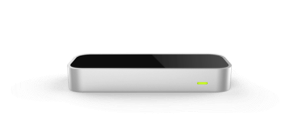
Gesture Control made simple. Your Mac at your fingertips
App Switching, Gestures, and More
Ever wish you could reach out and control your Mac with a flip of the wrist? Do you dream of switching apps with your fingertips? Swish does all these tasks and more.
Swap between modes for switching apps, controlling your music, and performing other actions. Bind keyboard shortcuts or various predefined actions to a host of gestures.
Extremely Simple
Swish makes controlling your Mac very simple. Start off with our interactive tutorial to learn how to perform gestures. Use our Visualizer to display the optimal position of your hand and fingers while using the Leap Motion Controller. Choose from an assortment of gesture presets to eliminate the daunting task of configuring your gestures.
Gestures
From the customizable actions for swipe gestures to the various taps used to switch modes, Swish is powered by gestures. Use our various customization options to make the Swish experience your very own. Increase the system volume, select a song to play, or undo your last action, all by changing a gesture's settings. There are so many possibilities for what you can do with Swish.
App Switching
Application multitasking is one of the greatest functions of modern computing and is only expanded with Swish. Simply perform a double tap gesture with a single finger (don't worry, our tutorial shows you how) to open the App Switcher. From there, all of your currently open applications are displayed, similar to pressing Command + Tab on your keyboard. A point and a tap is all it takes to switch to another app and continue working.
Configuration for the smallest detail
Not only does Swish offer many different options for gesture actions, but it also comes with many different options to make it work even better. There are gesture sensitivity options for those who need something a little more personalized, making gestures conform to you, not to Swish. Even with all of this customization, we keep things simple, with teaching tools such as our Visualizer, an interactive tutorial, and various tips and tricks scattered around the app.
(BETA) Cursor Control
Although this is in very early development, we thought the public would like to try out our new Cursor Control system. Flip the switch in our preferences to use your fingers to quickly and easily navigate Mac OS X. Again, this feature is in beta, so do not expect it to be perfect, or even good. We would greatly appreciate user feedback. Post in our Feedback Thread, Message us on Twitter, or Send us an Email to get our attention.
What's New
Version 1.1.3
- Added the ability to set single key keyboard shortcuts
- Bug fixes
Version 1.1
- Added the new gesture recognition system, which is much more fluid and configurable
- Added Gesture Sensitivity preferences
- Added Visualizer. Visualizer teaches you how to use Swish and the Leap Motion Controller more effectively
- Added beta Cursor Control. Control your cursor and scroll through websites (toggle available in "Beta Functionality"
- Updated Tutorial with additional information
- Many bug fixes and tweaks
Ratings & Reviews
-
super
extremement simple a essayer d'urgence
1 out of 1 customers found this review helpful
-
Easiest to use so far
I've tried a few other operating system type controllers and I found this one the easiest to use with the best recognition. I've asked for a way to save and load configurations and a few more gestures. That would make it 5 stars in my mind and hand.
-
Actually quite good, with caveats and practice.
Touchless was awful. Swish isn't. I can imagine using it daily. For left/right swipes the finger counting sucks. Use redundancy and set the same action for 1-4 finger swipes. It works great. For up/down counting is better. I set different 1, 2 & 3 finger actions. My trick here is imagine a thin sheet of vertical paper 5cm in front of the device. First 'poke a hole' in the paper & then pause a moment before swiping. If it isn't working, then wait a bit longer between the poke and swipe.
7 out of 9 customers found this review helpful
-
They do stuff in the video that can't be done
Clunky and bad app thorugh and through. Don't buy this, use the Free one. Would love a refund option tbh.
5 out of 7 customers found this review helpful
-
not yet developed
Sorry but they don't recognize easy movement right to left, et up and down, they recognize more easy left to right. the application is difficult to recognize the number of fingers.
3 out of 4 customers found this review helpful
-
Really Impressed, better than Touchless
It took a little getting used to, and it doesn't feel quite as natural as it appears, but guys, this is a really great app. I am speaking mainly of the mouse feature, because that is the purpose for which I bought the app and I'm assuming that's true for many of you. After about two days of use, I have begun to prefer it to using a regular mouse. It's nice to be able to lean back while on the computer.
2 out of 3 customers found this review helpful
-
Not great, but ok after the updates.
When I bought this app when it first came out, it was really lacking in capability and accuracy. But with the recent update, the accuracy has increased and I particularly like the mouse control gesture mode which is in Beta. Works far better than the touchless app. The true innovation in the leap has to be figuring out the comfortable and practical gestures and motions for daily use. I think Swish is sort of heading in the right direction here. 4/5 for the future potential.
2 out of 3 customers found this review helpful
Information
Platform: OS X
Version: 1.1.3
Size: 11.5 MB
Age Rating: 3+
System Requirements
OS X 10.7 (Lion) or later
Intel i3 or greater
64-bit
2GB RAM
20MB Hard Drive Space