


Major new feature
Community site to share GameWAVE files Gawshare.com
Video game and operating system control
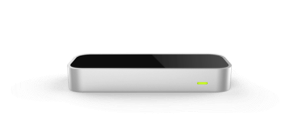
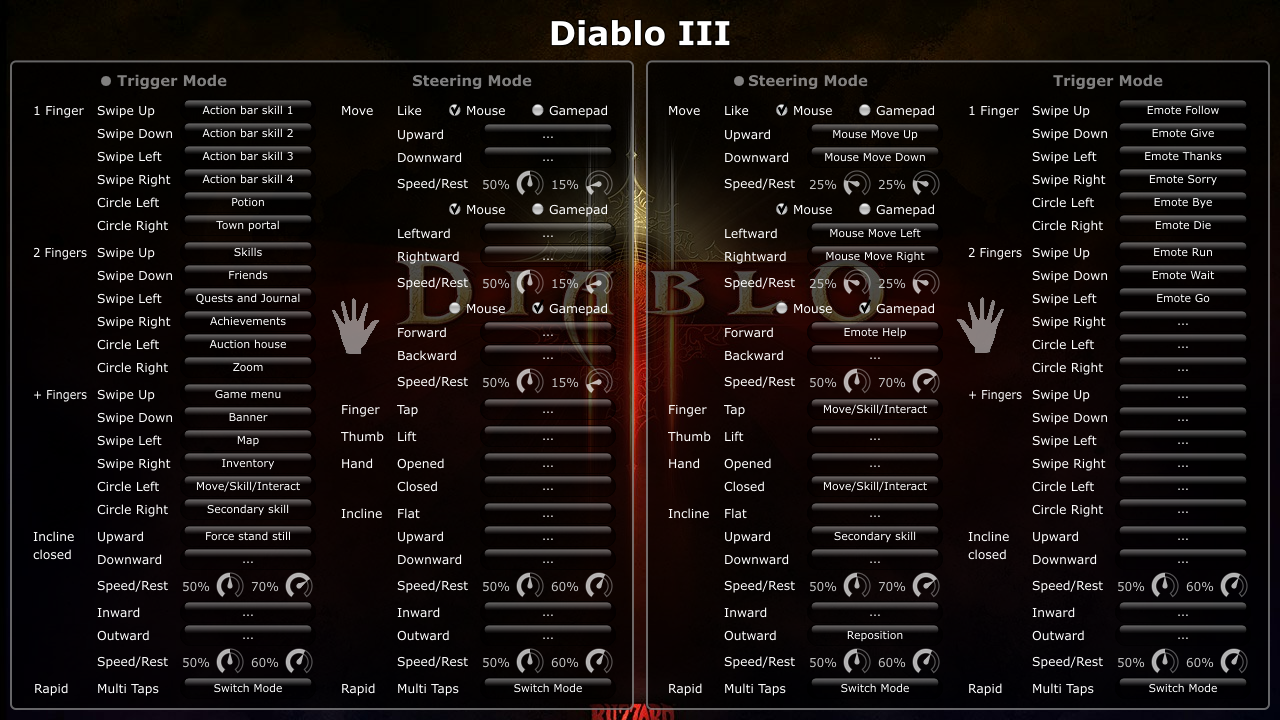
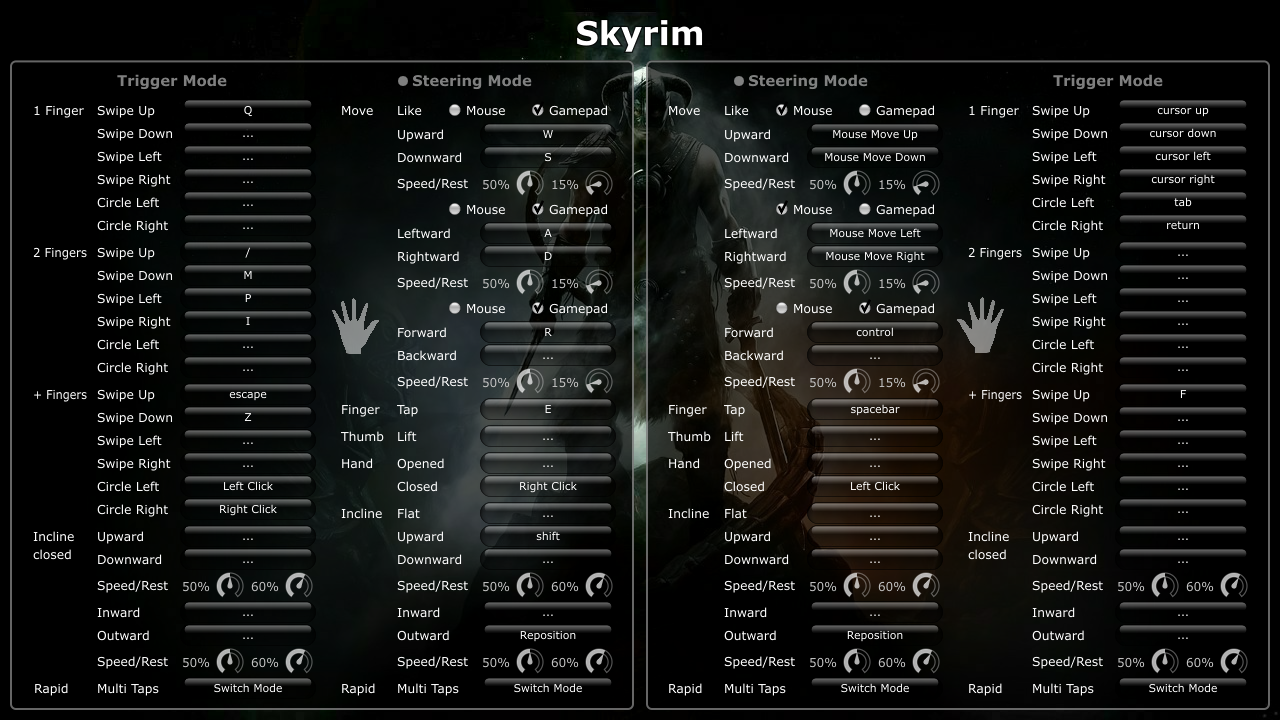
GameWAVE makes it possible to completely control keyboard and mouse-based video games with your Leap Motion Controller. To do so, you assign actions to different gestures and make them correspond to what your favorite video games are expecting. This might initially take a little effort, but once you find a combination of gestures and actions that feels right for you, they can be saved for later use and you'll feel like stepping into a science-fiction movie.
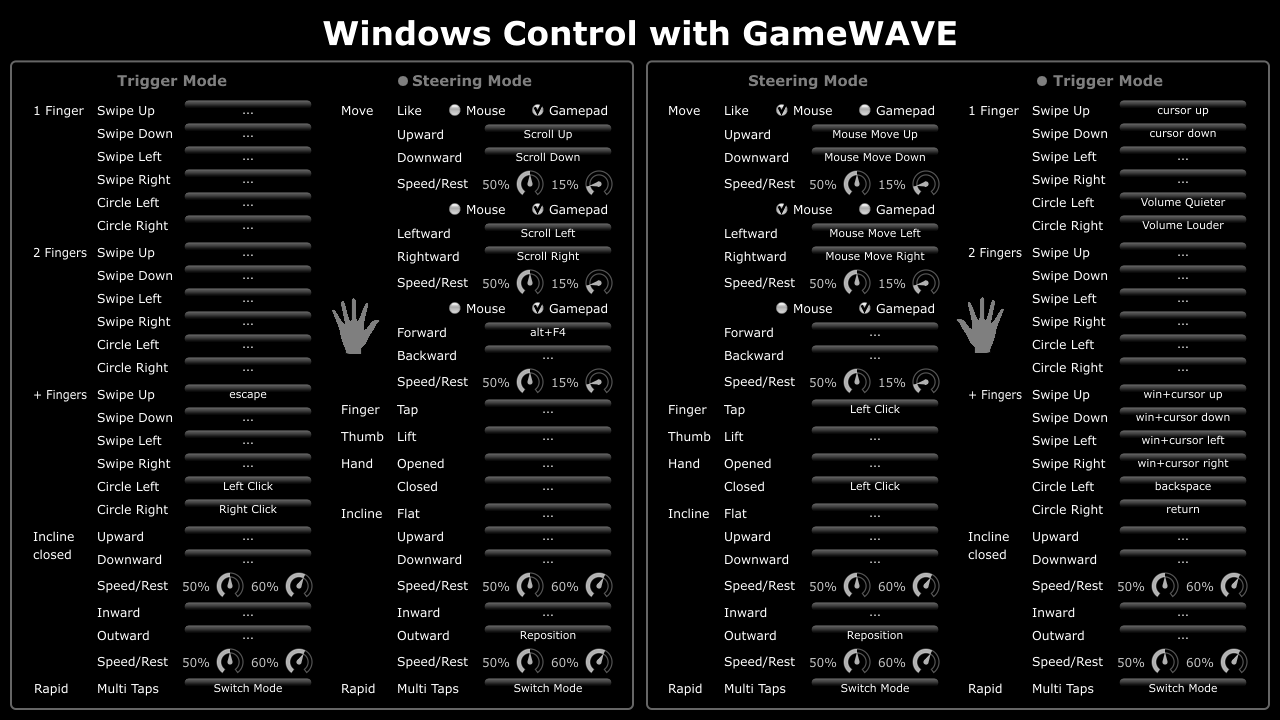
GameWAVE is also incredibly useful for controlling the rest of your computer with gestures. The flexibility and detail needed for real-time gaming makes it excel for operating system control.
GameWAVE can save each configuration into a dedicated document with the possibility of skinning its looks by providing a background image on which the transparent GUI will overlay.
Supported gestures for each hand:
- 12 different swipes : one, two and more fingers in four independent directions (up, down, left, right)
- 6 different circles : one, two and more fingers in two independent directions (left, right)
- 6 continuous movement directions: upward, downward, leftward, rightward, forward and backward
- 4 continuous inclinations: upward, downward, inward and outward
- two different movements styles for each axis: move like mouse or move like gamepad
- speed and rest zone sliders to fine-tune movement precision
- hand opened or close
- hand flat state when it's not inclined
- single finger tap
- thumb lift
- rapid multiple finger taps
Supported actions to map gestures to:
- key press : virtual any key combination on your keyboard, apart from hardwired system shortcuts
- modifier keys: shift, control, alt, windows
- caps lock key
- reposition hand during the movement gestures without interruptions
- mouse click left, center, right, double click
- mouse move up, down, left, right
- scroll wheel up, down, left, right
- media control: play, stop, previous, next, mute, quieter, louder
- open documents, applications or folders
- system commands: lock, logoff, sleep, restart and shutdown
- switch between steering and trigger modes to enable continuous actions and one-shot action on the same hand
- a whole collection of OS-specific commands that are different on MacOSX and Windows, leveraging the possibilities of each
Note that even though we did our best to make GameWAVE compatible with as many games and applications out there, we can't guarantee that it will function with all of them. Competitive online multiplayer games in particular seem to block virtual mouse and keyboard input. You can find a growing list of games that were confirmed working by the community on our website.
What's New
Version 1.5.6
- Added MacOSX support to use keyboard modifiers together with GameWAVE generated actions. Very useful when playing with one hand on the keyboard and one hand to control the game with gestures, instead of a mouse.
- Added OS language detection with automatic switching to Korean. Support for explicitly overriding the GUI language instead of automatic detection.
- Fix for action paths and descriptions not being preserved when switching actions between left and right.
Version 1.5.5 had the following improvements:
- Added experimental support for translations in other languages.
- Added Korean language support, selectable through the preferences dialog.
- Fix for dexterity detection settings changes not being picked up.
Version 1.5.4 had the following improvements:
- Added detection of Winamp and Windows Media Player to popup initial instructions automatically.
- Fixes to popup dialogs for key selection which could cause an application crash on MacOSX Mavericks.
- Added detection of intended operating system when loading GAW files. When the configuration of a different operating system is loaded, a warning dialog informs about possible incompatibilities.
- Integrated official cross-promotion towards HandWAVE as a help menu item.
- Updated to Leap SDK 1.0.9.
Version 1.5.3 had the following improvements:
- Improvement to allow modifier keys to influence other actions, for instance hold shift with one hand and click with the other for a shift+click action.
- Improvements to rapid multi-taps gesture detection so that fast open-hand down swipes can't trigger them anymore.
- Improvements to closed inclination detection in trigger mode, it's now a lot more predictable even when fingertips stick out.
Version 1.5.2 had the following improvements:
- MacOSX fix where the modifier-only actions could sometimes remain stuck pressed down in certain games.
- MacOSX improvement to the click in place behaviour to mimic the Windows implementation, meaning that during the click the mouse pointer doesn't move at all instead of merely not dragging.
- Minor internal improvements.
Version 1.5.1 had the following improvements:
- Regression fix for global hot keys that couldn't be set anymore.
- Improvement to mouse click behavior so that only continuous gestures cause drag operations. Single-shot gestures will now always click in place even if your hand moves at the same time.
- Check to notify users when background applications aren't enabled in the Leap Motion settings.
- Fix to show the right icon for Windows file association of .gaw files.
Version 1.5.0 had the following improvements:
- Made version jump to 1.5.0 to indicate the amount of work that went into the application compared to the initial release.
- Added support for adding your own description for each action, this allows you to give a meaningful explanation so that anyone can instantly understand what each gesture relates to.
- Added support for editing actions by showing the previous action configuration in the popup. This allows for the description to be changed of existing actions or to change the action while leaving the description in place.
- Added support for system commands: lock, logoff, sleep, restart and shutdown.
- Added status bar icon for GameWAVE on MacOSX, allowing it to run completely in the background with the main window is closed.
- Improved MacOSX HUD notification to float on top of fullscreen applications when the main window of GameWAVE is closed.
- Switched around default previous/next media controls on MacOSX with rewind/forward since these are the actions that are on the Apple keyboards and that applications like Spotify expect. GameWAVE will automatically migrate older GAW files.
- Added new mode stabilization preference that requires the presence of at least one finger. This should successfully suppress most accidental hand activations when GameWAVE is running while you're doing other things. This option can be disabled in the global preferences with the 'Stabilization requires visible fingers' option.
- Added preference to turn off stabilization before trigger mode. This restores the previous default GameWAVE behavior but also prevents the progressive hand inclination gestures to use your natural hand inclination as a baseline.
- Removed monitoring of gesture detection since it wasn't able to reliably see when the Leap Motion Software and GameWAVE got out of sync.
- Fix to HUD notifications so that they don't respond to mouse or keyboard input.
- Fix to leave the gesture configuration dialogs present even when a HUD notification is shown.
Ratings & Reviews
-
Great but needs better scroll control
It’s great, but a smoother scrolling implementation, and a way to disable a hand so that it only ever looks for the one hand would help make it better. So far all I've been able to do is move at the rate of 1 click of an arrow key, which not easy not. The ability to disable a hand would be useful, cause I map all my keys to one hand it takes a couple of times of putting my hand in and out for it to detect the right hand, It might be because I put my hand in the middle instead of to one.
1 out of 1 customers found this review helpful
-
Fail.
I couldn't think of a better title than fail, because that's what it is. - You're unable to assign multiple keys to once gesture -- For example (L-shift + a + w + e + space) to closed hand. - It's very unresponsive making it completely useless -- For example moving your open hand forward when assigned to the mouse will move the cursor 5 seconds later or not at all. "GAME"wave -- Shouldn't the main game supported be surgeon simulator????
by Uwyn – August 28
The behavior you describe is not normal and GameWAVE should be extremely responsive, as all the demo and tutorial videos demonstrate. Please reach out to support so that we can help you track down the problems you're experiencing.
-
Great
So Great. But nothing is perfect. I thought we should have something fix to make users easier to control the computer. This is good but not easy to use. How about somebody with the shaky hands? or Parkinson patience ? :D I just hope this become perfect to rule the field of computer controlling. I love this program. Thank you! Thank you , Creator!
1 out of 2 customers found this review helpful
-
Battlefield 4 with GameWAVE
I tested GameWAVE on Battlefield 4. For a normal game need: *Absolute position hand mode in 3D . Very uncomfortable every time to pick the position and angle of hand when it exceeds out zone. Done in AirInput *Add the modified mode Gamepad: 70% central zone as mouse, and when the arm is out, let it work in Gamepad mode . This is in order to make it convenient to aim straight, but you could fast expand the view on the large angle sideways or backwards. Done in the Hybrid mode in Razer Hydra
-
Awsome
Not perfect (almost), some trouble with clicking some times, i can't find a movement and a hand position thats work all times (maybe i need some more trainning because only it's been only two days I got GW). I'm not using my mouth a lot since i got GW, this gives the user the association of a handy and funy way to control computer. I think this app can become the reference app for computer control. (Sorry for english faults, english is not my ML)
-
Must have
Please could you include a bunch of profiles by default, and allow us to select them. eg. windows desktop, windows8 metro, fps game, strategy game, mmorpg game. i would like the profiles that are demoed in your video, so we can learn by the of the video. Also would be nice to have a global sensitivity adjustment. Most of the time i find the leap far to sensitive. thanks.
18 out of 19 customers found this review helpful
-
Best use of the hardware!
Have'nt tried gaming with it, but even only after using this app for a day just being able to use gestures that i have control over is great. 2 suggestions, add a forum of some sort to download premade layout for gamewave and a functionality to set up a gesture that temporarily disbale tracking until i make that gesture again just to avoid misclicks and the like when reaching over the device.
8 out of 8 customers found this review helpful
-
AWESOME!
If you are willing to take the time to figure out and configure it this app is truly fantastic. There's a huge amount of versatility that you can adjust to exactly your liking. This is certainly NOT something that is going to work perfectly right out of the box, so to speak, but you can seriously get it to be just the way you like it which, so far, is pretty much the only case where you can do that with a Leap app. I'm looking forward to seeing how development continues with this!
6 out of 6 customers found this review helpful
-
This is why you bought the Leap.
You bought the Leap to enhance everything you already do on your computer, not to use apps specifically made for it. GaveWAVE is the magical bridge that you were looking for. Buy it.
6 out of 6 customers found this review helpful
-
Wonderful app
The first ever app that makes my leapmotion controller useful!! First it's a bit hard to use, but then I download the configuration file from: http://leap.quitebeyond.de/files/ ,then I can use it really effective! The logic that use left hand as a click button and right hand as a mouse is my best fit.
6 out of 6 customers found this review helpful
Information
Platform: Windows
Version: 1.5.6
Size: 19.2 MB
Age Rating: 3+
System Requirements
- Windows 7 and 8 (x86)
- Intel i3 2GHz CPU or better.
- 2GB RAM.
- 20MB free HD space.