/

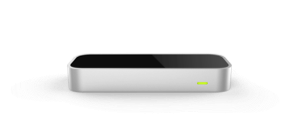
HandWAVE tracks your hand and watches for gestures. It is designed to run in the background and is very smart about filtering out unintended movements so that gestures are never accidentally triggered. You can swipe in four directions, perform circles leftwards or rightwards, tilt your hand or make a fist. All these gestures can be tied to commands that will control your computer.
HandWAVE by default starts with a media control and browsing configuration and includes a beautiful step-by-step tutorial to help you train the supported gestures. Minutes after launching the software, you'll be changing volume, controlling playback and scrolling your browser content with your hands.
HandWAVE provides a powerful but intuitive configuration window that allows you to fully customize which commands are triggered by your gestures. These configurations can be saved, reloaded afterwards and even replace the default configuration.
HandWAVE is built on the engine behind GameWAVE, one of the most popular and highest rated applications on the Airspace store.
HandWAVE's goal is to allow anyone to dive straight into gesture control with a minimal amount of training or configuration. When you want to unleash the full power of your Leap Motion Controller, it's easy to upgrade to GameWAVE since its approach will feel immediately familiar.
Airspace tell me "click to install" and nothing happen. I don't know how to remove it from my list of applications. It's like a ghost app --"
18 out of 30 customers found this review helpful
given its a free app, its great. now the uses i see are somewhat limited im only using it for media player control ,tracks the play and pause perfectly only have to try more than once for swiping left and right. but it is pretty accurate and wont activate accidentally since there's a small delay before it activates, also great for scrolling while browsing the net . i wont recommend it for complete computer control but it is a good aid for some things
7 out of 11 customers found this review helpful
Nice app,but a little problem with alt+tab combo (with win8.1 64bit). i've tried many combos, only alt+tab didnt work. Hope you fix this!
3 out of 4 customers found this review helpful
I love it. My most used leap-motion application. :) Limitations as in limited gestures. And having trying to program with LeapMotion myself, I can say that in terms to gesture accuracy, it can't get any better at the moment (not the developer's fault). [Tip: Try keeping your hand facing down and fingers wide apart for best accuracy]
2 out of 2 customers found this review helpful
The slide gestures don't really work at all. (I tried mapping them to letters and simply triggering them in notepad to make sure it wasnt just media player config.) The other gestures are mostly OK, but closed fist is triggered too easily. And overall, it reacts too slowly to make me believe that the developers gaming product would be of any use. (I have a modern Intel i7 system, and other Leap apps work fine.)
2 out of 4 customers found this review helpful
the app seems to track the hand very well but I couldn't get past the setup/demo screen for scrolling just like madean below. Then of course you can't exit the program at that point. emailed the developer so hopefully I get a response soon. Update: developer was very quick to respond with a suggestion. The problem i have doesn't seem to happen all the time. Ultimately once their app is working it seems to work very well so i've updated my rating.
11 out of 12 customers found this review helpful
I want to use Leap Motion for my business when I have to present powerpoint or Prezi documents. So, I was lookgin for a simple gesture app to control only few commands (go to/back next slide, start/stop presentation). HandWAVE is exactly what I whish! And it's free!!!
6 out of 7 customers found this review helpful
Airspace tell me "click to install" and nothing happen. I don't know how to remove it from my list of applications. It's like a ghost app --"
18 out of 30 customers found this review helpful
given its a free app, its great. now the uses i see are somewhat limited im only using it for media player control ,tracks the play and pause perfectly only have to try more than once for swiping left and right. but it is pretty accurate and wont activate accidentally since there's a small delay before it activates, also great for scrolling while browsing the net . i wont recommend it for complete computer control but it is a good aid for some things
7 out of 11 customers found this review helpful
I use gamewave for OS controls & handwave for page scrolling. Overall these are the best LeapMotion products found so far. notes: The scrolling takes a little kick-in, usually corresponding to an unwanted initial scroll speed that gets past where I'm reading. It looks like the configurations interferes with each other: e.g. I configured gamewave to launch on login, but handwave gets launched instead (I installed handwave after gamewave). Windows-7 64bit on a dual i5 core.
3 out of 3 customers found this review helpful