

 Installer, SDK & Release Notes
 JavaScript
 Unity / C#
 Unreal Engine 4
 VR Getting Started
 C++
C++Unity3D 4.6 Downloads
Core Assets
Each asset release (below) is numbered according to its corresponding Leap Motion software version. Be sure to use the latest Unity asset version that corresponds to your version.
Core Assets: VR Edition
Want to build a 3D interactive experience with the VR Developer Mount? Available for Unity Pro (Mac and Windows) and Unity Free (Windows only), VR Edition comes prepackaged with everything you need from the Core Assets, plus some important extras. Using the VR assets, you access and use raw infrared imagery, as well as allow users to access desktop and VR modes (by detecting whether or not a Rift is connected, then setting the appropriate camera).
In the package you'll also find the following examples:
- LeapOculus500Blocks. A basic sandbox demo featuring 500 floating blocks and image passthrough.
- LeapOculusHandViewer. See all the available hands that we've designed for VR by pressing the left/right keys.
- LeapOculusPassthrough. Another passthrough demo with a wall of blocks that you can punch through.
- LeapOculusMovingDemo. Move forward in the scene by facing both palms outwards with fingers towards the sky.
Note: Always make sure that you're running the appropriate versions of the Oculus and Leap Motion SDKs! Supported versions are indicated above in the known issues for Unity Asset releases.
To use the assets with the Standard (free) version of Unity for Windows, extract all the content in the .zip into your project. When you create an executable, be sure to copy all library files in the asset (DLL in Windows) to the executable's root folder. This is necessary because Unity Standard does not support moving third-party plugins.
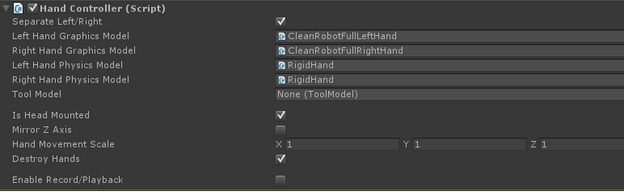
Be sure to use the latest Unity asset version that corresponds to your Leap Motion and Oculus software versions, if possible. (Each asset release is numbered according to its corresponding Leap Motion software version.)
Unfortunately, due to an issue with how Unity Free on Mac handles plugins, the VR assets currently only work in the Windows version of Unity Free.
Not sure how to add an asset package to your Unity project? Watch the tutorial videos on our getting started page.
Portions Copyright © 2013 Oculus VR, Inc. All rights reserved. Subject to the conditions and disclaimer in the SDK license agreement at https://developer.oculus.com/licenses/