
POSITION CAMERA ON A kiosk


Our award-winning TouchFree software combines world-leading hand tracking with seamless control over interactive kiosk applications.
What Do You Need?
Ultraleap camera module and Hand Tracking Software to track hands
position your camera
For detailed guidelines on camera placement, visit our Developer Resources site.
Above Facing Screen
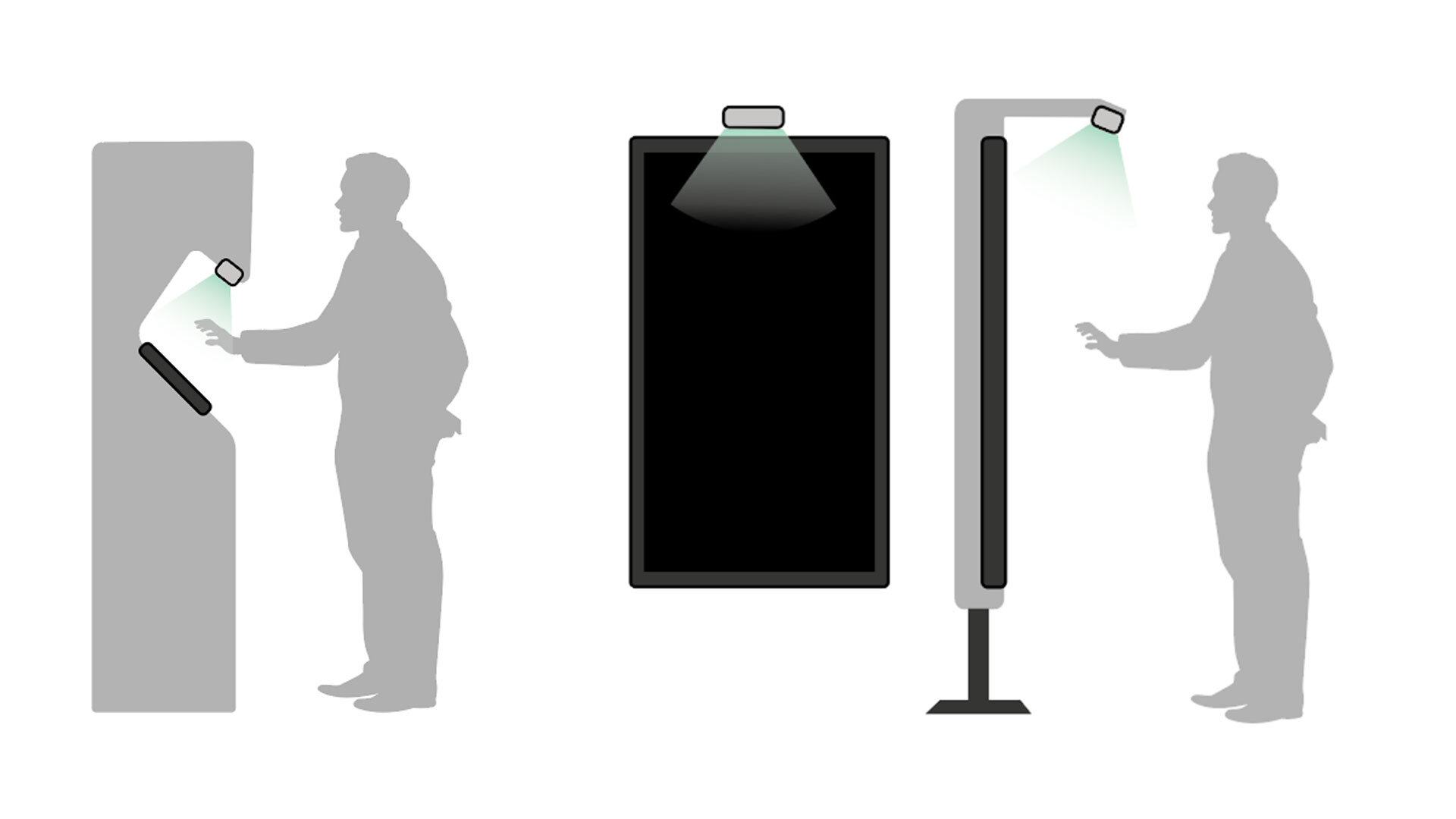
The Ultraleap camera module should be at least 10cm away from the highest point where the hand enters.
The camera tilt should be between 15° to 85° from the horizontal.
Below (or DESKTOP)
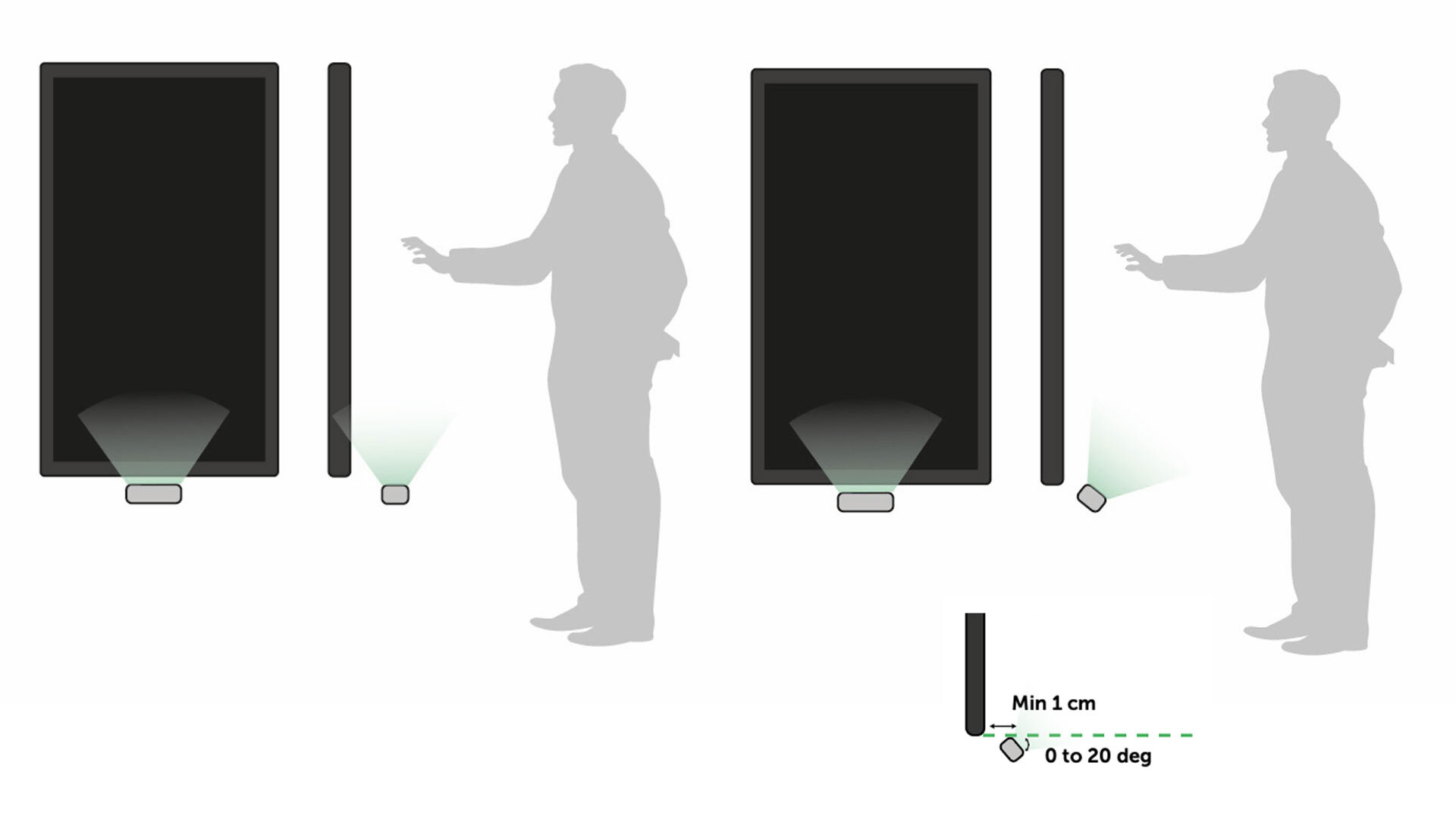
The Ultraleap camera module should be at least 10cm below the lowest point on the screen that users will interact with.
The camera tilt should be no more than 20° from the horizontal.
Ensure that the camera is a minimum of 1cm away from the screen.
Above Facing User

The Ultraleap camera should be positioned so that it is at least 15cm from the highest point on the screen that users will be interacting with.
The camera tilt should be no more than 30° from the horizontal – recommended angles are between 15° to 30°.
For best results, you must ensure that the camera is positioned at a minimum depth of 1 cm away from the screen.
At present, Above Facing User is only available on our restricted Early Access Program. Please contact Ultraleap.
The Camera Position Visualizer
The Ultraleap Camera Position Visualizer (CPV) tool is designed to help to find the ideal position for an Ultraleap camera module.
Try different camera positions to see a 3D representation of the hand tracking field so you can optimize position and angle for your physical setup.
You don’t need to have an Ultraleap camera module to use the CPV. You can even try different camera modules within the CPV to help decide which will best meets your requirements.

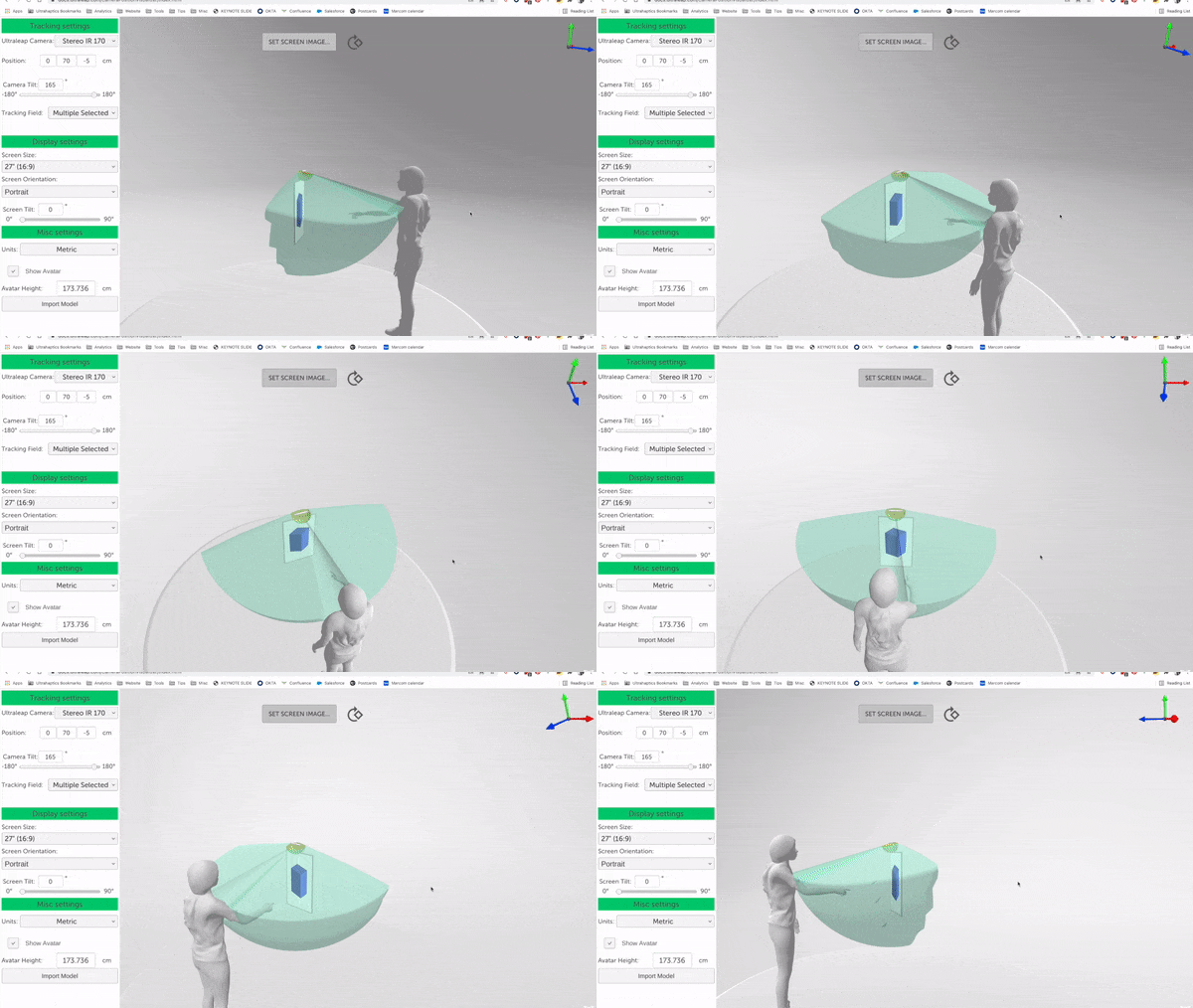
How it works:
Customize the virtual kiosk screen to different screen sizes and orientations
The CPV tool generates a visualization of the 3D zone where the Ultraleap camera is able to track hands and maps to button locations in the kiosk interface
You can also upload a sample screenshot of your kiosk interface. This is projected onto the virtual kiosk screen within the tool
For full details and design guidelines explore our documentation.