Showing all posts tagged: Design

Video: How Autodesk Reaches into New Worlds of 3D Design

We live in a designed world – where form and function are woven together into our everyday lives. From computer animation and architecture to complex machines and tiny gadgets, much of our world is conceived in 3D design programs like Autodesk Maya before it takes physical shape.

Within this 3D space of pure design, industry professionals are using the Leap Motion Controller to push past the flat interface to design and manipulate models. In the video below, you can see how the Autodesk Maya plugin in the Airspace Store works with Leap Motion for a unique design experience:

By augmenting the traditional mouse and keyboard, the Leap Motion Controller gives designers the ability to reach into their design space and play with its contents. They can grab, push, pull, and mold their creations into new forms and shapes. This ability unlocks new possibilities for 3D design – adding a new level of reality and flow to the virtual spaces where they bring their ideas to life.

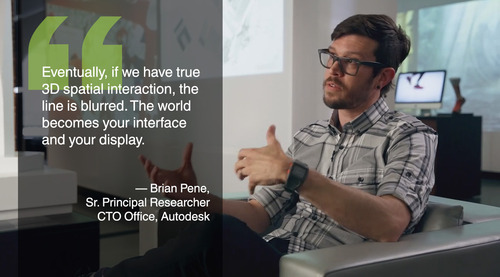
“When I found out that you can track all your fingers, that’s pretty amazing. You actually have more control,” says Landis Fields, a visual development artist at a major film digital effects studio. “When you start using it, you quickly realize how sensitive it is. Things that you’re thinking in your mind can happen so much faster.”
image

All around the world, designers and artists are using 3D tools like Autodesk Maya to create and mold their designs with Leap Motion interaction. What would you like to create? Let us know on Facebook and Twitter.
Creating Jack-o’-Lanterns in the Air: Autodesk Design Night

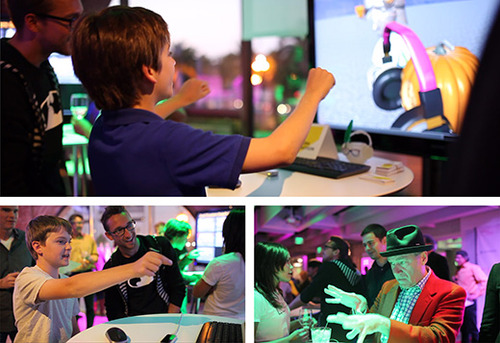
Last week, hundreds of visitors to the Autodesk Gallery got to explore the magic of Leap Motion during Autodesk’s Design Night on Oct. 3. The Leap Motion plugin for Autodesk Maya 2014 is an incredibly powerful tool for professional designers creating in 3D space. To celebrate Halloween, the Maya team made a special character for users to play with – a 3D Jack-o’-Lantern created and customized in the air with their hands.

Pinching and pulling various headpieces, colorful eyewear, and other wacky accessories onto their creations, participants could then swipe their hand to give their pumpkin a toothy grin or spooky frown. We spoke to designers and developers of all ages looking to integrate Leap Motion technology into their future 3D design projects – creating living, breathing scenes and dynamic characters who might jump right off the screen.

Autodesk’s a perfect fit with Leap Motion, and we had a great time at the event (big thanks to the whole Autodesk team). We’re looking forward to posting future developments with the company and its designers.

image

While much of the work with Leap Motion and Maya has involved creating and manipulating 3D characters (i.e. virtual puppeteering) we’re excited about the wider possibilities for 3D design and Leap Motion control, from art and education to architecture and engineering.

We’d love to hear what you think – what’s next for touchless 3D design?

Elon Musk Designs Rockets in the Air with Leap Motion

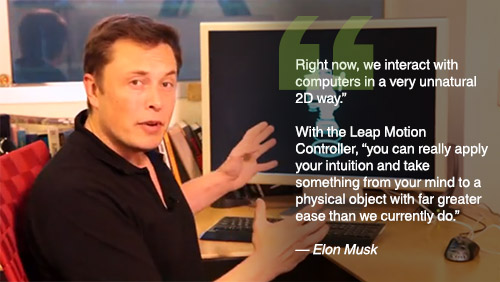
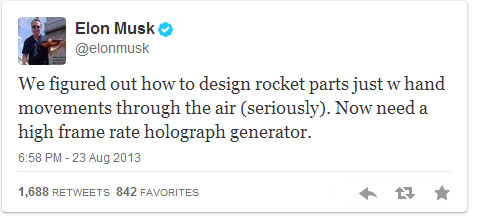
Elon Musk and SpaceX want to take humanity to other planets. To help make that dream a reality, the real-life inspiration for Robert Downey Jr.’s Iron Man has been using the Leap Motion Controller to design a rocket part prototype using hand gestures. It’s a truly new experience for the pioneering company, bringing together cutting-edge aerospace engineering with our Leap Motion Controller. And it’s the very same device that anyone can buy on leapmotion.com or grab off the shelf at Best Buy or Maplins for $79.99.

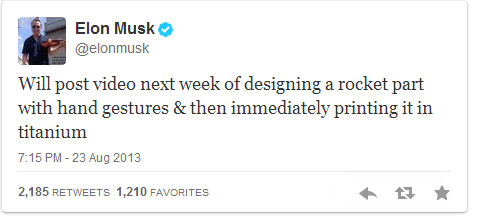
Musk tweeted about SpaceX’s touchless design system on August 23, and it quickly went viral:

image

image

By integrating the Leap Motion Controller with their CAD platform, SpaceX engineers can manipulate virtual rocket parts with a high degree of nuance and control. It allows them to dive into virtual models and see them in new ways. From design to prototype, the component can be printed in titanium in a matter of days at SpaceX headquarters.

Founded by Musk in 2002, SpaceX designs, manufacturers, and launches advanced rockets and spacecraft. They’ve already become the first private company to return a spacecraft from low-Earth orbit and resupply the International Space Station. With their Falcon Heavy rocket, they soon hope to send a crewed spacecraft on lunar orbiting missions.

But their true giant leap for mankind, enabling human settlements on other planets, is a dream decades in the making. Meeting this challenge means nothing less than bringing science fiction to life – playing with engineering and design concepts to create something new. By exploring touch-free interaction with CAD and the Leap Motion Controller, SpaceX takes another first step towards that giant leap.

Preview: Leap Motion Apps + Airspace™

When the Leap Motion Controller ships worldwide later this month, Airspace is the first place you’ll go to find the latest 3D interactive apps. Here’s a quick preview of what to expect once you’ve installed your new device.

Airspace Home

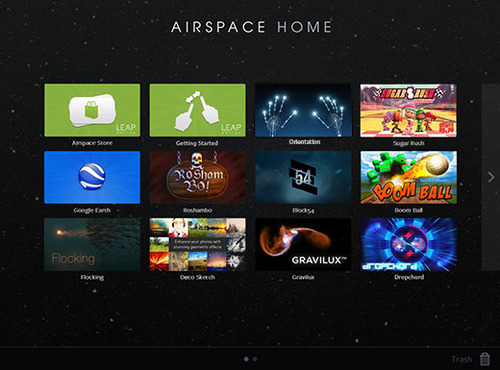
Airspace Home is the place where you can discover, buy, download, and launch Leap Motion apps. From your desktop, it displays every app downloaded and installed from the Airspace Store. It also shows other applications on your computer that support Leap Motion’s software (such as Google Earth).

image

Airspace Store

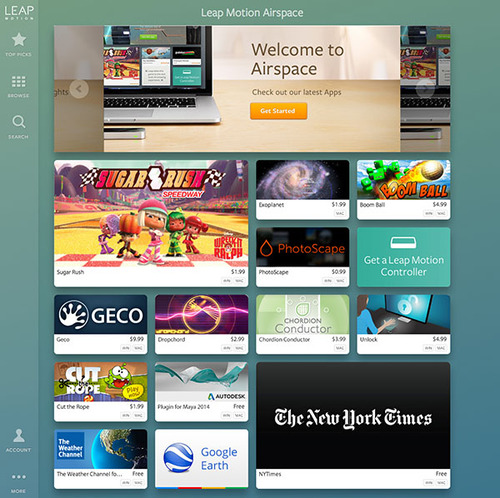
The Airspace Store is a website that you can access from Airspace Home, or directly on the web, starting July 22. The Airspace Store is the best place to find apps specifically designed or optimized for the Leap Motion Controller. It features both free and paid apps, starting at 99 cents.

Thanks to our amazing developer community, you’ll soon be able to reach into a variety of unique 3D interactive apps, with categories including:

  • creative tools
  • games
  • education/learning
  • music & entertainment
  • news & weather
  • plugins
  • productivity & utilities
  • science

image

Airspace Apps

Read More

What Makes a Great Game for Leap Motion?

While new interactive technologies offer near-infinite possibilities for app creation, few things can capture our imagination quite like games. Over the past several months at Leap Motion, we’ve seen hundreds of developers building games in a variety of genres, pushing our 3D interactive technology to the limits. Today, in honor of E3, I’d like to provide some insights on how our developers are transforming the gaming experience.

iVoltage’s 3D platformer Froggle, coming soon for Leap Motion. Take an adventure spanning 120 missions, where you can hop across lily pads, fly on a bird, ride a beetle, or control a jetpack.

There’s no magic formula for building incredible games. But there are a few fundamentals that a great game must accomplish. A great game is something you can play over and over again – something that tests your skills and gives you the thrill of accomplishment. It’s an unforgettable experience.

As the Director of Developer Relations at Leap Motion, I’ve played lots of games developed for the Leap Motion Controller. Over that time, I learned that all great Leap Motion apps, regardless of category, have one thing in common. They all achieve three essential things:

Read More

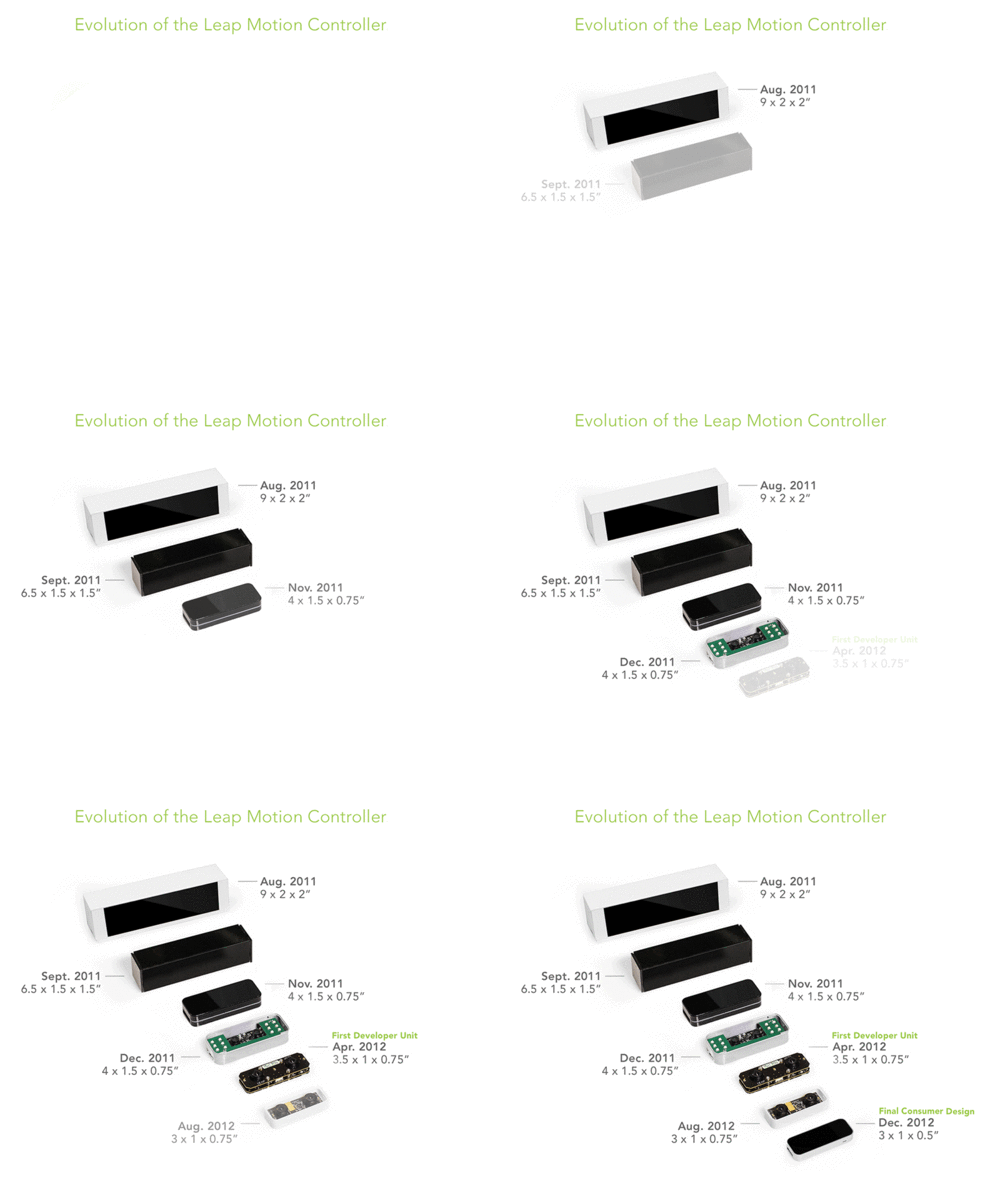
Designing the Leap Motion Controller

By Kyle Hay

The magic of Leap Motion comes in the software, but the hardware that delivers our technology has been in development for 2 years.

I joined Leap Motion (then a company called Ocuspec) in August, 2011 as an industrial designer — and employee #6. Co-founders David and Michael could have given an outside agency specs and had them come back with a product, but instead they approached the hardware design collaboratively.

Here we are, 2 years later. We’ve produced 600,000 devices and they’re heading to warehouses around the world. I wanted to share some of the steps and design decisions we went through to create the final Leap Motion Controller.

image

Read More