Showing all posts tagged: Video

Ascension: Where Interactive Animation Meets Hand-Crafted Sculpture

When digital art and physical sculptures are melded together, the resulting creation can be spectacular and strange. Recently, visitors to an exhibition at Eyebeam, an NYC-based art and technology center, discovered what happens when you throw 3D interaction into the mix. You become an artist yourself – creating between the real and unreal. You become part of Ascension.

The exhibit was a collaboration between multimedia artist William Ismael and sculptor Carrie Mae Rose. At Hackerloop, an innovation lab and hardware playground, William has been developing interactive experiences to bring rooms to life. Carrie Mae is known for her evocative sculptures that shock and endanger – working in wire, scissors, and razor blades.

Ascension reflects their different backgrounds – bringing together a hand-built tetrahedral wing structure with digital animations and motion control to become something new. Recently, we caught up with William to ask about his creative process and the work that went into creating Ascension. Plus, a preview of his next installation, Visual Composer – which lets him generate live visuals with his fingers.

Ascension

Starting Point: Inspiration

My biggest visual influences are nature, the sky, the ocean, the cosmos, sacred geometry, architecture, mathematics, and human-built objects. What inspired me to use Leap Motion was the possibility of using our main manual tools as human beings – our hands – to generate animated art, in real physical spaces, in real time. It personalizes the spatial experience because people become co-creators of the space in a very intuitive way.

With the Leap Motion Controller, people become co-creators of the space in a very intuitive way.

Installations bring people together in a physical space, so using the Leap Motion Controller for the Ascension installation made it not just art to look at, but something reactive – in a unique co-creative experience. Leap Motion control was critical in giving people the power of triggering and controlling the animations of the projection mapping. Its precision when it came to subtle movements and the use of fingers made it the right device to use.

Creative Process

Incorporating 3D motion-controlled projection mapping onto the 3-dimensional angel-winged sculpture on the wall was a very technical process, involving trials and successes. My first spatial experience with Leap Motion was not for a space, but an interactive art app for the desktop as a way to test it right away.

For Ascension, first I programmed an interactive animation on my desktop, where Leap Motion was used to control it with my hands. I played with it on my MacBook Pro until I got to a place that felt right. Colors were vibrating and forms were interlocking – all by waving my hands in the air.

The next step was mapping the 3D structure through the projector. Using Processing with MadMapper, I ran a code-generated 3D animation, with the interactive animation triggered by Leap Motion interaction on top of it. Finally, I ran up and down the stairs for an entire week to problem-solve and adjust the details. Two projectors were used in the final installation.

Visual Composer

William’s experiment with Ascension led to his next project – a visual composer that brings together psychedelic colors with splattering paint and abstract geometry. While it’s still in development, William hopes to take Visual Composer to the next level as a live performance tool.

3D Motion Control & Performance

The ability to control motion graphics in a space with my body movements does not just change performance – it creates a new type of performance. The way coded animations precisely sync to my movements gives life to a new human experience through the way Leap Motion is used. I can now perform to a crowd live on a large stage with my movements creating real-time visuals. It’s extremely exciting.

An interactive room can be life-changing. It affects people emotionally…. It’s not happening on a screen, but in real life in a real space, where our senses are the most sensitive.

I think 3D motion control can radically turn a normal room into a living world – where we, as humans, affect the environment with a wave of our arms. An interactive room can be life-changing. It affects people emotionally. We’re affected by every detail of our environment. By creating such a space, people can be taken instantly to an incredible journey. It’s not happening on a screen, but in real life in a real space, where our senses are the most sensitive.

From high-concept art and storytelling to virtual objects and drone experiments – where would you like to take Leap Motion interaction? Let us know your favorite experiments with art, music, and design on Facebook and Twitter.
Through a Plexiglass, Darkly

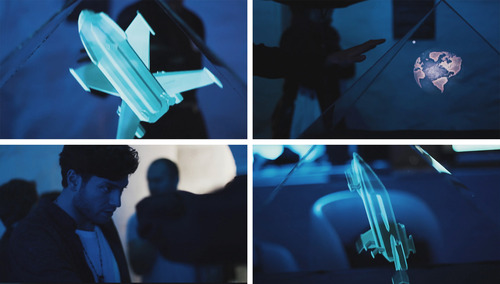
When a volcano erupts, a large, sunken crater called a Caldera is left in its wake. They are desolate and otherworldly voids, seemingly stolen from a post-apocalyptic future where – left with a blank canvas – we are suddenly faced with the challenge of reconstructing our environment completely from the ground up. But if we give ourselves the reins of Leap Motion technology, the power to reimagine our world is right in our grasp.

This concept of rebuilding after a great collapse inspired a team of digital media and motion graphics professionals enrolled at Stockholm’s Hyper Island school for digital enterprise in their recent project using Leap Motion. Equipped with our Controller, the students sought to create an experience that would challenge the current perception of what technology is capable of – then push it even further.

The result was Calderan.

image

To create the showpiece, the team projected WebGL images into a plexiglass pyramid to create a 3D hologram that can be manipulated in real time with the Leap Motion Controller. Attendees of the Distortional Evolution Exhibition approached Calderan with “wonder and excitement,” said digital media creator Ellinor Pettersson. “We had huge interest in from the visitors, and got great reactions. Calderan’s onlookers could repel the object in the pyramid or zoom it closer, rotate it this way and that, and then with a simple tap motion of the air, an entirely new object would appear behind the glass.

Want to learn more about how Calderan was created – and see the source code? Check it out on Developer Labs »

“People walked in with a sense of curiosity. We were really inspired by the reactions during the night. We heard so many great ideas from our visitors on how they would like this to be used in the future – everything from museum displays and interactive stores to apps for sign language. It was really fun to be able to inspire people through the installation, and to give people the chance to try new technology.”

In many ways, Leap Motion and Hyper Island are a perfect match. The programs and workshops the school provides help bring innovative professionals to the verge of a creative revolution – from the sidelines to the forefront of a rich new era of digital interaction.

4 Videos: Experimental Flying Drones with Leap Motion Interaction

Whether taking aerial photos, delivering books, or flipping through the air for fun, quadrotor drones are now more popular than ever. At the same time, developers are continually experimenting with new ways to control them. Here are four videos from Leap Motion developers who hacked quadrotors to create touchless motion-controlled flying machines.

The earliest experiments started in late 2012, when developers around the world climbed aboard our early beta program. Within 24 hours of firing up their new device, the engineers at LabVIEW Hacker created a Leap Motion-enabled quadrotor that flew around their office:

But what if you could control a quadrotor through your browser? Nick Nisi created a simple web app that allowed him to control the machine through a wifi connection. Watch how Nick can circle his finger to make the rotor flip in the air, and tap his index finger to make it land:

At the latest RobotsConf, one of the winning entries was this Leap Motion-enabled flying copter, created by daughter-father team Sylvia and James. Sylvia is 12 years old and the creator of Sylvia’s Super-Awesome Maker Show, where she makes everything from cardboard periscopes to little robots. In the video below, you can see Sylvia controlling the copter that she hacked with her father:

Finally, the impressively moustached Chris Matthieu hooked up his quadcopter to SkyNet – an ominously named messaging system for the Internet of Things. This makes it possible for someone to control an army of hovering quadrotors. Fortunately, Matthieu was able to catch his quadrotor before it managed to escape and start the machine revolt:

Want to see more of our developer community’s robotic escapades? From quadrotors and little humanoid robots to 3D-printed arms and six-legged space rovers, they’re reaching out to control machines of all shapes and sizes. You can see more highlights from our trip to RobotsConf on our developer blog, and follow us on Twitter to stay posted on the latest community experiments.

#LeapSquared Photo Contest: Hip to be Square

Pictures of city skylines and fancy lattes, high-saturation filters, offbeat angles – these are just a few of the things that people love about Instagram. This week, we’re launching a contest with the Leap Motion community to find the photo or video that embodies the essence of Instagram.

How does it work? It’s simple:

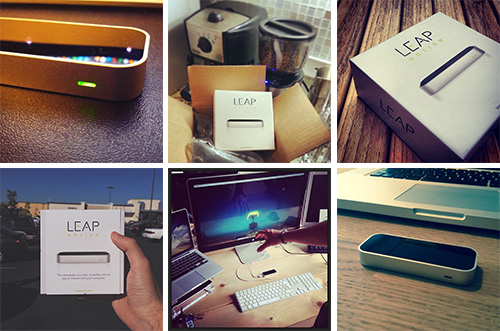
1. Take a photo or video of the Leap Motion Controller in a setting that’s pure Instagram. Next to a beautiful plate of food or a weather-beaten street sign. In front of unusual-looking clouds or an old bicycle. Once you’ve revealed the inner beauty of the most mundane thing that you can find, take a photo or video with the Leap Motion Controller in frame.

2. Apply your favorite filter. Let’s face it – if you don’t apply a filter, it’s not a true Instagram. From Lo-Fi on your cupcakes to Hudson on your cityscapes, the right filter will work wonders on your colors and contrasts.

3. Post your masterpiece on Instagram. If you’re 18 or older, live in the United States, and accept our official contest rules, you can use the hashtag #LeapSquared to enter your photo in the contest. Be sure to post it by 11:59 pm PT on November 24.

Once all the entries are in, a panel of judges will score your creations and determine 10 finalists. Our Leap Motion community will then have the opportunity to vote on their favorite. The winner will receive US $20 credit in the Airspace Store and eternal bragging rights. Follow us on Instagram to check out the competition, along with photos and videos from our latest events, app demos, special promos, and life in the Leap Motion bunker.

5 Airspace Fan Favorites

With 116 titles and counting currently in the Airspace Store, there are lots of great apps to explore. This week, based on your reviews, we’re highlighting five of the most popular apps. Check out the video demos below for 3 computer control apps, an arcade smashup game and a hand-illustrated puzzle.

Computer Controls

Pointable

BetterTouchTool

image

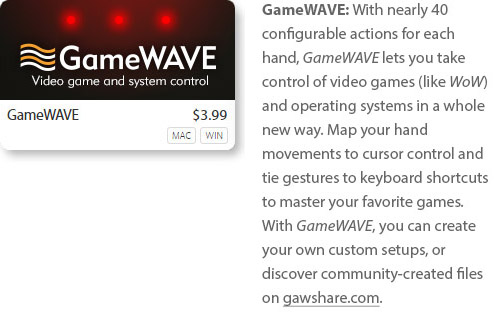
GameWAVE

image

Games

Boom Ball

image

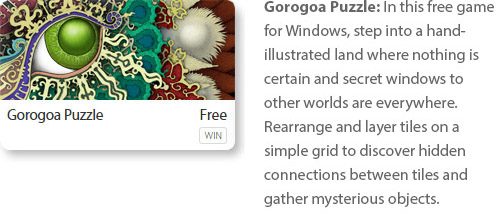
Gorogoa Puzzle

image

What’s your favorite app in the Airspace Store? Let us know in the comments, or give us a shout-out on Facebook and Twitter.

Video: Tokyo DJ’s New Album Created with Leap Motion Controller

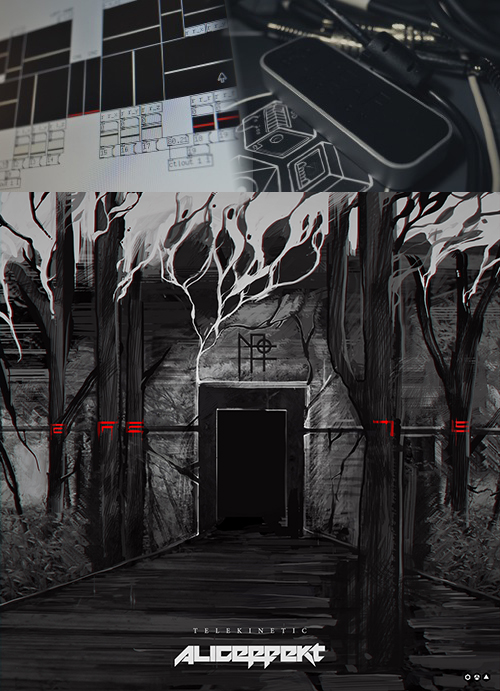
Tokyo-based industrial artist Aliceffekt’s album Telekinetic went live this week, and it’s already getting international coverage for how it was made – it’s the first known album release created with the Leap Motion Controller. By translating hand movements and gestures into retro-futuristic sounds, Aliceffekt created the full 20-minute ambient album using the Leap Motion Controller as his main instrument. He recently used the Leap Motion Controller in a live performance at Tokyo Indie Dance Party, which you can see here:

image

Besides performing as DJ Aliceffekt in Tokyo clubs, Devine Lu Linvega is a digital artist who wears many hats – building apps, designing games, and even inventing a synthetic AI language. Throughout his entire body of work, he keeps one foot in the future and always wants to evolve. During his DJ shows, he found himself getting bored and frustrated.

“I’ve always liked the idea of conducting music, weaving the music in midair,” he says. “This was impossible with the previous tools I had tried. I never really understood the appeal of twisting knobs of laptop shows. I have been scratching my head for a while, trying to get out of this boring image of the modern day music programmer.”

Using the Leap Motion Controller and Ableton Live, Lu Linvega created his own program that would allow him to control the range of a variety of sounds – triggering clips by counting the number of fingers being held out. By moving in three dimensions and controlling tones and clips with simple movements and gestures, he created Telekinetic. Check out this brief clip of his experimental app in action:

However, Lu Linvega says Telekinetic is only a small experiment; it’s a prelude to something much bigger – a whole new way for him to perform and create.

“I want to try something more ambitious for my next shows – involving visuals. I want to have this draw pictures in midair, as well as music. May it be Kinect or Leap Motion or something else, this way of performing – with motion control – is now the only way I shall conduct Aliceffekt shows in the future.”

Telekinetic is available for free download on Lu Linvega’s website, and he also shared his Leap Motion project files for other developers on GitHub. What do you think of Telekinetic – and where will Leap Motion music go next?

Inside Double Fine: Making Their First Leap Motion Game

Game designers around the world have been inspired by the Leap Motion Controller’s incredible speed and accuracy to create games that take advantage of our unique 3D interaction technology. Last week, we caught up with Patrick Hackett – a game designer with popular indie developer Double Fine Productions – about his creative process in developing for the Leap Motion Controller.

Double Fine is widely known for creating quirky, innovative games that capture the public imagination. Their debut app for Leap Motion is the score challenge game Dropchord, which allows you to become a master DJ – dodging scratches, collecting notes, and jamming to an original electronic soundtrack. During our visit to Double Fine’s offices in San Francisco, we were invited behind the scenes to meet some of the amazing people who brought Dropchord to life.

When did you first experience Leap Motion, and what was your initial reaction?

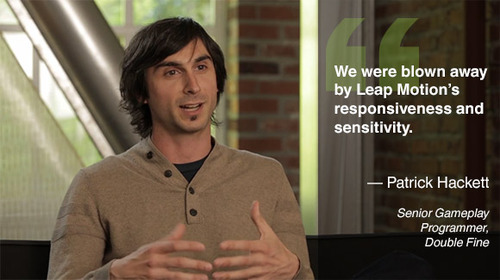
Leap Motion first sent us some controllers in February and I think our initial reaction was the same as everyone who uses it. We were blown away by Leap Motion’s responsiveness and sensitivity. Jeremy Mitchell, one of my colleagues, had it set up at his desk initially and we were fighting over who got to use it next. Both of us ended up taking controllers home and creating demos over the weekend because we were so geeked up to use it.

image

Read More

What Makes a Great Game for Leap Motion?

While new interactive technologies offer near-infinite possibilities for app creation, few things can capture our imagination quite like games. Over the past several months at Leap Motion, we’ve seen hundreds of developers building games in a variety of genres, pushing our 3D interactive technology to the limits. Today, in honor of E3, I’d like to provide some insights on how our developers are transforming the gaming experience.

iVoltage’s 3D platformer Froggle, coming soon for Leap Motion. Take an adventure spanning 120 missions, where you can hop across lily pads, fly on a bird, ride a beetle, or control a jetpack.

There’s no magic formula for building incredible games. But there are a few fundamentals that a great game must accomplish. A great game is something you can play over and over again – something that tests your skills and gives you the thrill of accomplishment. It’s an unforgettable experience.

As the Director of Developer Relations at Leap Motion, I’ve played lots of games developed for the Leap Motion Controller. Over that time, I learned that all great Leap Motion apps, regardless of category, have one thing in common. They all achieve three essential things:

Read More

A Sneak Peek into Windows OS with Leap Motion

Today we released a sneak peek of Leap Motion’s Windows functionality, one of the essential features we’re refining for our July 22 launch. This video shows how Leap Motion technology will work easily and seamlessly with Windows OS.

With the Leap Motion Controller, you’ll be able to browse the web and interact with your computer just by moving your hands and fingers in the air. With Leap Motion technology and Windows, you can do everything that’s possible with multi-touch inputs — without actually touching anything. This also means that existing applications in Windows 7 and 8 will respond to your natural hand and finger movements. Soon, we’ll show you how Leap Motion will work with Mac OS X.

With the help of the developer community in our beta program, we’ll continue to refine this OS interaction as well as the innovative apps in Airspace. This program is in place to make sure the Leap Motion experience is what we’ve planned all along: to be the most intuitive, natural, and magical way to interact with your computer and to transform how the world interacts with technology.

If you haven’t already, you can subscribe to our mailing list for updates and news as we continue on our journey together.