Showing all posts tagged: Developer

Developer Meetup: October 2013

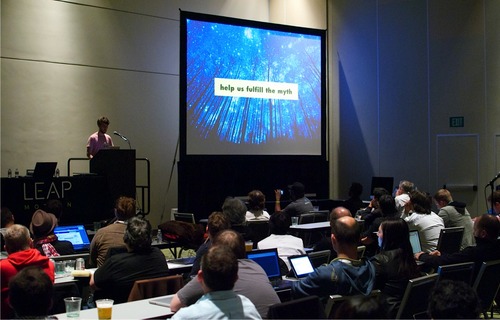
What does a three-dimensional slice of a four-dimensional object look like? A crowd of 300 gathered at the HTML5 Developer Conference on Tuesday night to explore how our Leap Motion SDK can answer this question and many more, as the future of Web3D crystallizes before us.

Our monthly meetup series in San Francisco strives to connect innovative coders with the people and platforms that will help their ideas thrive all over the world. This month, we focused on the web. How can 3D motion control transform the way we build, design, and interact online?

image

Leap Motion experience engineer Isaac Cohen opened our speaker panel with an exploration of how fundamental emotional questions can be answered through the magic of coding – likening the mind to a virtual playground. Robbie Tilton also shared his visual experiments with the crowd, posing the question: how can Leap Motion push the limits of cinematic illusion?

Two of our new developer partnerships were also represented on the panel. Tim Chin from Famo.us – an emerging JavaScript framework for HTML5 apps – took the stage to discuss how Leap Motion breathes life into a brand new class of animation. Marcus Krüger, CEO of Goo Technologies, talked about how 3D motion invigorates user experiences. We are excited to have these incredible companies integrating with our platform.

We also heard from Rob O’Leary, creator of LeapTrainer.js, and Chris Wilson of the Google Chrome team, to discuss all things Web.RTC. As always, we came away from the evening incredibly inspired by what our developer community is creating every single day with Leap Motion.

Sign up to be in the know about our next meetup. We’d love to see you there.

image

Have a killer app idea for Airspace or the web? Download our SDK and start coding with us today.

Inside Leap Motion: Developer Community

Working with thousands of highly talented and creative people can be a bit like herding cats – but it’s all part of what makes our Developer Program and Developer Relations teams tick. They work with our global developer community to provide support and knowledge about our platform, and with individual developers to help bring their apps to the world.

This week we held our first developer meetup in San Francisco, and caught up with two key people on our team - Avi and Kiwi. If you’re interested in becoming a Leap Motion developer, sign up at developer.leapmotion.com and download our free SDK to get started.

image

What does the developer community mean for Leap Motion?

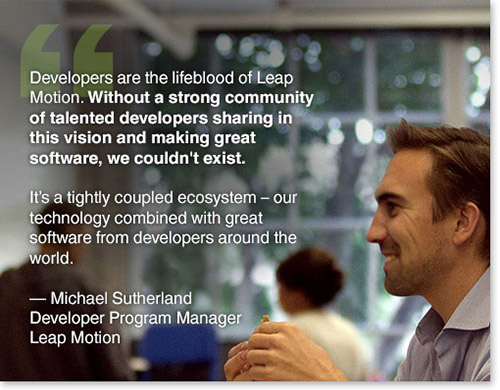
Kiwi: Developers are the lifeblood of Leap Motion. Without a strong community of talented developers sharing in this vision and making great software, we couldn’t exist. It’s a tightly coupled ecosystem – our technology combined with great software from developers around the world.

How does your team work with Leap Motion developers?

Kiwi: Our goal is to ensure a healthy, growing, and engaged developer community, and it’s my job to make sure developers get all the help they need to get their apps into Airspace. I’m always on the lookout for developers with great ideas, great apps, or who just want to be active in the community.

Avi: Our team works directly with individual developers. What I like about the community is that it gives the opportunity for anybody to rise to the top. Sometimes these smaller guys/girls from the community get really hot – they’ll build something cool, post it on YouTube, and if they could use our support, we’ll contact them. We’re willing to with work with devs to help wherever we can. We match great brands with great developers, to see what they can create together.

image

What gets you excited about working at Leap Motion?

Kiwi: It’s great to be part of such a talented group of people. I strongly feel we have an opportunity to change the world and the way we think about computing and technology in general. I feel fortunate to have the opportunity to be a part of that vision.

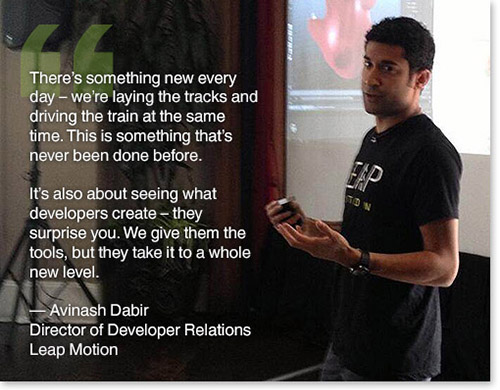
Avi: There’s something new every day – we’re laying the tracks and driving the train at the same time. This is something that’s never been done before, and we have the chance to plant our flag. A lot of the developers look to us for best practices, and it’s pretty awesome to have that impact. It’s also about seeing what developers create – they surprise you. We give them the tools, but they take it to a whole new level.

Avinash “Avi” Dabir (@bringmedabir) is the Director of Developer Relations at Leap Motion. Michael “Kiwi” Sutherland (@kiwi) is the Developer Program Manager. To become a member of our growing developer community, sign up at developer.leapmotion.com. And for future events, join our Meetup group, Leap Motion Developers.

New Airspace and Web Apps: August 14, 2013

With new titles being added regularly to the Airspace Store, we’ll be keeping you posted every week with the latest web and Airspace apps. Today, and every Wednesday, is also when we refresh the Airspace Store to highlight new and top-rated titles – check it out.

This week, we have an app that takes you through our solar system, plus a popular app that’s now available for free. On the web, we’re also highlighting a fun flying saucer game.

Education

image

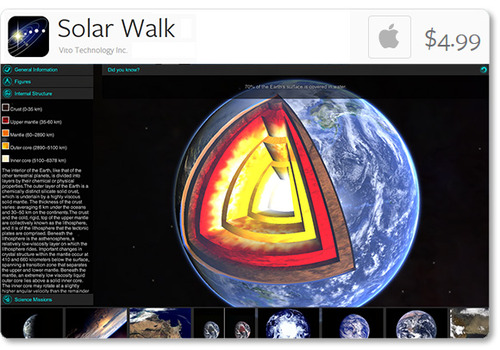
Solar Walk: Take a stroll through the solar system with this new Mac app from Vito Technology. Navigate through through space and time to learn about our sun’s planets – their trajectories, inner structure, the history of their exploration, points of interest, and more. See them up close, or zoom out to view the entire known galaxy.

Games

image

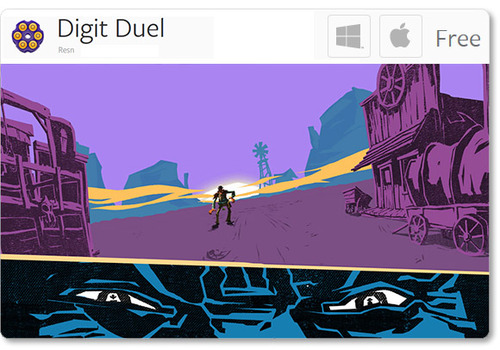
Digit Duel: One of the apps that debuted during our launch, Resn’s Digit Duel is newly free on the Airspace Store for Windows and Mac. Your hand is the gun as you face off against bandits, villains, and desperados in this stylish quick-draw shooter.

Web Apps

Before you try Leap Motion web apps, make sure your device’s green light is on, and that you have checked the “Allow Web Apps” box in the Leap Motion Control Panel (General tab). We recommend Google Chrome for these apps.

image

Flying Saucer Championship: You can play this fun little experiment in your browser. Use your finger or a pencil to guide a flying saucer. Collect red and gold tokens while avoiding obstacles.

As always, we welcome your feedback as we share the latest apps from Airspace and the web. Post your thoughts in our latest app forum thread.

7 New Airspace Titles: August 8, 2013

With new titles being added to the Airspace Store almost daily, and 86 apps currently available, there’s always something to discover. This week, Fruit Ninja made its debut for the Leap Motion Controller along with several other games, a unique musical image app, and a new way to swipe through content. We’re also highlighting GameWAVE, a popular new app that lets you control your favorite games and OS by mapping gestures to actions.

When combined with the new apps last week – along with web-based apps we’ve featured that aren’t currently in Airspace – we’ve highlighted 21 newly added or web-based apps now available, bringing the current total to 96 apps for Leap Motion. Here are the seven new apps that made their debut over the past week.

Games

image

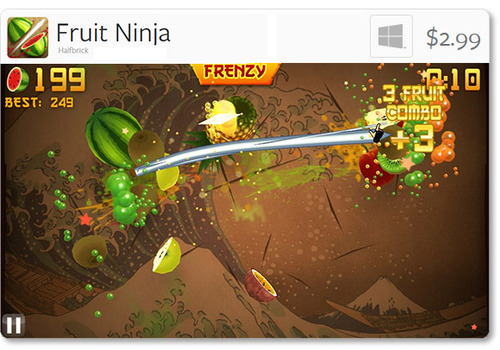
Fruit Ninja: Halfbrick’s universally acclaimed touchscreen game has now arrived on Windows for the Leap Motion Controller. Slice fruit in the air with lightning accuracy, avoid bombs, and become the master of splatter. Play in Classic, Zen, and Arcade modes to test your skills. In addition to fingers, you can air slice with a chopstick, banana, pencil, etc.

image

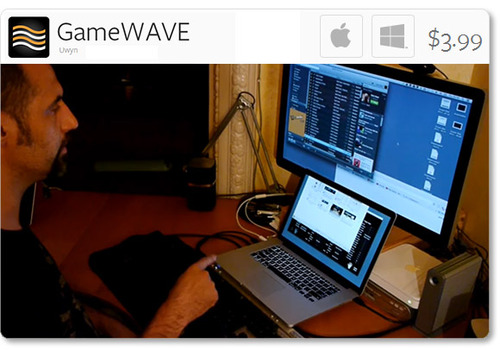
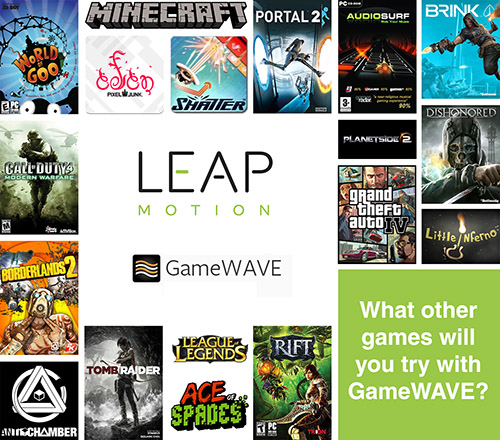
GameWAVE: Control your OS and computer video games with Uwyn’s versatile, popular gesture-control app for Mac and Windows. With GameWAVE, you can customize your system by assigning actions to a wide variety of gestures. According to our forum users, they have successfully played the following computer games with Leap Motion and the GameWAVE app:

image

Once you’ve tried GameWAVE with your favorite games, tell us what you played and share your experiences on the Leap Motion forum or tweet @LeapMotion.

image

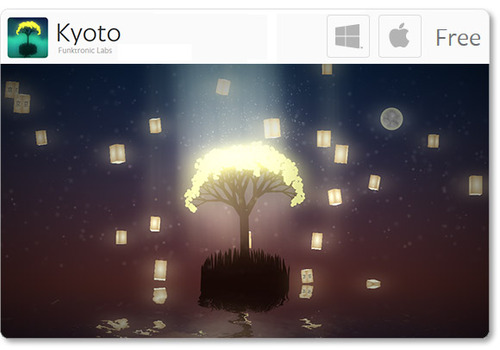
Kyoto: Available for free on Mac and Windows, Kyoto is a short, interactive puzzle game with a sublime ambient sound track. Funktronic Labs, which also created Lotus, designed the game as an homage to the magical city of Kyoto, Japan.

image

Suspect in Sight!: Bring law and order to the streets of Miami, New York, and Los Angeles in this police-chopper arcade game from Jujubee S.A. Available for Windows, Suspect in Sight! features 30 missions, addictive gameplay, and sarcastic humor.

image

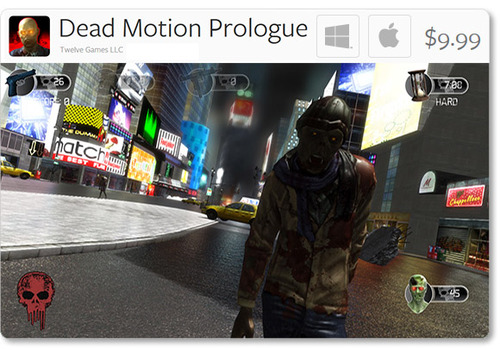
Dead Motion Prologue: Cities around the world are under attack by zombies. Fight the undead with handguns, machine guns, and rifles. Created by Twelve Games and available for Mac and Windows, this first-person shooter offers arcade, survival, and sniper gameplay modes.

Productivity & Utilities

image

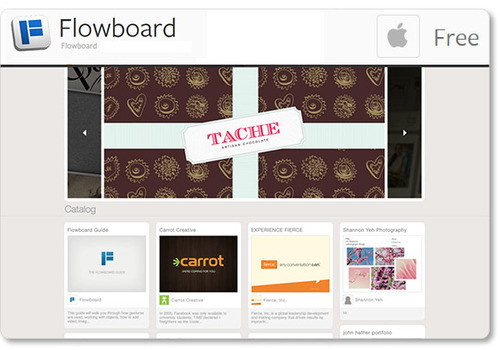
Flowboard: Created by the developers of the same name, Flowboard for OS X is a viewer that allows you to take advantage of a unique presentation and storytelling platform. Use gestures to control side-scrolling publications with images, text, videos, links, and photo galleries. (Note: the current version is only for viewing – not for slide creation yet.)

Music & Entertainment

image

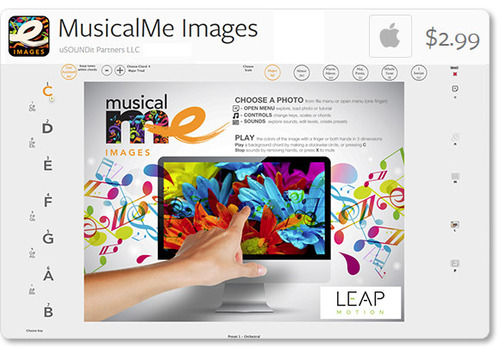
MusicalMe Images: Strike chords with the colors of your favorite images with this OS X musical app from uSOUNDit Partners. As you move your hand across an image, each color plays a distinct tone. Change keys, scales, and chords for a truly creative experience. Check out the demo video to see MusicalMe Images in action.

For the latest updates from Leap Motion, stay tuned to our blog, subscribe to our newsletter, and follow us on Facebook and Twitter. We’ll keep you posted on the newest titles in the Airspace Store and other developments in the global Leap Motion community.

5 More Free Experiences Through the Web

Last week, we showed you five websites that have been designed for 3D interactivity. Today, we’re highlighting five more web experiments – including a versatile drawing app and a virtual paper airplane that flies above real cities.

Before you try them, make sure your device’s green light is on, and that you have checked the “Allow Web Apps” box in the Leap Motion Control Panel (General tab). We recommend Google Chrome for these apps.

InkMotion

image

This fun creative app includes a variety of brush types, the ability to change the background and brush colors, and variable brush tips that respond to the angle of your finger. Inkmotion also allows you to work with layers, and undo and redo actions.

Nokia’s Here.com

image

Fly above 25 world cities in a paper airplane with Nokia’s here.com/leap. Make your airplane swoop, dip, and tilt between 3D skyscrapers, or soar far above the streets.

DexType

image

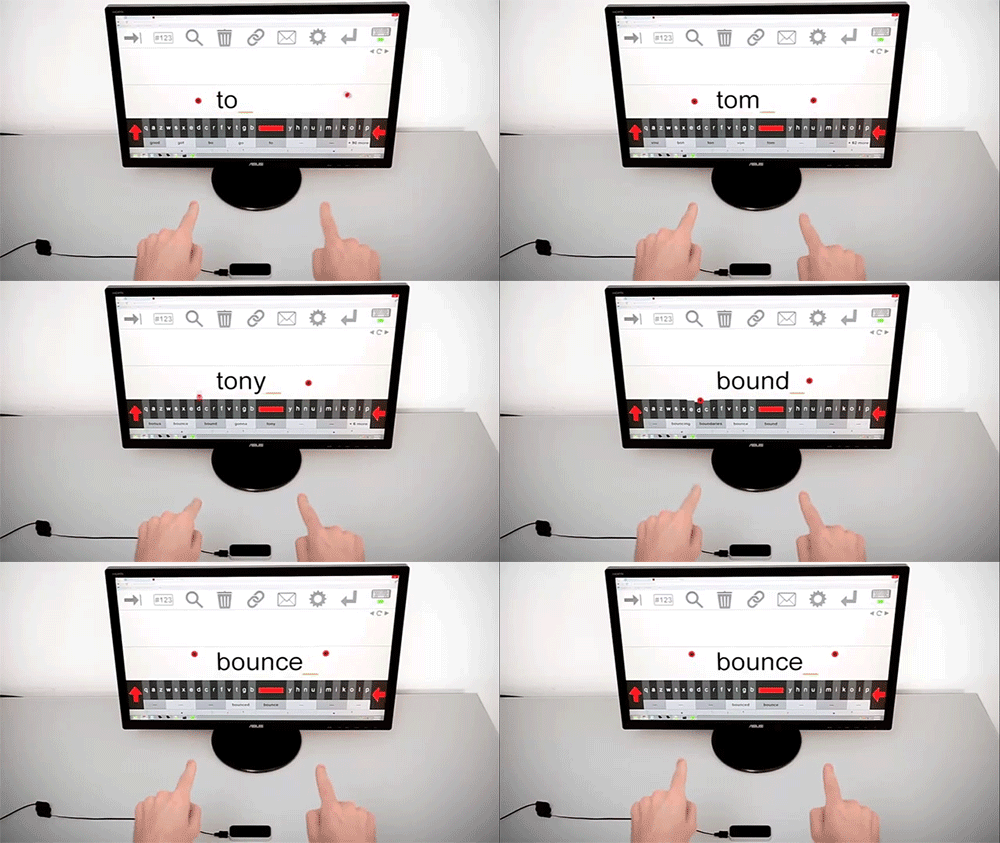
Control Chrome with this gesture-controlled keyboard plugin, available for free on the Chrome Web Store. DexType uses a disambiguation algorithm for easy typing, and includes dictionaries for 26 languages.

Gliese 3D Star Map

image

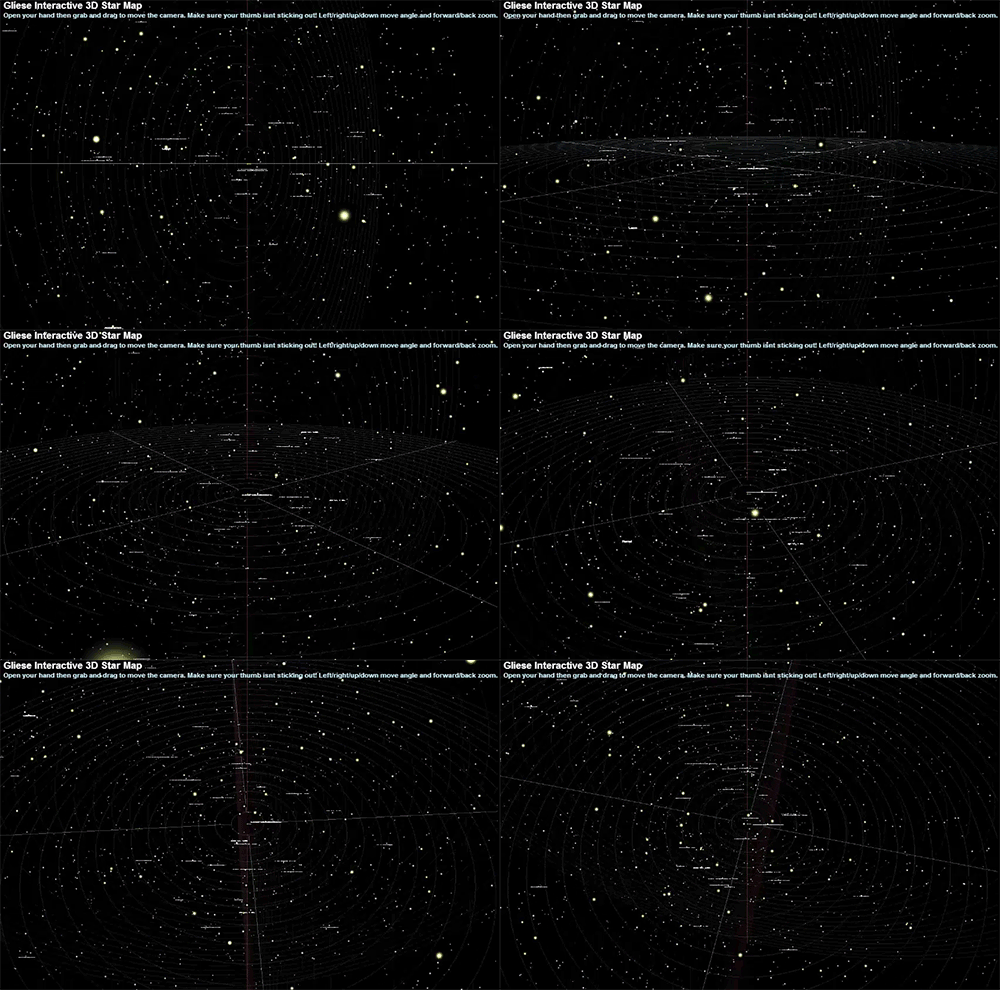
Grab and drag your way through the stars in this interactive 3D map that covers the 3,000 stars that lie within 25 light years of Earth.

Torch

image

In this simple horror game, you must explore and escape a cave system where darkness is your only enemy. Control your torch with a finger or pencil, replenish the flame before it extinguishes, and get out alive.

Our developers continue to experiment with new and different ways to interact with our browsers. We welcome your feedback as we continue to blaze new trails and share new apps. Once you’ve taken your #FirstLeap with these websites, let us hear your thoughts and ideas for other web apps by Tweeting @leapmotion or posting on our web apps forum thread.

As always, if you’re interested in developing an app or website for Leap Motion, please join our Developer Community and download the free SDK at developer.leapmotion.com.

#FirstLeap: 5 Interactive Websites for Leap Motion

While Airspace has more than 75 apps and continues to grow, there’s even more that you can do with your Leap Motion Controller. Developers around the world have been working with our JavaScript API to experiment with interesting new web experiences.

From particle systems to creative tools, here are five interesting Leap Motion-enabled experiences for the web. Before you try them, make sure your device’s green light is on, and that you have checked the “Allow Web Apps” box in the Leap Motion Control Panel (General tab). We recommend Google Chrome for these apps. Our developers keep making amazing things, and we’ll keep sharing more web and Airspace apps as they come in.

Cabbibo’s Leap

image

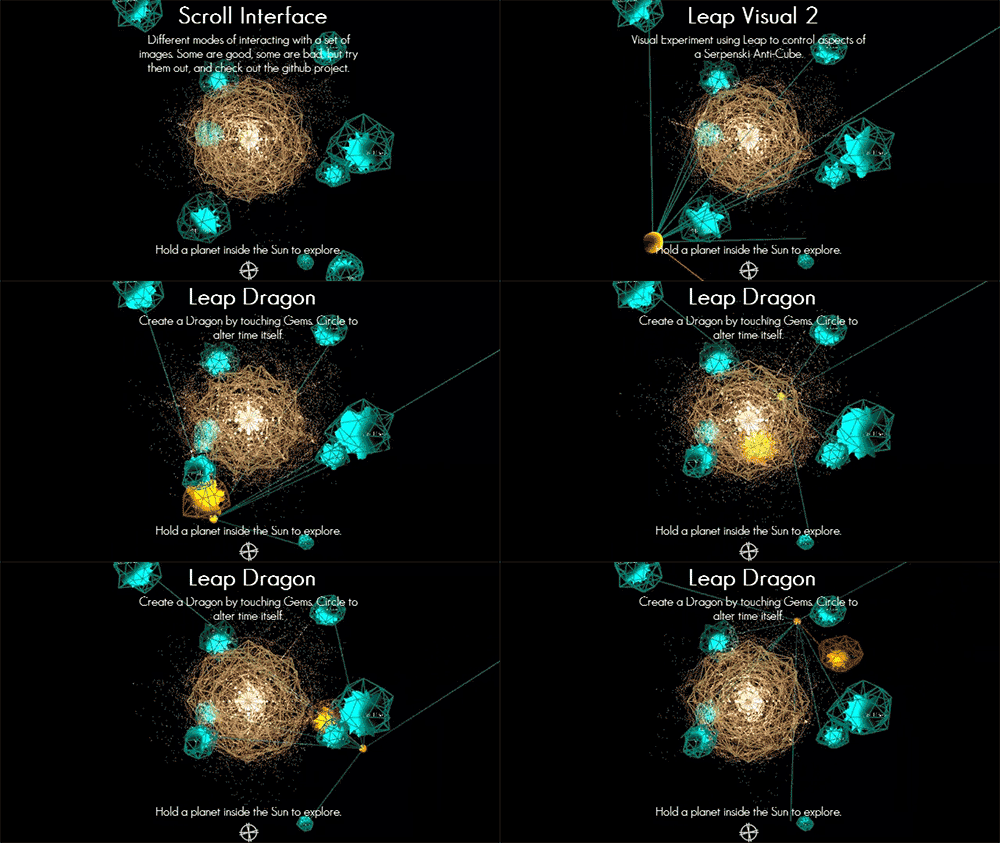
A solar system serves as a gateway into several personal projects created by Isaac Cohen, an experience engineer with Leap Motion. Hold your hand over a planet and pull it into the sun to browse a spiral of cute photos, control sunbeams, explore a universe of sound, and more.

WebGL GPU Particles

image

Manipulate over a million tiny particles as they sparkle through space in your browser window.

Knife

image

Knife is a particle system that allows you to experiment with the behavior of hundreds of multicolored balls. Play with physics by tweaking variables that include color, friction, time speed, and explosive power.

Theremin

image

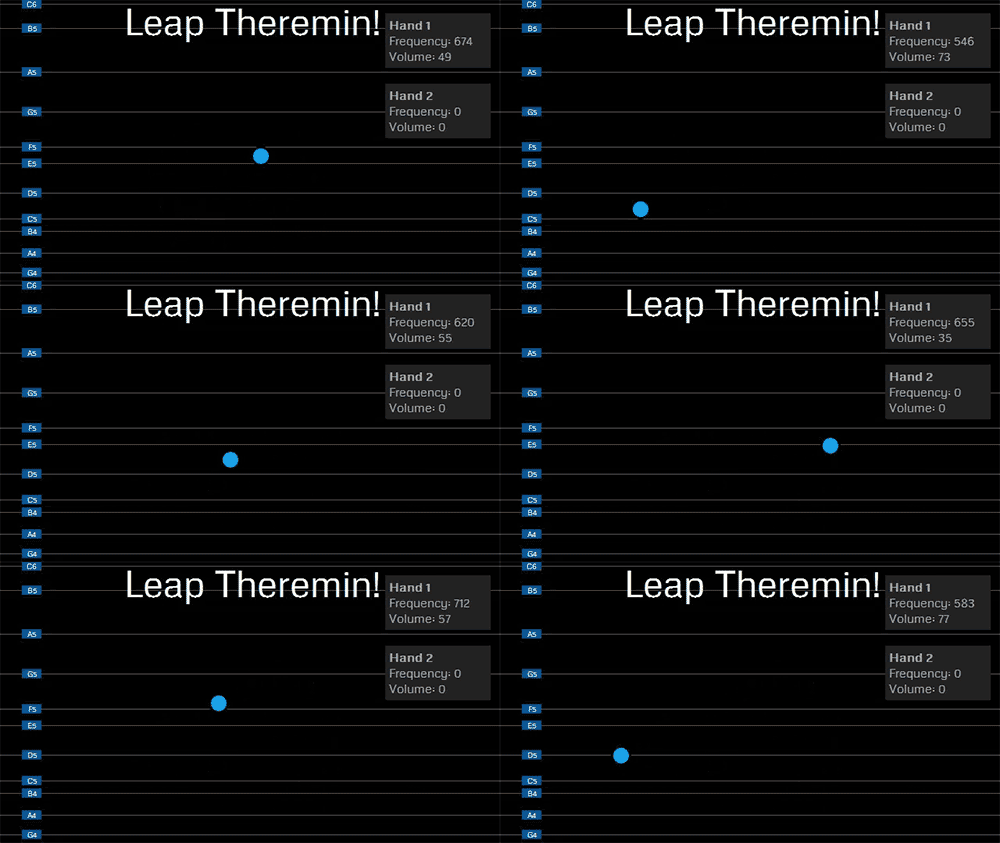
One of the earliest electronic instruments, the theremin is also a classic touchless device that can now be accessed in your browser. We’d love to hear the eerie music you can create with this virtual theremin – take a video and tweet us with the hashtags #FirstLeap #theremin.

FastKat Leap

image

In this minigame, you can accelerate at dizzying speeds through space. Avoid the stars and see how long you can last.

We’d love to hear about your #FirstLeap experiences with these web apps. Post your thoughts and pictures @leapmotion. If you’re interested in developing an app or website for Leap Motion, please join our Developer Community and download the free SDK at developer.leapmotion.com.

Airspace™ Store Highlights: Music, Games, Creativity, and More

image

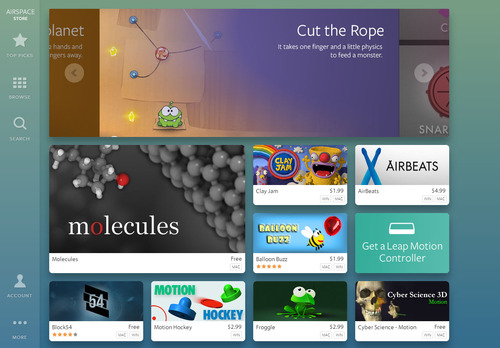
Last week, we showed you a preview of the Leap Motion experience, including Airspace Home and Airspace Store. Today, we’re taking a closer look at some of the amazing apps that you’ll soon be able to use with your Leap Motion Controller. When we launch on Monday, we’ll have about 75 apps – both free and paid – in the store.

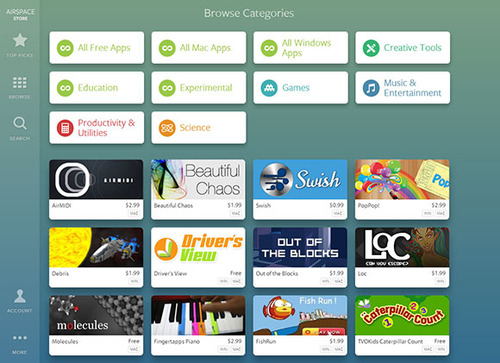
When you enter the Airspace Store, you’ll see our home tile page. If you’d like to filter, you can scroll to the bottom and select to see all free apps, all Windows apps, all Mac apps, or sort by content category. This is only the beginning – we’ll be adding new apps and categories as our developers build them.
image

There’s something for everyone on Airspace – from educational games and immersive visualizer apps to powerful utilities and scientific wonders. Here are just a few highlights that you’ll soon be able to experience first-hand.

image

Unleash your inner artist with apps that open new possibilities for creative expression, digital art, musical performance, and visual presentations. Create captivating compositions with Fantasia Painter or manage your photos with Unbound for Mac.
image

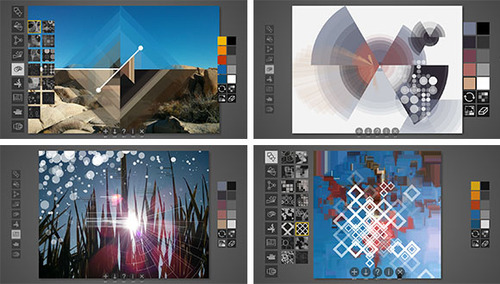
Enhance your photos to make detailed masterpieces or minimally affected compositions with DecoSketch, the geometric effects and drawing suite for professionals and hobbyists. Featuring a diverse collection of brushes and presets, it’s available for Windows and Mac.

image

Get into the groove with Leap Motion music and entertainment apps. Create your own electronic music with versatile apps like Geco and Chordion Conductor, or master the rhythmic arts with fast-paced beats and exotic visuals in amazing titles like Dropchord, Beat Bash, and Octorhythm.
image

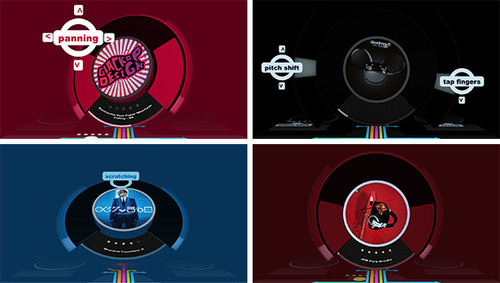
Intuitively reach in to control track playback, audio effects, and looping with Swoosh for Mac – an iTunes performance companion that simulates vinyl control with that vintage pitch sound.

image

Starting Monday, you can count your way from caterpillar to butterfly with TVOKids Caterpillar Count and think fast about categories with Sortee.
image

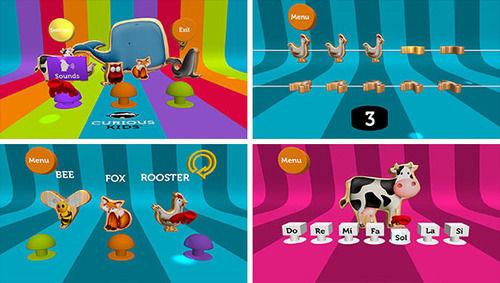
Explore animal sounds, practice counting, and even play the piano with Curious Kids for Mac and Windows. Beautiful colors, intuitive motions and appealing graphics will entertain and educate for hours.

image

With an amazing variety of titles, Airspace has delightfully imaginative games for everyone to play and enjoy. Some games, like Cut the Rope and Puddle, cover familiar territory in new ways. Others like Block54, LICHT little adventure, and Boom Ball take you into bold, immersive worlds.
image

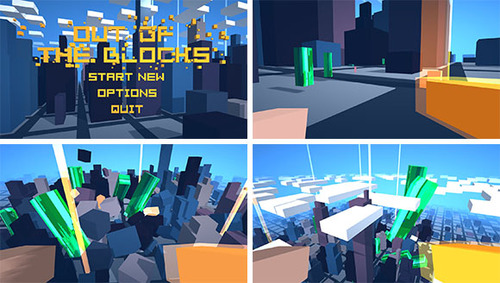
Acquire and tame unimaginable power, defeat the corrupt, and seek the truth in Out of the Blocks for Mac and Windows.

image

3D interactive utilities offer new and better ways to perform everyday tasks. Present pictures with simple gestures using Agatha for Windows and download OS interaction apps.

image

Log into your computer with a simple wave of your hand. By using the measurements of your hand, Unlock creates touch-free biometric authentication for Windows PCs.

image

From the subatomic to the galactic, science apps for the Leap Motion Controller allow you to reach out and grasp the mysteries of our universe. Explore the wonders of the human hand with Powers of Minus Ten, or dissect and assemble a human skull with Cyber Science - Motion.
image

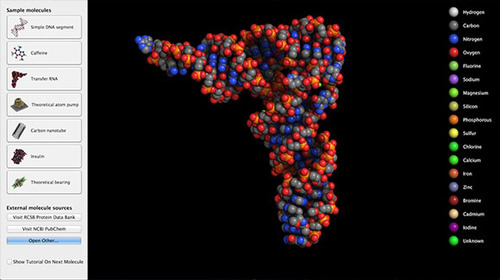
Hold a 3D molecule in the palm of your hand with Molecules for OSX. This open-source molecular visualizer is available for free on Airspace.

image

Push the boundaries of 3D interaction with brand new experiences you’ve never seen before. Create stunning visuals with VIZ.it and Beautiful Chaos.

image

Harness your creative powers with Lotus, a mind-altering audioreactive experience. Free for Windows and Mac, it has 4 interactive musical toys and an amazing, dynamically created soundtrack.

There are only 3 more days until the Leap Motion Controller begins arriving at doorsteps around the world. Once you’ve set up your device, what will be your #FirstLeap?
Developer Portal Now Open To All

image

Today, we’re happy to announce our Developer Portal is open to the world. Anyone can now register for free as a Leap Motion developer to gain full access to the Leap Motion SDK and become a member of our developer community.

We’ve always felt that an open and accessible developer community would be the best way for our technology to make an impact on the world. With just over two weeks until our global launch on July 22, we’re thrilled to welcome any and all developers who want to create software for 3D interaction. There’s no charge for being a member of our developer community and getting access to our SDK.

image

When new developers enter the Developer Portal for the first time, they’ll find a wide variety of resources, including:

  • SDK for Windows 7 and 8, Mac OSX 10.7 and higher, and Ubuntu Linux 12.04 LTS and Ubuntu 13.04 Raring Ringtail
  • Full API libraries for JavaScript, C#, C++, Java, Python, Objective-C and support for Unity3D
  • UX guidelines, knowledge base, tutorials and sample code
  • Developer Labs – a blog highlighting our latest projects and insights into the future of 3D interaction

image

Read More

Beta Update: Next Phase Testing

This week we’re rolling out the latest stage of the Leap Motion beta to our early access developer community. Thousands of developers around the globe will soon be testing the consumer experience to help smooth the rough edges and hunt for bugs.

Over the next several weeks, our beta users will be testing Mac and PC operating system interactions, and Airspace, our app discovery platform. Here’s a sneak preview of what you’ll see when the Leap Motion Controller begins shipping on July 22.

image

During our beta, testers will be able to access:

  • Mac and Windows OS interaction – They’ll be able to scroll and click with simple finger moves, and Windows users can open and navigate metro apps, like a recipe collection or a game, with ease.
  • Airspace Home – The desktop launcher is where all Leap Motion apps will live. This includes other software on the computer that uses a Leap Motion API, like Google Earth.
  • Airspace Store – Browse, buy, and download apps across a wide variety of categories. Users can access the store through Airspace Home.
  • Orientation – Our interactive tutorial, which will run after testers download the Leap Motion software, will help orient them to Leap Motion’s field of view and the zone of interaction when using Leap Motion for the first time.

We look forward to all the feedback from our beta testers, and will keep you posted on our progress.

Inside Double Fine: Making Their First Leap Motion Game

Game designers around the world have been inspired by the Leap Motion Controller’s incredible speed and accuracy to create games that take advantage of our unique 3D interaction technology. Last week, we caught up with Patrick Hackett – a game designer with popular indie developer Double Fine Productions – about his creative process in developing for the Leap Motion Controller.

Double Fine is widely known for creating quirky, innovative games that capture the public imagination. Their debut app for Leap Motion is the score challenge game Dropchord, which allows you to become a master DJ – dodging scratches, collecting notes, and jamming to an original electronic soundtrack. During our visit to Double Fine’s offices in San Francisco, we were invited behind the scenes to meet some of the amazing people who brought Dropchord to life.

When did you first experience Leap Motion, and what was your initial reaction?

Leap Motion first sent us some controllers in February and I think our initial reaction was the same as everyone who uses it. We were blown away by Leap Motion’s responsiveness and sensitivity. Jeremy Mitchell, one of my colleagues, had it set up at his desk initially and we were fighting over who got to use it next. Both of us ended up taking controllers home and creating demos over the weekend because we were so geeked up to use it.

image

Read More

1 2