Showing all posts tagged: App

This Thanksgiving, Keep Your Computer Clean in the Kitchen

Roasted turkey with mashed potatoes, glazed ham and pecan pie, tofu casserole – whatever your tradition, Thanksgiving is a great time for families to come together. Now, with your Leap Motion Controller and Allthecooks Recipes, a free app newly available in the Airspace Store, your time together can be a little less messy.

image

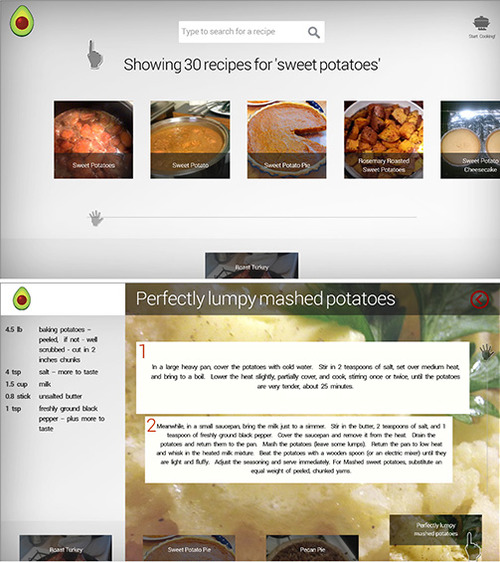
Allthecooks Recipes is a social cooking app that brings a whole community of cooks into your kitchen. Reach into a huge collection of recipes from home cooks around the world and access over 150,000 recipes from the Allthecooks community. Thanks to the Leap Motion Controller, you can browse and scroll through these recipes without getting gravy all over your computer.

When you open the app, you’ll discover a number of featured recipes, including squash risotto, roasted leg of lamb, and loaded potato salad. These are just a few of the top-rated recipes added by members of the Allthecooks community. To get started with your Thanksgiving meal, search for recipes by typing in ingredient keywords and add them to your Cooking List.
image
image

From there, you can start cooking without worrying about gunking up your computer. Without touching anything, pan your hand up and down to view recipe directions, and point to the list to switch between recipes. Before long, you’ll have a full Thanksgiving feast and a grease-free computer.

We’d love to hear about what’s happening in your kitchen with Leap Motion this Thanksgiving – let us know on Twitter @LeapMotion or on our Facebook page. Plus, with the holidays around the corner, give your favorite tech-loving cook a Leap Motion Controller and download Allthecooks Recipes for free.

image

image

Creating Jack-o’-Lanterns in the Air: Autodesk Design Night

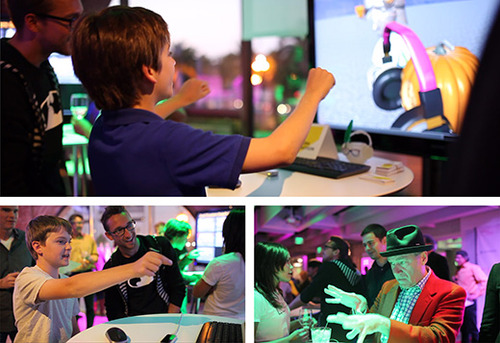
Last week, hundreds of visitors to the Autodesk Gallery got to explore the magic of Leap Motion during Autodesk’s Design Night on Oct. 3. The Leap Motion plugin for Autodesk Maya 2014 is an incredibly powerful tool for professional designers creating in 3D space. To celebrate Halloween, the Maya team made a special character for users to play with – a 3D Jack-o’-Lantern created and customized in the air with their hands.

Pinching and pulling various headpieces, colorful eyewear, and other wacky accessories onto their creations, participants could then swipe their hand to give their pumpkin a toothy grin or spooky frown. We spoke to designers and developers of all ages looking to integrate Leap Motion technology into their future 3D design projects – creating living, breathing scenes and dynamic characters who might jump right off the screen.

Autodesk’s a perfect fit with Leap Motion, and we had a great time at the event (big thanks to the whole Autodesk team). We’re looking forward to posting future developments with the company and its designers.

image

While much of the work with Leap Motion and Maya has involved creating and manipulating 3D characters (i.e. virtual puppeteering) we’re excited about the wider possibilities for 3D design and Leap Motion control, from art and education to architecture and engineering.

We’d love to hear what you think – what’s next for touchless 3D design?

Creating a Hand-Controlled Live Orchestra with Leap Motion

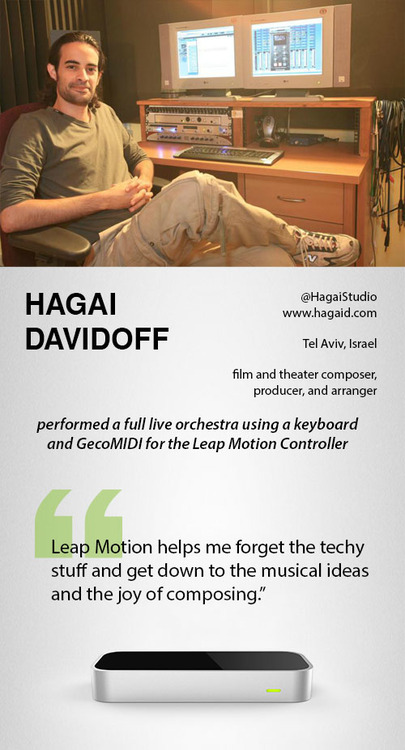
Can one person play an entire live orchestra with only two hands? Using the Leap Motion Controller, GecoMIDI, and a keyboard, Hagai Davidoff was able to dynamically control the flow of a full classical ensemble through natural hand and finger movements in the air. Check out how he did it in the video below.

image

Whether you’re a professional musician working with GecoMIDI, or a music lover who just loves to play a virtual keyboard or jam on air drums, you’ll discover lots of great music apps in the Airspace Store. Want to show us your Leap Motion-powered music video? Tweet us @LeapMotion or post on our Facebook page.

5 Airspace Fan Favorites

With 116 titles and counting currently in the Airspace Store, there are lots of great apps to explore. This week, based on your reviews, we’re highlighting five of the most popular apps. Check out the video demos below for 3 computer control apps, an arcade smashup game and a hand-illustrated puzzle.

Computer Controls

Pointable

BetterTouchTool

image

GameWAVE

image

Games

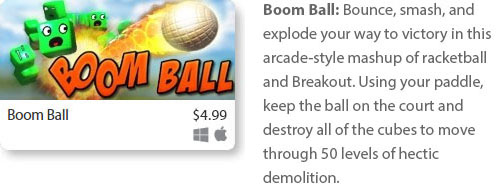
Boom Ball

image

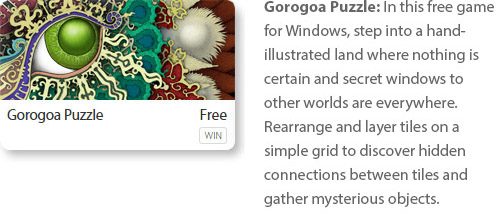
Gorogoa Puzzle

image

What’s your favorite app in the Airspace Store? Let us know in the comments, or give us a shout-out on Facebook and Twitter.

Playing World of Warcraft with GameWAVE

Are you ready to take World of Warcraft to the next level? Today developer Uwyn released a custom gesture mapping file for playing WoW with their popular game control app, GameWAVE. Here’s a quick guide to unlocking the power of GameWAVE so you can get started killing monsters and crushing your enemies with your bare hands. You’ve never played WoW like this.

image

After launching GameWAVE from Airspace Home (your desktop launcher), download the custom WoW file for Windows or Mac from gawshare.com and open it before you begin playing. Now, with the flick of a finger or tilt of a palm, you can take control of your character in World of Warcraft.

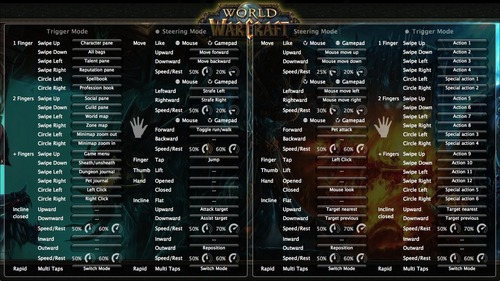
Using GameWAVE, you can alternate between steering and trigger modes by making a rapid multi-finger tapping gesture in the air. This lets you quickly switch between triggering one-shot actions and maneuvering your character and the camera view. Some actions are available in both steering and trigger modes, making it easy to stay on your toes in a battle. Below is an outline of the pre-configured controls for the WoW file. Everything can be personally customized and saved for future game play.

Left Hand Controls

Steering Mode: Move your character, run/walk, jump, attack, and assist

Trigger Mode: Access bags, panes, books, maps, menu, and journals, sheath/unsheath your weapon, and left/right click

Right Hand Controls

Steering Mode: Control the camera view, pet attack, left click, mouse look, and switch targets

Trigger Mode: Access actions and special actions, switch targets

Here’s a printable cheat sheet with similar preconfigured commands grouped together for quick reading. (Click for a full-sized version.)

To fully master your GameWAVE experience, don’t forget to tweak the speed and rest settings, which appear as small circles in the app. These control the speed response and the size of your hand’s neutral “resting” position. You can also add custom mappings to trigger macros and other actions – setting off a chain of spells with a simple thumb lift or closed hand.

We’d love to hear how your WoW + GameWAVE setup goes at your next raid or monster battle. Tweet us @LeapMotion or post on our Facebook page with your stories and videos.

3 New Apps: October 2, 2013

This week in the Airspace Store, enjoy your favorite music without missing a beat and reach out to control Internet Explorer with our newest Windows apps. Plus, overcome a vengeful faerie queen in a free puzzle game that’s newly available for Mac.

Games

image
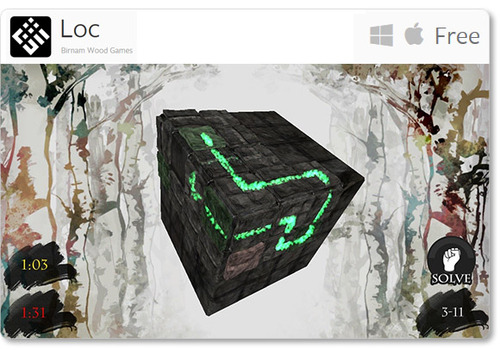
Loc: Escape the queen of the faeries by solving complex “loc” puzzles in this free game, now available for Mac. Challenge your spatial reasoning skills with 3D puzzles that grow progressively more difficult as you fight for freedom.

Music & Entertainment

image
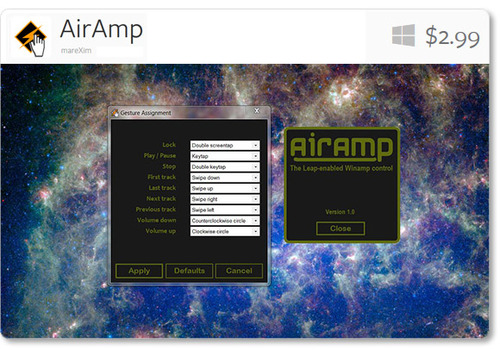
AirAmp - the Winamp controller plugin: Designed to control the popular media player Winamp, AirAmp lets you play, stop, navigate your tracklist, and tweak the volume with simple gestures. Since it lives in the background, you can easily change tracks without clicking away from your work.

Computer Controls

image
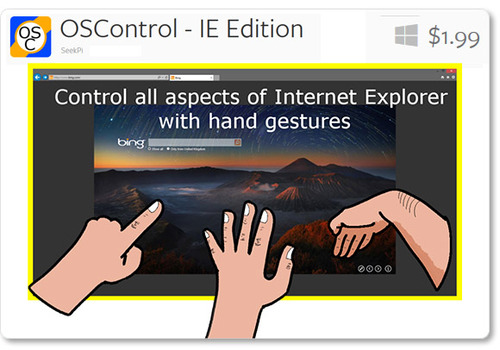
OSControl - Internet Explorer Edition: Customize your browsing experience with the latest in SeekPi’s series of computer control apps. OSControl apps sit in your taskbar, coming to life only when the right application opens. With the Internet Explorer edition, you can customize your browsing experience with scrolls, clicks, changing tabs, and more.

Free New App for Basic Computer Control: HandWAVE

Are you ready to turn up the volume with a spin of your finger? Browse web pages and documents with a hand tilt? Check out HandWAVE, the latest computer control app now available in the Airspace Store. Free for Mac and Windows, HandWAVE is a simple, intuitive gesture-based app that runs in the background so it’s always available.

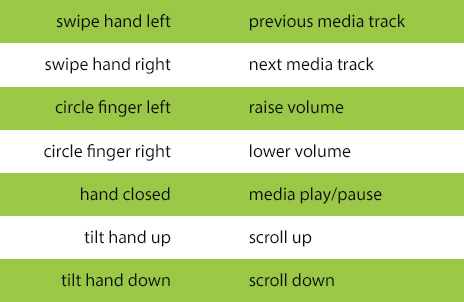
With HandWAVE, you can control your Windows or Mac computer with simple gestures. While the app is pre-set for media playing and web browsing, you can also configure each gesture to perform a wide variety of actions – including keyboard commands and launching files.

The pre-configured gestures when you download:

image

HandWAVE is built on the same engine as the popular GameWAVE app by Uwyn. It’s remarkably responsive, easy to configure, and has the ability to filter out unintended gestures.

When you first open HandWAVE, a beautiful tutorial helps you get familiar with the gestures, showing how you can use it to control music and video players on your computer and how to tilt your hand up and down to browse through web pages and documents.

Have you tried your hand at HandWAVE? We’d love to hear about your experience – tweet us @leapmotion or post on our Facebook page.

Immersive Interaction with Leap Motion + Oculus Rift

While the Oculus Rift is still in development, we’ve heard from lots of people excited about the possibilities of this next-generation virtual reality headset – especially when combined with the Leap Motion Controller to create immersive interactive experiences. Along with Elon Musk and SpaceX using the virtual reality headset to design rocket components, check out how our developers have used the Oculus Rift with Google Earth and the popular Airspace app Licht little adventure.

Google Earth

Back in May, the Leap Motion Controller was combined with the Oculus Rift and Google Earth at the Google I/O conference. The stereoscopic display on the Oculus Rift creates a realistic illusion of depth and space, while the Leap Motion Controller takes you further into the virtual world by interacting with it directly. People lined up for the opportunity to feel like Superman, flying above the world and through dense cityscapes.

LICHT little adventure

Licht little adventure takes you into a strange, beautiful world of darkened chambers and corridors. Designed to take advantage of the Leap Motion Controller’s unique capabilities, it allows you to explore a fully realized 3D world. Using light and shadows to navigate through dark mines and gravity zones, you must find orbs to unlock your surroundings.

Earlier this year, LICHT creator Gerald Terveen integrated Oculus Rift with the game - making it the first Airspace app that officially supports Oculus Rift.

“When I finally got to use the Oculus Rift in the virtual places I had created, I was blown away – because even though I created everything, I had no idea how huge some places actually are,” he says. “When you guide the orb up and look down, you suddenly realize how high the room actually is – and that you are flying 30 feet high in the air.”

By taking away gamepads and keyboards, Gerald says, the Leap Motion Controller allows us to directly interact with a virtual world – and that’s a powerful experience.

“Using a gamepad, you’re one step further away from immersion, since your brain has to process one more step for each movement. With the Leap Motion Controller in virtual reality, you get the exact movement you make with your hand and that is awesome.”

Our developers are always experimenting with new ways to build uniquely immersive experiences. We’ve seen many videos of additional Oculus Rift + Leap Motion experiments, and this is just the beginning. We’d love to hear your thoughts – which apps would you like to see in a whole new way by using the Leap Motion Controller and Oculus Rift?

Playing Godus with GameWAVE

image

On Friday, a preview of Peter Molyneux’s new game, Godus, became available on Steam Early Access. The godfather of god games, Molyneux is also the designer of Populous and Black & White. Since we announced the Leap Motion Controller, we’ve heard from lots of people excited about using it to play Black & White, so we’ve followed the development of Godus since the start of its Kickstarter campaign last year.

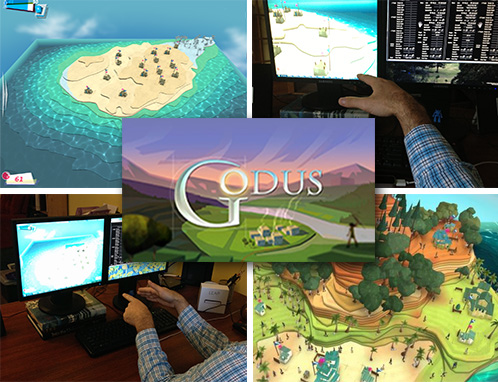
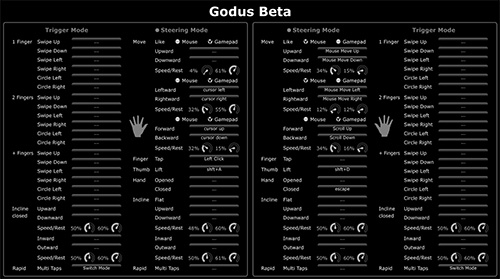
While the game is still in development, we decided to try it out with the Leap Motion Controller and GameWAVE. We’ve put together a quick guide on playing Godus with Leap Motion and the GameWAVE app – including a configuration file we created. (You can download the file and try it for yourself.)

Godus starts off with a pair of indigenous villagers who move from the wilderness and come to believe in a higher power. As their god, you must nurture their growing civilization. With the Leap Motion Controller and GameWAVE, you can literally reach out and reshape their world, offering an incredible omnipotent experience.

image

The first step to controlling an open-world game like Godus is setting your cursor and camera controls. In GameWAVE, you can switch between trigger and steering modes, so you can either trigger one-shot actions or continuously control actions. You can also configure different settings for your left and right hands.

Mouse Controls. These control where your mouse cursor lies on the screen. Traditionally, you would control this by sliding your mouse around on your desktop. For our Godus controls, we decided to assign cursor control to the right hand. You can move your mouse cursor around the screen by moving your hand up, down, left, or right.

Zoom Controls. Instead of controlling this with your mouse scroller, move your right hand towards or away from your monitor.

Panning. By mapping the traditional WASD setup to your left hand, you can pan around the map by moving your hand forward, backward, left, and right.

Rotating. Instead of hitting Shift+A (left) and Shift+D (right) to rotate the camera view, we configured GameWAVE to do the same thing when you lift either thumb.

Divine Actions. Of course, Godus is about much more than exploring your villagers’ world – you can also interact with it. With left and right clicks on a mouse, you can collect pink Belief bubbles, find treasures, and sculpt the terrain. Using the Leap Motion Controller and our custom GameWAVE file, you can do the same thing by tapping either index finger.

Speed and Rest. One of our favorite features in GameWAVE is the ability to tweak your speed and resting positions. Because the Leap Motion Controller is incredibly precise, it often takes some time to get used to it. If you’re a new Leap Motion gamer, start with low speed and high rest values, and then adjust them as you grow accustomed to controlling the game.

This is just one of many possible ways you can play Godus, and virtually any other game, with the Leap Motion Controller. We’d love to know – what’s your favorite way to configure and play games with GameWAVE?

11 Out-of-this-World Space Apps

Are you ready to use your hands to fly to the moon and play among the stars? Elon Musk and the engineers at SpaceX aren’t the only ones using Leap Motion technology to explore other worlds. With these 11 space-inspired apps available in the Airspace Store or on the web, you can learn about the universe, travel the galaxy, or jump into your starship to shoot down bad guys.

Science & Education

image image

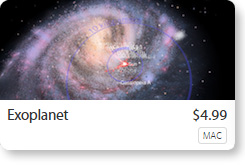
Exoplanet: Reach for the stars and explore every known exoplanet in this science app for Mac. Soar from the inner reaches of our solar system to the outer fringes of the universe.

Google Earth: Explore alien landscapes by selecting Moon or Mars from the top toolbar in Google Earth. (Check out this guide on how to enable Leap Motion in Google Earth.)

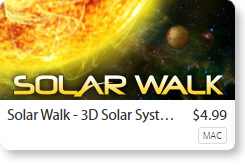
Solar Walk: Navigate through space and time in Solar Walk, an educational app for Mac. Learn about the inner structures and history of the planets, or zoom out to see the known galaxy.

Games

image image image image image

Catch Up Calu: You’ve overslept, Calu! Scramble into your spaceship and try to catch up with your fellow alien invaders, weaving through outer space, canyons, and cityscapes.

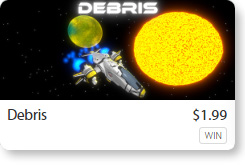
Debris: In this high-octane game for Windows, Earth is under siege and you’re humanity’s last hope for salvation. Dodge treacherous space debris as you race towards home to deliver your payload.

Escape Velocity: Fly your spaceship through an exploding mothership, avoid asteroids, and escape from homing missiles.

Sky Muffins: Descend from outer space and dodge asteroids and storm clouds in this arcade-style game for Mac.

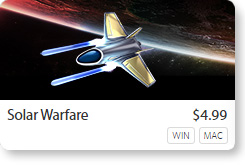
Solar Warfare: Jump into your starship and fly into combat on eight worlds. Shoot down enemy battleships, jets, tanks, and turrets as you navigate through stunning 3D landscapes.

Free Web Apps

To start your trip to the stars with these free Leap Motion web apps, we recommend Google Chrome. Make sure you’ve checked the “Allow Web Apps” box in the Leap Motion Control Panel, General tab.

image

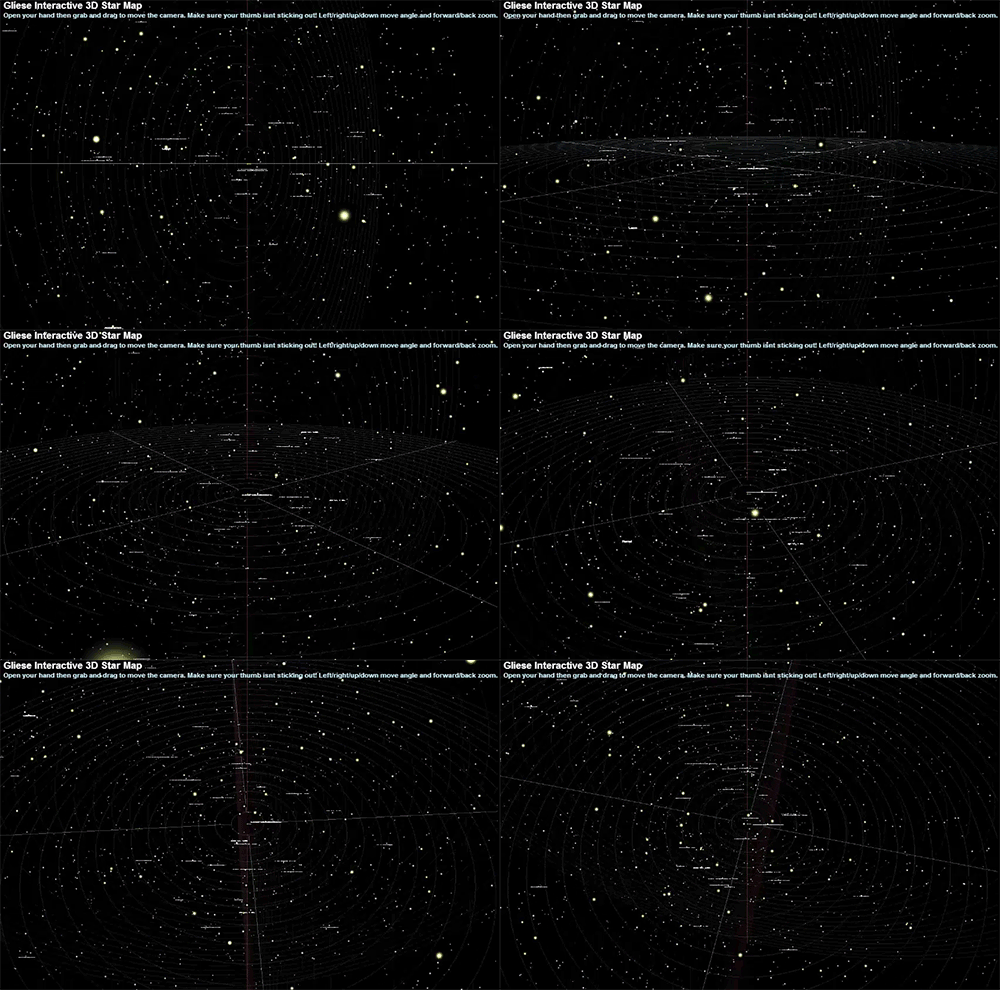
Gliese 3D Star Map: With this browser-based interactive 3D map, you can grab and drag your way through the 3,000 stars within 25 light-years of Earth.

image

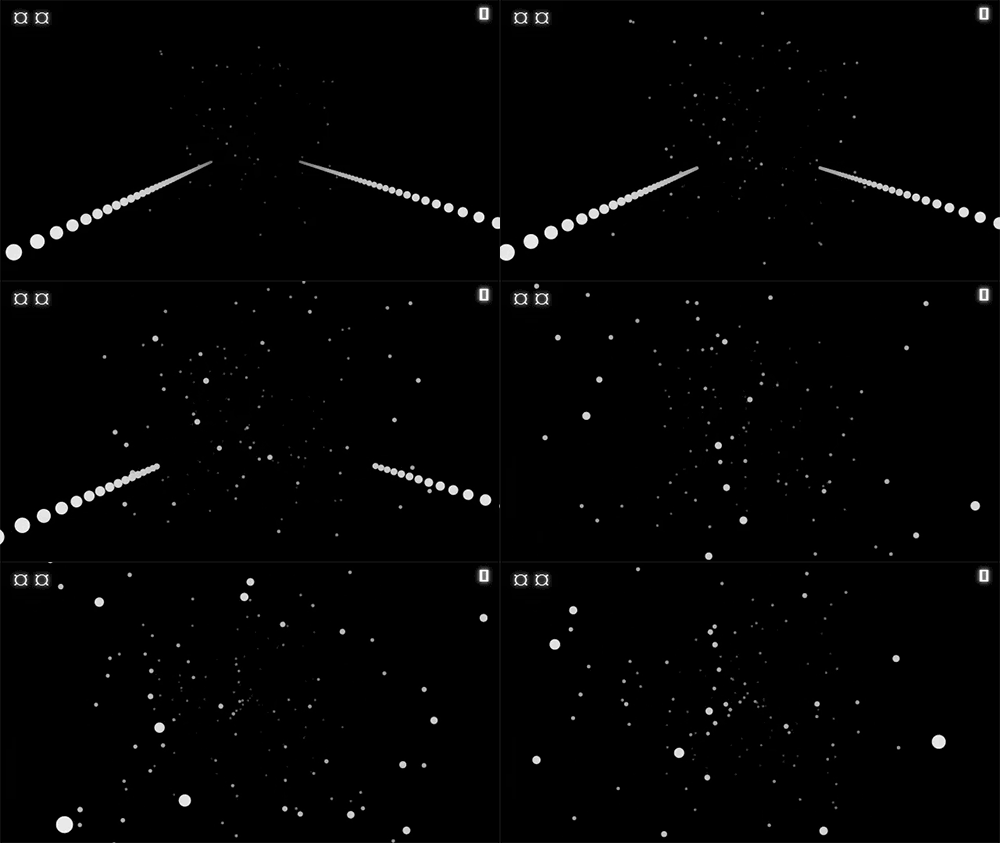
Fastkat Leap: Fly through space at breathtaking speeds and dodge the stars.

image

Flying Saucer Championship: Guide your flying saucer with your finger or a pencil to collect tokens and avoid crashing into obstacles.

1 2 3