To install a doc set containing the Leap Motion API documentation for Objective-C in the Xcode Organizer, do the following:
- Launch Xcode.
- Select the Preferences... command from the Xcode menu.
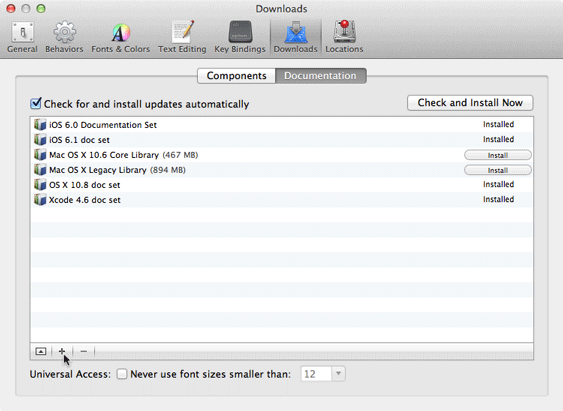
- Click the Downloads tab.
- Choose the Documentation section.
- Click the + button at the bottom of the list of installed doc sets.
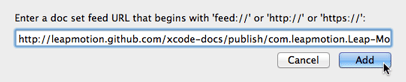
- Enter, "http://leapmotion.github.com/xcode-docs/publish/com.leapmotion.Leap-Motion-API.atom" and click Add.
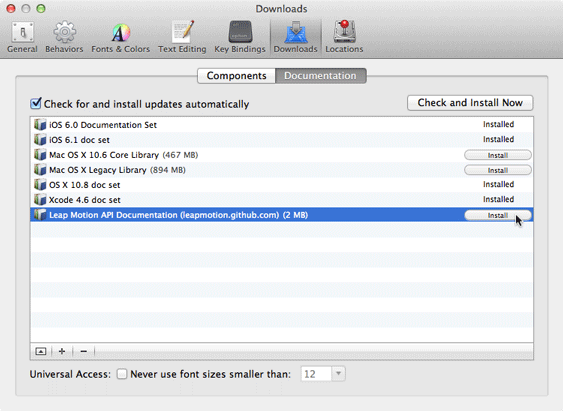
- Click the Install button next to the Leap Motion API entry.
The "Enter a doc set feed URL" sheet appears:
The "Leap Motion API Documentation" entry appears in the list.
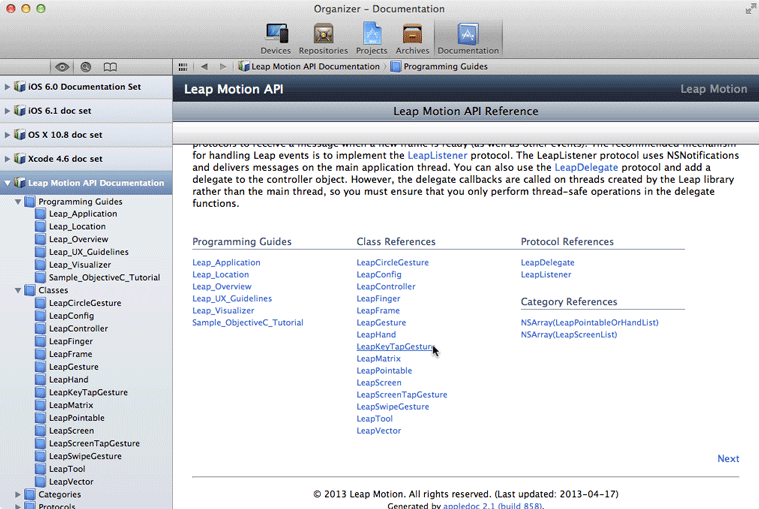
To view the docs in Xcode, open the Organizer window and select the Documentation tab.