Showing all posts tagged: Corel
This weekend, rediscover the joy of painting without all the mess. With plugins for Adobe Photoshop and Corel Painter, two standalone apps, and a web-based painting app, we have artistic apps for everyone. Whether you’re a finger painter, doodler or professional artist, we look forward to seeing what you create with air painting. We hope you’ll share your pictures on Facebook and Twitter.
Ethereal for Photoshop: A versatile plugin for Photoshop, Ethereal makes it easy to create digital art with your fingers. Draw in the air with one finger, tweak the brush size with two fingers, and twist a color wheel. It’s available for Mac and Windows on developer Crispy Driven Pixels’ website. Get the plugin »
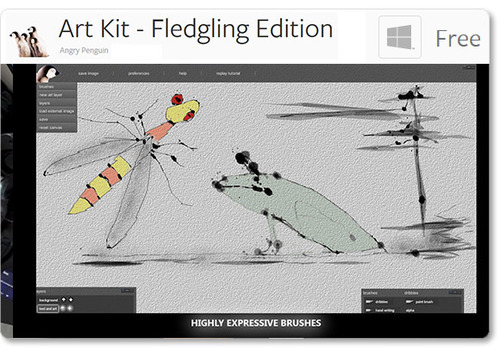
Art Kit - Fledgling Edition: Younger artists will love to let loose with this free kit of inks, brushes, washes and tools, newly available for Windows in the Airspace Store. Create expressive brushes, add images, control layers, and combine multiple brushes. Get the app »
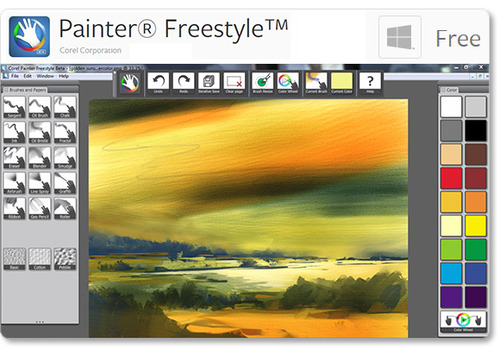
Painter® Freestyle™ for Corel Painter: While still in the beta stages of development, this free plugin for Windows allows you to access a wide variety of tools. Spray, smudge, or brush paint onto digital canvases, and play with gesture controls, textures, and colors.
Painter Freestyle holds a special distinction in Leap Motion history. Back in November, artist Jeremy Sutton used Corel Painter to create the first portrait ever created from life with air painting. Here’s Jeremy’s self-portrait, painted with an early Leap Motion Controller prototype:
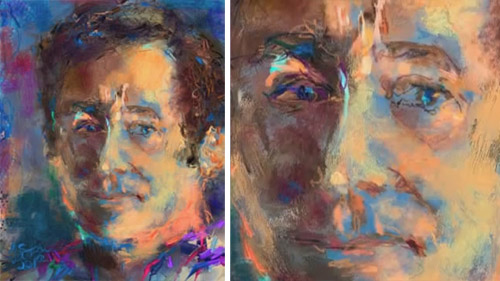
That was nearly a year ago – what will you create today? Get the app »
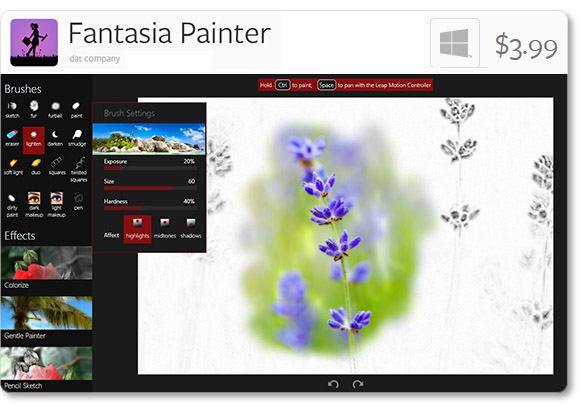
Fantasia Painter: Create photo edits and colorful paintings with this intuitive app for Windows. Fun for kids and adults, Fantasia Painter features unique brushes that adapt to your painting style. Get the app »

InkMotion: Free in your browser, this web app includes a variety of different brush types, and allows you to change the background and brush colors. Experiment with variable brush tips, play with layers, and undo/redo actions.
To try InkMotion, make sure your device’s green light is on, and that you have checked the “Allow Web Apps” box in the Leap Motion Control Panel (General tab). We recommend Google Chrome for all Leap Motion web apps. Try it out »
We’d love to see your air paintings – tweet us @leapmotion and show us what you can create.
