Showing all posts tagged: SDK

5 More Free Experiences Through the Web

Last week, we showed you five websites that have been designed for 3D interactivity. Today, we’re highlighting five more web experiments – including a versatile drawing app and a virtual paper airplane that flies above real cities.

Before you try them, make sure your device’s green light is on, and that you have checked the “Allow Web Apps” box in the Leap Motion Control Panel (General tab). We recommend Google Chrome for these apps.

InkMotion

image

This fun creative app includes a variety of brush types, the ability to change the background and brush colors, and variable brush tips that respond to the angle of your finger. Inkmotion also allows you to work with layers, and undo and redo actions.

Nokia’s Here.com

image

Fly above 25 world cities in a paper airplane with Nokia’s here.com/leap. Make your airplane swoop, dip, and tilt between 3D skyscrapers, or soar far above the streets.
DexType

image

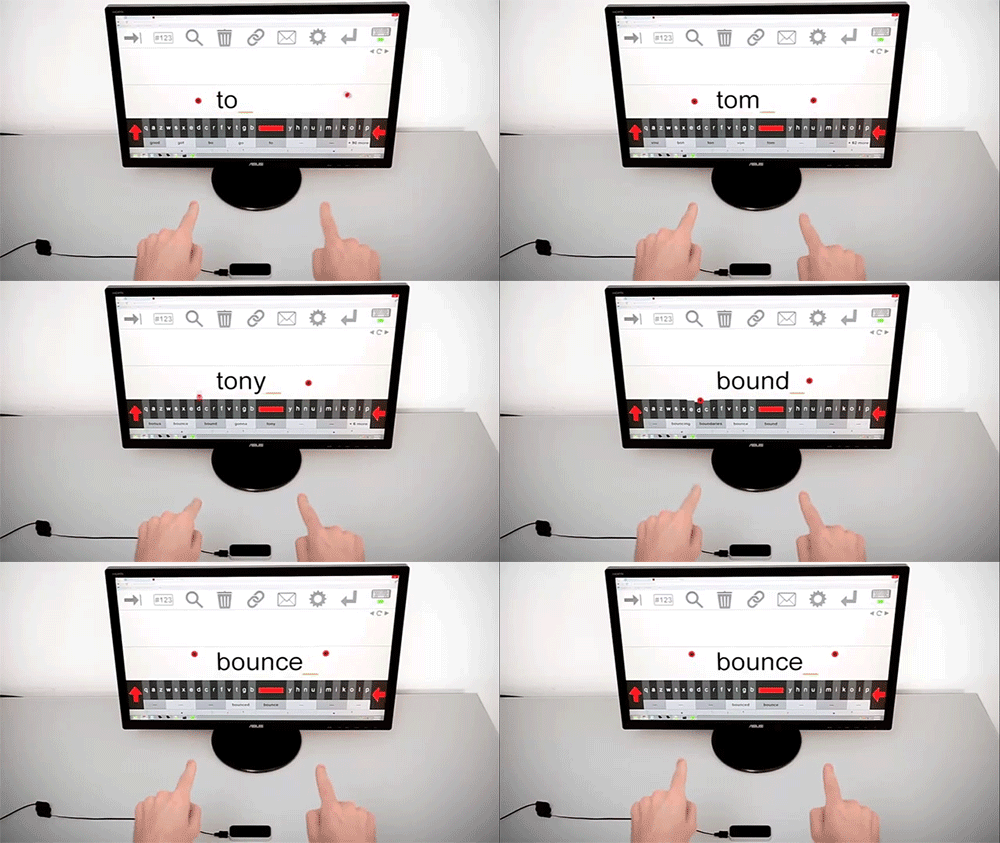
Control Chrome with this gesture-controlled keyboard plugin, available for free on the Chrome Web Store. DexType uses a disambiguation algorithm for easy typing, and includes dictionaries for 26 languages.
Gliese 3D Star Map

image

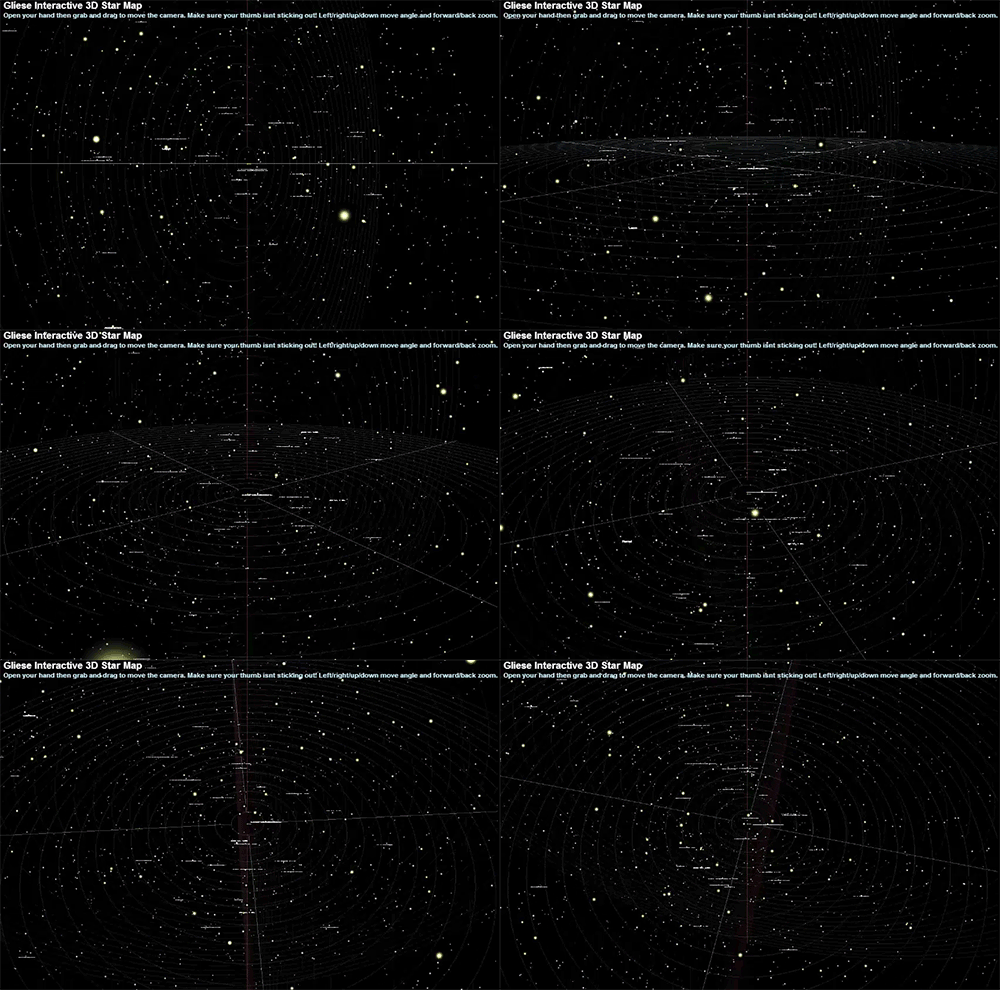
Grab and drag your way through the stars in this interactive 3D map that covers the 3,000 stars that lie within 25 light years of Earth.

Torch

image

In this simple horror game, you must explore and escape a cave system where darkness is your only enemy. Control your torch with a finger or pencil, replenish the flame before it extinguishes, and get out alive.

Our developers continue to experiment with new and different ways to interact with our browsers. We welcome your feedback as we continue to blaze new trails and share new apps. Once you’ve taken your #FirstLeap with these websites, let us hear your thoughts and ideas for other web apps by Tweeting @leapmotion or posting on our web apps forum thread.

As always, if you’re interested in developing an app or website for Leap Motion, please join our Developer Community and download the free SDK at developer.leapmotion.com.

#FirstLeap: 5 Interactive Websites for Leap Motion

While Airspace has more than 75 apps and continues to grow, there’s even more that you can do with your Leap Motion Controller. Developers around the world have been working with our JavaScript API to experiment with interesting new web experiences.

From particle systems to creative tools, here are five interesting Leap Motion-enabled experiences for the web. Before you try them, make sure your device’s green light is on, and that you have checked the “Allow Web Apps” box in the Leap Motion Control Panel (General tab). We recommend Google Chrome for these apps. Our developers keep making amazing things, and we’ll keep sharing more web and Airspace apps as they come in.

Cabbibo’s Leap

image

A solar system serves as a gateway into several personal projects created by Isaac Cohen, an experience engineer with Leap Motion. Hold your hand over a planet and pull it into the sun to browse a spiral of cute photos, control sunbeams, explore a universe of sound, and more.

WebGL GPU Particles

image

Manipulate over a million tiny particles as they sparkle through space in your browser window.

Knife

image

Knife is a particle system that allows you to experiment with the behavior of hundreds of multicolored balls. Play with physics by tweaking variables that include color, friction, time speed, and explosive power.

Theremin

image

One of the earliest electronic instruments, the theremin is also a classic touchless device that can now be accessed in your browser. We’d love to hear the eerie music you can create with this virtual theremin – take a video and tweet us with the hashtags #FirstLeap #theremin.

FastKat Leap

image

In this minigame, you can accelerate at dizzying speeds through space. Avoid the stars and see how long you can last.

We’d love to hear about your #FirstLeap experiences with these web apps. Post your thoughts and pictures @leapmotion. If you’re interested in developing an app or website for Leap Motion, please join our Developer Community and download the free SDK at developer.leapmotion.com.

Inside Leap Motion: Meet Our Software Engineers

It took years to design and build the Leap Motion Controller, and our incredible team of engineers is continually working to maximize its full potential. Over the coming weeks, you’ll meet the amazing people on our software, hardware, and web development teams – the technical wizards who work behind the scenes to bring 3D interaction to the world.

A gathering of Leap Motion’s engineering teams.

Today, we’ll introduce you to some of the people working on the Leap Motion software, which is the true magic behind the device. Earlier this week, we asked some of our software engineering team members to talk about their lives, work, and passions.

1. What’s your vision for the future?

Keith: Basically, we want to advance human-computer interface technology in every arena we encounter. The code we’re writing, and the ideas we’re exploring, will soon be a part of the daily lives of people around the world. Our goal is to push the boundaries of expectation in all areas – from scientific and technological advancement, to inspiring how companies and engineering teams will evolve in the 21st century.

2. When did you first realize the potential of a touchless interface?

Raffi: One day, I was at a shopping mall, waiting to use a floor-plan map you could navigate using a touchscreen. A kid in front of me was eating a greasy hamburger and using the touchscreen at the same time. When it was my turn, I took one look at the grime smeared all over the screen, and thought, “There must be a better way.” So it’s very important to me that we are creating an interface where you don’t have to touch anything.

Read More