Showing all posts tagged: game

Blue Estate Prologue: Free Offer Ending Soon

Have you taken the plunge into the world of Blue Estate Prologue? With our limited-time free download ending in a few days, now is the perfect time to lock and load. Over the past week, thousands of gamers around the world have emptied their Desert Eagles into waves of rival gangsters – battling through outlandish locations in a revolutionary Windows rail shooter designed exclusively for the Leap Motion Controller.

Download Blue Estate Prologue »

Since then, Blue Estate Prologue has fought, blasted, and joked its way to the top, with dozens of reviews and 5-star ratings in the Airspace Store. Here are just a few reviews and comments we’ve seen over the past week:

image

image

image

It won’t be too long before the Blue Estate Prologue free download is sleeping with the fishes, so be sure to get it today. This offer ends on Thursday, October 24.

Free Game Exclusive: Blue Estate Prologue Available Now

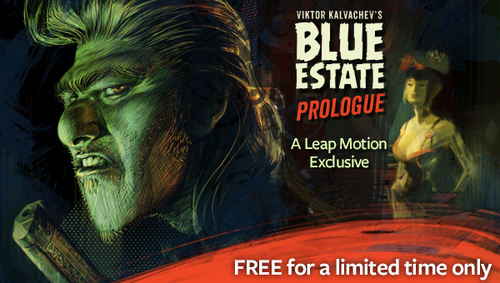
Load your gun and leap into a gritty mob world with a streak of dark humor. Based on the hit comics series of the same name, Blue Estate Prologue is a new arcade-style first-person shooter for Windows. Designed exclusively for the Leap Motion Controller, the game is now available for $3.99 in the Airspace Store – and as part of our launch celebration, you can download it free for a limited time.

Get the game »

image

In Blue Estate Prologue, you can step into the shoes of trigger-happy mobster Tony Luciano, owner of the Smoking Barrel strip club, as he guns down his enemies. The Silk Brothers gang have abducted Cherry Popz, his best dancer, and he’ll stop at nothing to get her back. Fight your way through outlandish locations that include a burlesque show, a steam bath, and secret doors. Blow away bad guys by pointing at them, take cover by spreading out your fingers, and reload by simply swiping your finger down.

When adapting his comics series to the gaming medium, creator Viktor Kalvachev wanted to tell his characters’ stories in a new way. Along with his colleagues at indie game studio HESAW, he realized that the rail shooter genre – fixing the player’s path through the game world – would allow the edgy personalities and lush visuals of Blue Estate to shine.

“We decided to choose a rail shooter to tell a really fun story,” Viktor says, “where we can place the camera in the right way, we can create moments where you can really feel the characters. Tony Luciano is a good choice of character for the lead role with his sharp tongue and itchy trigger finger. It really is a lot of fun to play and I hope people are going to love it.”

See more of our interview with Viktor here.

The two levels in Prologue take place a year before the events in the comic book, with a full multi-level game to be released next year. Blue Estate Prologue for the Leap Motion Controller is available free for only for a limited time – so take the plunge, stay alive, and let us know about your Mafia mishaps on Facebook and Twitter.

Playing World of Warcraft with GameWAVE

Are you ready to take World of Warcraft to the next level? Today developer Uwyn released a custom gesture mapping file for playing WoW with their popular game control app, GameWAVE. Here’s a quick guide to unlocking the power of GameWAVE so you can get started killing monsters and crushing your enemies with your bare hands. You’ve never played WoW like this.
image

After launching GameWAVE from Airspace Home (your desktop launcher), download the custom WoW file for Windows or Mac from gawshare.com and open it before you begin playing. Now, with the flick of a finger or tilt of a palm, you can take control of your character in World of Warcraft.

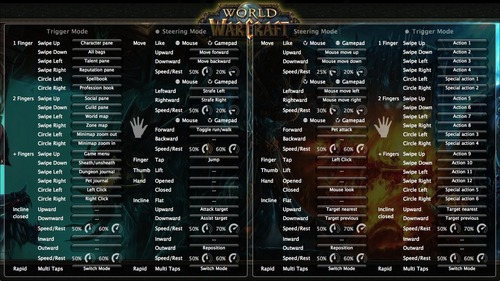
Using GameWAVE, you can alternate between steering and trigger modes by making a rapid multi-finger tapping gesture in the air. This lets you quickly switch between triggering one-shot actions and maneuvering your character and the camera view. Some actions are available in both steering and trigger modes, making it easy to stay on your toes in a battle. Below is an outline of the pre-configured controls for the WoW file. Everything can be personally customized and saved for future game play.

Left Hand Controls

Steering Mode: Move your character, run/walk, jump, attack, and assist

Trigger Mode: Access bags, panes, books, maps, menu, and journals, sheath/unsheath your weapon, and left/right click

Right Hand Controls

Steering Mode: Control the camera view, pet attack, left click, mouse look, and switch targets

Trigger Mode: Access actions and special actions, switch targets

Here’s a printable cheat sheet with similar preconfigured commands grouped together for quick reading. (Click for a full-sized version.)

To fully master your GameWAVE experience, don’t forget to tweak the speed and rest settings, which appear as small circles in the app. These control the speed response and the size of your hand’s neutral “resting” position. You can also add custom mappings to trigger macros and other actions – setting off a chain of spells with a simple thumb lift or closed hand.

We’d love to hear how your WoW + GameWAVE setup goes at your next raid or monster battle. Tweet us @LeapMotion or post on our Facebook page with your stories and videos.

Coming Soon: Blue Estate – A First-Person Shooter Exclusive to Leap Motion

From immersive universes to innovative first-person shooters, we’ve heard from thousands of gamers worldwide about unique gameplay possibilities for the Leap Motion Controller. Soon, you’ll be able to find both in a single game – and the prologue will be available exclusively as an app for Leap Motion. Based on the darkly humorous comics series, Blue Estate for the PC is an upcoming first-person shooter with killer atmosphere.

Indie game developers HESAW designed Blue Estate specifically for Leap Motion because of the uniquely immersive experience our technology provides for gaming. Earlier today, they unveiled a sneak preview of the Blue Estate game, coming soon to Airspace:

In the game, recommended for ages 16 and up, you’ll step into the shoes of Tony Luciano – a belligerent, sarcastic, and trigger-happy mobster. Using your PC and Leap Motion Controller, you will be pulled headlong into Tony’s darkly funny world. You’ll take your hands off the mouse and target waves of hoodlums by making a pistol shape with your hand. As soon as they’re targeted, bad guys will be dispatched by autofire – but keep your wits, or you’ll be sleeping with the fishes.

image

image

With its innovative gameplay, fully realized characters, and wall-to-wall action, we’re excited to bring the world of Blue Estate to Airspace. Stay tuned to blueestatethegame.com and the Leap Motion blog for updates on Blue Estate’s debut, and watch for other new games coming to Airspace.

New Airspace and Web Apps: August 21, 2013

It’s new apps Wednesday at Leap Motion – when we showcase the latest Airspace and web apps.

This week, we have an app that takes you into the forests of Japan to train in the art of the ninja star. A popular photo browser adds a Mac version, the web delivers two new ways to navigate the world, and we share custom configuration setups for GameWAVE created by the Leap Motion community.

Games

image

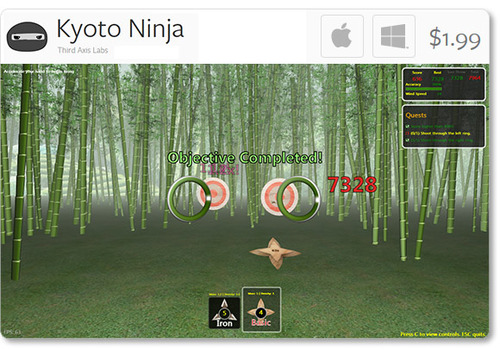
Kyoto Ninja: Hone your ninja throwing skills with Third Axis Labs’ new app for Mac and Windows. In Kyoto Ninja, you can take control of various ninja stars to perfect your technique, and earn points for precision strikes.

Social & Web

image

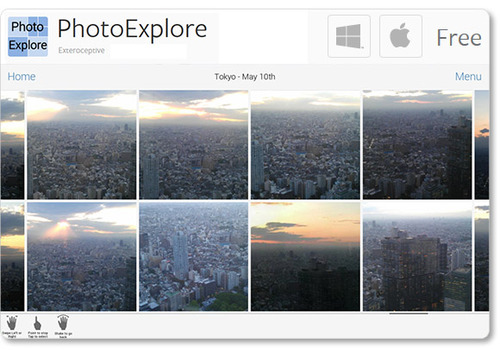
PhotoExplore: Newly available for Mac OS X, Exteroceptive’s PhotoExplore for Facebook allows you to fly through a landscape of friends and albums. View, stretch, and like your favorite photos with ease.

Browser Apps

image

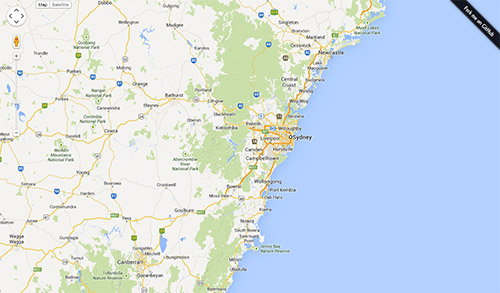
Google Maps Control: An early hack by developer Brian R. Jackson, this interactive Google Map allows you to reach out and explore the world. Grab the map with one hand to pan around, or grab with two hands to zoom.

image

GoSquared Labs Globe: See your site traffic in a whole new way, with this browser experience that maps location analytics to an interactive 3D globe. Use one open hand to turn the globe, and two open hands to zoom in and out.

Plugins

image

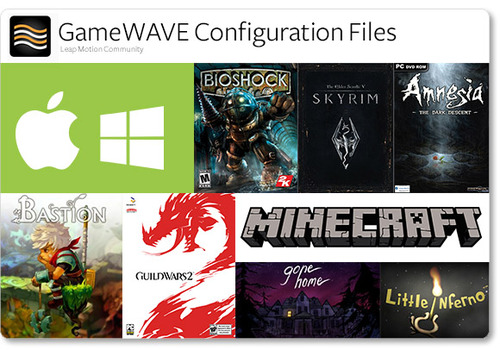
GameWave Files: After trying out Uwyn’s popular gaming and OS-control app GameWAVE, many Leap Motion community members have posted custom configuration setups for their favorite apps.

On the developer’s site, you can now find configuration files for Windows 7 and 8, Mac OS X, Skyrim, Amnesia: The Dark Descent, Bastion, and Guild Wars 2. On another site, we found a great collection of files for titles including Bioshock, Little Inferno, and Minecraft.

We’d love to hear about your experiences as we share the latest apps from Airspace and the web. Post your comments in our latest app forum thread.

Inside Double Fine: Making Their First Leap Motion Game

Game designers around the world have been inspired by the Leap Motion Controller’s incredible speed and accuracy to create games that take advantage of our unique 3D interaction technology. Last week, we caught up with Patrick Hackett – a game designer with popular indie developer Double Fine Productions – about his creative process in developing for the Leap Motion Controller.

Double Fine is widely known for creating quirky, innovative games that capture the public imagination. Their debut app for Leap Motion is the score challenge game Dropchord, which allows you to become a master DJ – dodging scratches, collecting notes, and jamming to an original electronic soundtrack. During our visit to Double Fine’s offices in San Francisco, we were invited behind the scenes to meet some of the amazing people who brought Dropchord to life.

When did you first experience Leap Motion, and what was your initial reaction?

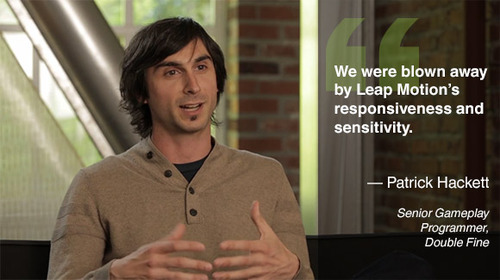
Leap Motion first sent us some controllers in February and I think our initial reaction was the same as everyone who uses it. We were blown away by Leap Motion’s responsiveness and sensitivity. Jeremy Mitchell, one of my colleagues, had it set up at his desk initially and we were fighting over who got to use it next. Both of us ended up taking controllers home and creating demos over the weekend because we were so geeked up to use it.

image

Read More