Showing all posts tagged: gamewave

Reach into the Top 7 Games of 2013

From musical serenity to hardcore action, 2013 was a great year for Leap Motion gaming. Whether you like fighting violent mobsters and evil aliens, riding musical beats, or exploring a mysterious puzzle, the Airspace Store has lots of great games for you to discover. You can browse a full list of games in our gaming category or see the most popular apps in our Play collection.

But for the real breakout hits of the year, look no further than our Best Apps collection. Here are the top seven games of 2013 – plus how GameWAVE lets you reach into a wide variety of games.

Blue Estate Prologue

Your finger is your weapon in Blue Estate Prologue, a first-person Windows shooter designed exclusively for the Leap Motion Controller. Load your gun and leap into the gritty world of sarcastic gangster Tony Luciano as he fights through wave after wave of bullets and swords from rival gangsters. Battle through outlandish locations that include a burlesque show, a steam bath, and secret doors. Get the app »

Stan Lee’s Verticus

From the legendary co-creator of Spider-Man™ comes the latest high-tech superhero – Verticus. Equipped with a heat-resistant jump suit and charged with defeating an evil alien race, you must fall from outer space and into the Earth’s core. Dodge obstacles, collect powerups, upgrade your suit, and stay alive to save the world. (You can try the free version before purchasing the full app.) Get the app »

Boom Ball Adventures

Smash and explode your way through 55 levels of chaotic demolition with Boom Ball Adventures for Mac and Windows. The cubic creatures of planet Crebos are rapidly forming walls in exotic locations around the world – the Egyptian pyramids, Japan, under the sea, and even in outer space! Knock them down with the Boom Ball using paddles, lasers, and more. (Want to try it first? Download the free trial before downloading the full version.) Get the app »

Dropchord

Ride the beats and rack up points in Dropchord, a music-driven score-challenge game for Mac and Windows. Use your fingers to manipulate a beam crossing a circle to dodge scratches and collect notes. Featuring an original soundtrack and mesmerizing visuals, it’s a unique experience that’s fun for all ages. Get the app »

Kyoto

Travel to a land of mystery and melancholy. Free for Mac and Windows, Kyoto is a serene experience that takes you into an ambient puzzle of sound and harmony. Reach out to explore a moonlit river, uncover the surprises hidden within, and get inspired by the game’s mind-melting original soundtrack. Get the app »

Fruit Ninja
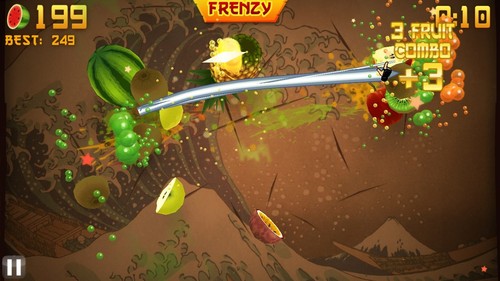
Slice fruit with your bare hands and master the art of the ninja with one of the world’s most popular games, now available on Windows for the Leap Motion Controller. Spray the walls with the juice of your delicious targets, avoid dangerous bombs, and rack up points to become a true food warrior. Get the app »

Cut the Rope

Feed everyone’s favorite candy-munching monster with Cut the Rope, free for Mac and Windows. Collect gold stars, swing sweets through the air, and overcome a series of physics-based puzzles. Get the app »

Take Control with GameWAVE

Available for Mac and Windows, GameWAVE lets you control almost anything on your computer – from your favorite games to your operating system. On the Leap Motion blog, we’ve explored several custom mappings for games like Diablo III, World of Warcraft, and Godus. But we just scratched the surface. On the developer’s site, you can discover over 50 custom mappings, or contribute your own. Community forum users have reported successful GameWAVE mappings and playthroughs for the following computer games:

GameWAVE and Second Life

The Drax Files is a mixed-reality YouTube channel dedicated to showcasing the creations of Second Life – a massive shared online virtual reality space. With the show, creator Bernard Drax reveals how designers, developers, musicians, social activists, and historical reenactors around the globe are using Second Life’s built-in 3D modelling tools to bring wonderful new creations to life.

Last month, Drax used the Leap Motion Controller and GameWAVE to dive into Second Life in a whole new way. In the video below, you can see how he can fly, walk, run, and teleport home with a wave of his hand. Read more »

What was your favorite gaming moment of 2013? Let us know on Facebook and Twitter, or join our 2013 retrospectacular forum thread.
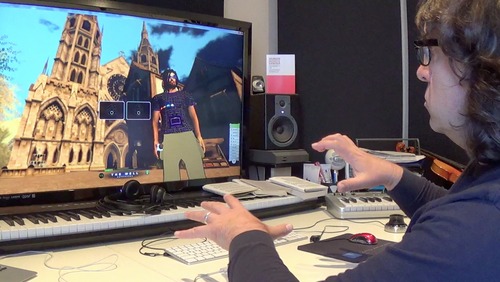
User Spotlight: Leaping into Virtual Reality

Bernard Drax is the man behind the Drax Files, a mixed reality YouTube channel that combines real-life interviews with in-game machinima to showcase the creations of Second Life. Launched out of Linden Lab in 2003, Second Life allows designers, developers, musicians, social activists, and historical reenactors across the world to pull ideas directly out of their imaginations and into virtual reality. The software is embedded with 3D modeling tools, allowing seasoned innovators like Drax to push the boundaries of space, form, and light. According to Drax, the capacity for immersive navigation in true 3D space has been missing in the span of his seven-year residency. Until now.

Enter Leap Motion. Drax pre-ordered our controller months before its release, intrigued by Leap Motion technology’s transformative possibilities in the world of Second Life. Upon receiving the device, he quickly mapped out GameWAVE configurations for his dreadlocked avatar, decked out with an Oculus Rift and blinking LED lights. Drax was immediately taken by the level of accuracy and expression transmitted straight from his hands into the digital space of his pirate village. In this video demo, Drax demonstrates how he’s using Leap Motion + GameWAVE to take his Second Life navigation into the third dimension, whether flying, walking, running, or teleporting home:

Drax sees enormous design potential with Leap Motion for his Second Life peers seeking next-generation immersion. For example, fashion aficionados could use the controller to stretch, pinch, rotate, and render gowns and elaborate headpieces that far transcend the laws of gravity. Time travelers who have transformed the digital space into the analog Weimar-era world of 1920s Berlin, could hand-crank a gramophone or reach out for cigarette holder. Architects could parse visions of urban development together in real time and 3D space.

“For these dedicated residents, the avatar is not just a separate pixelated entity, but a true extension of themselves with which they navigate the digital space.” Drax explains. “It is a world solely made and nourished by its residents – therefore truly only their imagination can be the limit!”

Have an awesome Second Life configuration with GameWAVE? We’d love to hear about your experience! Tweet us, find us on Facebook, or shoot us an email at social@leapmotion.com.

image

Playing Diablo III with GameWAVE

Evil forces have returned to Sanctuary, and it’s time to give the devil his due – with nothing but your bare hands. With the Diablo III custom file for GameWAVE, you can explore the world, cast spells, and battle demons with hand gestures and movements.

To get started, launch GameWAVE from Airspace Home, then download and open the custom Diablo III file for Windows or Mac from GameWAVE developer Uwyn’s site gawshare.com. Now you’re ready to defeat the Prime Evils and their minions.

Download for Windows »
Download for Mac »

One of the coolest features in GameWAVE is the ability to alternate between steering and trigger modes – so you can quickly switch between one-shot actions and maneuvering your character. With Diablo III, you can perform nearly any action with your left hand in trigger mode and your right in steering mode.

Left Hand Controls

Trigger Mode: Trigger skills from your action bar and access potions, town portal, friends, quest and journal, achievements, auction house, zoom, game menu, banner, map, inventory, and secondary skill.

Right Hand Controls

Steering Mode: Move through the world of Diablo III, perform mouse clicks and secondary skill.

Trigger Mode: Perform emotes.

Here’s an outline of the pre-configured controls for Diablo III (click for a larger version). As always, everything can be personally customized and saved for future game play.

You can discover lots of new gaming experiences on gawshare.com – it’s the premiere sharing site for GameWAVE files, including Portal 2, Skyrim, and World of Warcraft. Whether you’re fighting demons or brawling with your friends, we’d love to see your experience with GameWAVE and Diablo III. Tweet us @LeapMotion or post on our Facebook page with your stories and videos.

Playing World of Warcraft with GameWAVE

Are you ready to take World of Warcraft to the next level? Today developer Uwyn released a custom gesture mapping file for playing WoW with their popular game control app, GameWAVE. Here’s a quick guide to unlocking the power of GameWAVE so you can get started killing monsters and crushing your enemies with your bare hands. You’ve never played WoW like this.

image

After launching GameWAVE from Airspace Home (your desktop launcher), download the custom WoW file for Windows or Mac from gawshare.com and open it before you begin playing. Now, with the flick of a finger or tilt of a palm, you can take control of your character in World of Warcraft.

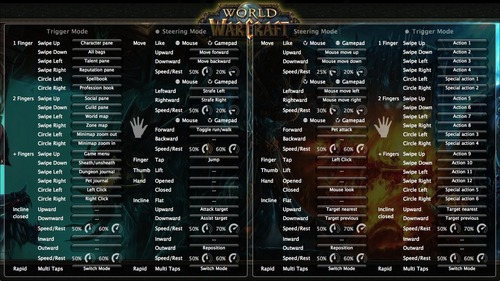
Using GameWAVE, you can alternate between steering and trigger modes by making a rapid multi-finger tapping gesture in the air. This lets you quickly switch between triggering one-shot actions and maneuvering your character and the camera view. Some actions are available in both steering and trigger modes, making it easy to stay on your toes in a battle. Below is an outline of the pre-configured controls for the WoW file. Everything can be personally customized and saved for future game play.

Left Hand Controls

Steering Mode: Move your character, run/walk, jump, attack, and assist

Trigger Mode: Access bags, panes, books, maps, menu, and journals, sheath/unsheath your weapon, and left/right click

Right Hand Controls

Steering Mode: Control the camera view, pet attack, left click, mouse look, and switch targets

Trigger Mode: Access actions and special actions, switch targets

Here’s a printable cheat sheet with similar preconfigured commands grouped together for quick reading. (Click for a full-sized version.)

To fully master your GameWAVE experience, don’t forget to tweak the speed and rest settings, which appear as small circles in the app. These control the speed response and the size of your hand’s neutral “resting” position. You can also add custom mappings to trigger macros and other actions – setting off a chain of spells with a simple thumb lift or closed hand.

We’d love to hear how your WoW + GameWAVE setup goes at your next raid or monster battle. Tweet us @LeapMotion or post on our Facebook page with your stories and videos.

Newegg.com Now Selling Leap Motion Controller, Special GameWAVE Offer

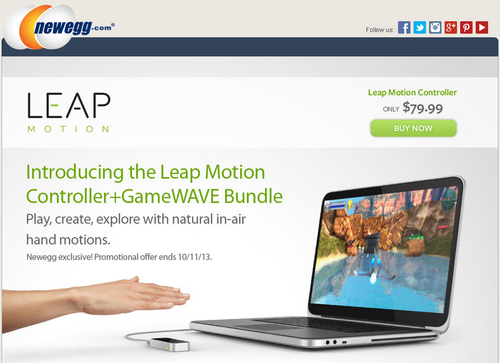
Starting today, the Leap Motion Controller is now available for purchase at Newegg.com. The leading online electronics retailer in the US, Newegg.com is a popular destination for gamers and tech fans. To kick off the launch, all Newegg.com purchases of the Leap Motion Controller by October 11 will receive a free download of GameWAVE.

GameWAVE mods your gaming experience by using natural hand gestures to control virtually anything – including keyboard commands, macros, mouse clicks, and camera movements. Take your gaming into the third dimension by casting spells, moving through the game world, and rotating the field of view with your hands and fingers. In the video below, you can see how one gamer used GameWAVE to cast Warlock spells in World of Warcraft:

Since you can map nearly any command to GameWAVE, it’s compatible with virtually any existing game – from open worlds like Skyrim and Minecraft to first-person shooters like Call of Duty and Borderlands 2. Build your own custom configurations for each game, or download pre-set controls them from the growing collection created by the Leap Motion community. Leap Motion also offers great game apps like Dropchord, Fruit Ninja, and Cut the Rope, making it a perfect match for Newegg.com’s community of casual and hardcore gamers.

To order your Leap Motion Controller with GameWAVE (special offer until Oct. 11), check out newegg.com/leapmotion.

Playing Godus with GameWAVE

image

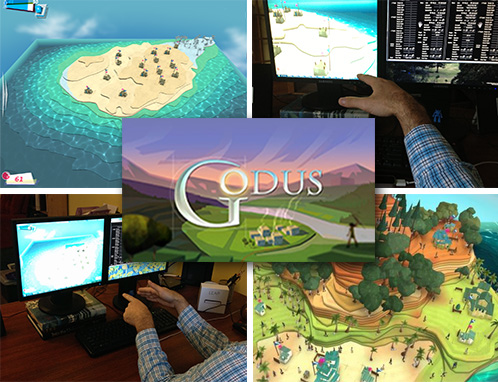
On Friday, a preview of Peter Molyneux’s new game, Godus, became available on Steam Early Access. The godfather of god games, Molyneux is also the designer of Populous and Black & White. Since we announced the Leap Motion Controller, we’ve heard from lots of people excited about using it to play Black & White, so we’ve followed the development of Godus since the start of its Kickstarter campaign last year.

While the game is still in development, we decided to try it out with the Leap Motion Controller and GameWAVE. We’ve put together a quick guide on playing Godus with Leap Motion and the GameWAVE app – including a configuration file we created. (You can download the file and try it for yourself.)

Godus starts off with a pair of indigenous villagers who move from the wilderness and come to believe in a higher power. As their god, you must nurture their growing civilization. With the Leap Motion Controller and GameWAVE, you can literally reach out and reshape their world, offering an incredible omnipotent experience.

image

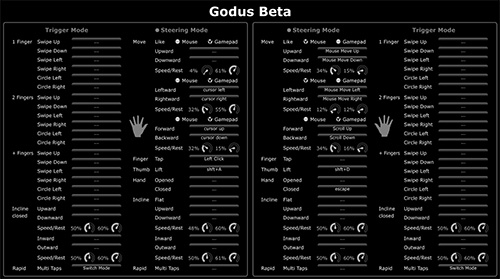
The first step to controlling an open-world game like Godus is setting your cursor and camera controls. In GameWAVE, you can switch between trigger and steering modes, so you can either trigger one-shot actions or continuously control actions. You can also configure different settings for your left and right hands.

Mouse Controls. These control where your mouse cursor lies on the screen. Traditionally, you would control this by sliding your mouse around on your desktop. For our Godus controls, we decided to assign cursor control to the right hand. You can move your mouse cursor around the screen by moving your hand up, down, left, or right.

Zoom Controls. Instead of controlling this with your mouse scroller, move your right hand towards or away from your monitor.

Panning. By mapping the traditional WASD setup to your left hand, you can pan around the map by moving your hand forward, backward, left, and right.

Rotating. Instead of hitting Shift+A (left) and Shift+D (right) to rotate the camera view, we configured GameWAVE to do the same thing when you lift either thumb.

Divine Actions. Of course, Godus is about much more than exploring your villagers’ world – you can also interact with it. With left and right clicks on a mouse, you can collect pink Belief bubbles, find treasures, and sculpt the terrain. Using the Leap Motion Controller and our custom GameWAVE file, you can do the same thing by tapping either index finger.

Speed and Rest. One of our favorite features in GameWAVE is the ability to tweak your speed and resting positions. Because the Leap Motion Controller is incredibly precise, it often takes some time to get used to it. If you’re a new Leap Motion gamer, start with low speed and high rest values, and then adjust them as you grow accustomed to controlling the game.

This is just one of many possible ways you can play Godus, and virtually any other game, with the Leap Motion Controller. We’d love to know – what’s your favorite way to configure and play games with GameWAVE?

New Airspace and Web Apps: August 21, 2013

It’s new apps Wednesday at Leap Motion – when we showcase the latest Airspace and web apps.

This week, we have an app that takes you into the forests of Japan to train in the art of the ninja star. A popular photo browser adds a Mac version, the web delivers two new ways to navigate the world, and we share custom configuration setups for GameWAVE created by the Leap Motion community.

Games

image

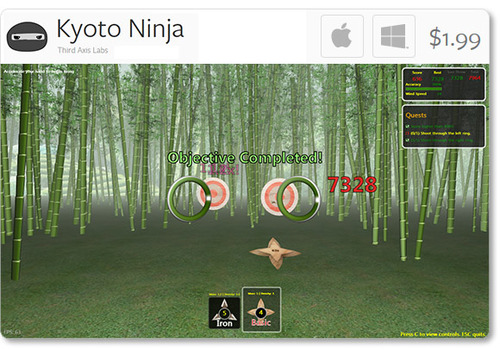
Kyoto Ninja: Hone your ninja throwing skills with Third Axis Labs’ new app for Mac and Windows. In Kyoto Ninja, you can take control of various ninja stars to perfect your technique, and earn points for precision strikes.

Social & Web

image

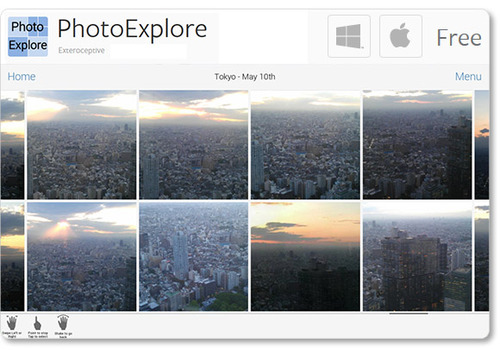
PhotoExplore: Newly available for Mac OS X, Exteroceptive’s PhotoExplore for Facebook allows you to fly through a landscape of friends and albums. View, stretch, and like your favorite photos with ease.

Browser Apps

image

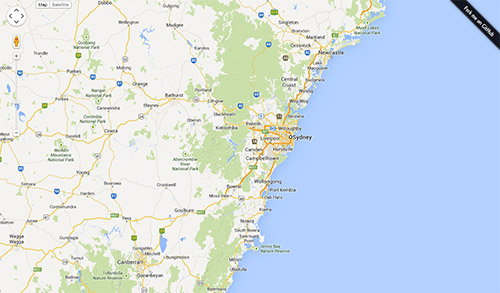
Google Maps Control: An early hack by developer Brian R. Jackson, this interactive Google Map allows you to reach out and explore the world. Grab the map with one hand to pan around, or grab with two hands to zoom.

image

GoSquared Labs Globe: See your site traffic in a whole new way, with this browser experience that maps location analytics to an interactive 3D globe. Use one open hand to turn the globe, and two open hands to zoom in and out.

Plugins

image

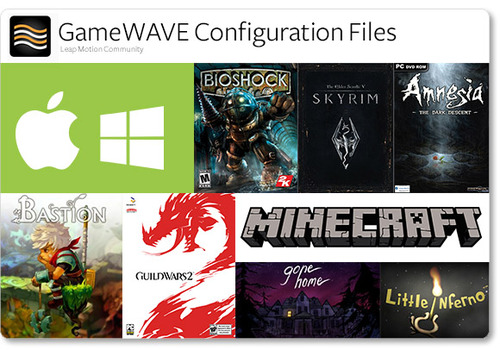
GameWave Files: After trying out Uwyn’s popular gaming and OS-control app GameWAVE, many Leap Motion community members have posted custom configuration setups for their favorite apps.

On the developer’s site, you can now find configuration files for Windows 7 and 8, Mac OS X, Skyrim, Amnesia: The Dark Descent, Bastion, and Guild Wars 2. On another site, we found a great collection of files for titles including Bioshock, Little Inferno, and Minecraft.

We’d love to hear about your experiences as we share the latest apps from Airspace and the web. Post your comments in our latest app forum thread.