Showing all posts tagged: apps

3 New Apps: October 2, 2013

This week in the Airspace Store, enjoy your favorite music without missing a beat and reach out to control Internet Explorer with our newest Windows apps. Plus, overcome a vengeful faerie queen in a free puzzle game that’s newly available for Mac.

Games

image
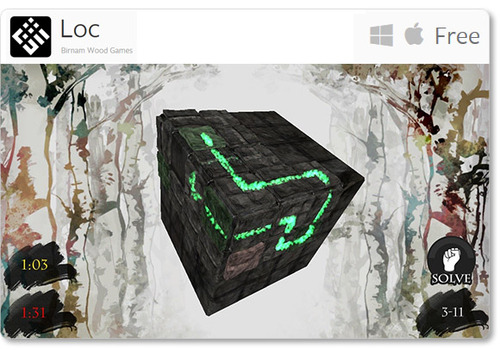
Loc: Escape the queen of the faeries by solving complex “loc” puzzles in this free game, now available for Mac. Challenge your spatial reasoning skills with 3D puzzles that grow progressively more difficult as you fight for freedom.

Music & Entertainment

image
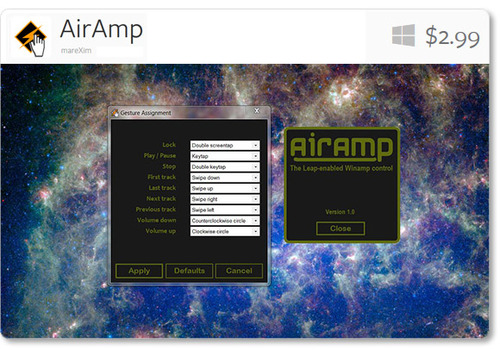
AirAmp - the Winamp controller plugin: Designed to control the popular media player Winamp, AirAmp lets you play, stop, navigate your tracklist, and tweak the volume with simple gestures. Since it lives in the background, you can easily change tracks without clicking away from your work.

Computer Controls

image
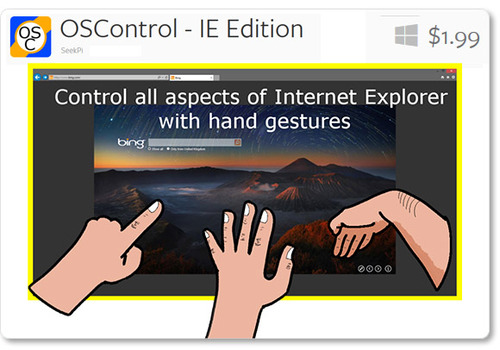
OSControl - Internet Explorer Edition: Customize your browsing experience with the latest in SeekPi’s series of computer control apps. OSControl apps sit in your taskbar, coming to life only when the right application opens. With the Internet Explorer edition, you can customize your browsing experience with scrolls, clicks, changing tabs, and more.

#LeapInto Learning: Outside the Box (Part 5)

Sometimes learning is about taking leaps of intuition to discover new solutions to problems. With the end of #LeapInto Learning week (but just the beginning of our stories about Leap Motion and education), we’re encouraging creative thinking with three imaginative apps that will challenge your expectations.

Our call for great stories from the community about kids learning and playing with Leap Motion continues, though. We’d love to hear about your children’s and students’ experiences with Leap Motion. Please submit your stories, pictures and videos here. And if you’re a teacher bringing Leap Motion into a classroom, please let us know with an email to PR @ leapmotion.com.

image

Derigo

  • Push the limits of your spatial reasoning as you play tic-tac-toe in three dimensions.
  • Rotate rows and columns for a new level of complexity.
  • Pit your memory and problem-solving skills against the Puzzle Cube.

Gorogoa Puzzle

  • Solve a hand-illustrated puzzle by rearranging tiles that reveal a strange dream world.
  • Let your mind wander as you seek out hidden connections and doorways.
  • Available for Windows only.

Sortee

  • Think fast about everyday objects and sort them into categories.
  • Increasingly challenging levels make you think deeply about objects and their multiple meanings.
  • Educational mode available for younger players.

#LeapInto Learning: Music Apps (Part 4)

Whether you’re studying music, or don’t know the first thing about chords and tempo, these four music apps for the Leap Motion Controller offer a magical new way to make music.

image

AirBeats

  • Capture your natural air drumming movements and play in a variety of styles.
  • Select different kits and patterns, as well as control tempo, for a customized experience.

AirHarp

  • Reach out to pluck and strum a virtual harp, with quick access to a variety of musical scales.
  • Transpose into any key, play chord progressions, or design your own custom scale.

Chordion Conductor

  • Experiment with a new way to make music with a unique, intuitive interface that‘s easy to learn.
  • Choose from a wide range of chords and scales, play melodies, and tweak echo effects.
  • Mix existing instruments or create your own virtual instrument.
  • Use all three dimensions to control volume, panning, modulation, and pitch bend.
  • Available for Mac.

FingerTapps Piano

  • Tap out classic compositions on a virtual grand piano or electric organ.
  • Play along instructions help guide you through each song.
  • Easy, medium, and hard difficulty levels for players of all skill sets.

These apps are fun at any age, and we’d love to see and hear what your kids can play with Leap Motion – submit your stories, pictures and videos here.

#LeapInto Learning: Science Apps (Part 3)

From manipulating molecules to exploring our universe, Airspace offers many science apps covering a wide range of core concepts in physics, chemistry, and biology. Here are six apps that will take students on a journey from microscopic to cosmic.

As always, we want to hear about how students are learning with these and other apps – please submit your stories, pictures and videos here.

Teachers – if you have ideas for how these or other Leap Motion apps could be built into lesson plans and used in your classroom, we’d love to hear from you. Please email PR @ leapmotion.com with your ideas.

image

Molecules

  • Take a hands-on approach to molecular structures, with the ability to display and manipulate complex 3D molecules.
  • Access new molecules from a variety of sources.
  • Available for Mac only.

Powers of Minus Ten

  • Discover some of the basic concepts in biology, including cells, proteins, and genetics.
  • Understand how different life processes work together.
  • Specially developed to supplement a late-middle to early-high school introductory science curriculum.

Frog Dissection

  • Learn about the secrets of amphibian biology in an engaging lab experience, without the formaldehyde.
  • Examine detailed 3D models of organs and learn about their functions within the body.
  • Experience the frog’s lifecycle from tadpole to adult.

Cyber Science - Motion

  • Learn about human biology by dissecting and reassembling a human skull.
  • Develop a deeper understanding of spatial and anatomical relationships.

Solar Walk

  • Navigate through space to learn about our sun’s planets, including their orbits, inner structures, the history of their exploration, and points of interest, and more.
  • Look closely at each planet, or zoom out to view the entire known galaxy.
  • Available for Mac only.

Exoplanet

  • See the stars in a new way as you explore all known exoplanets, from the inner reaches of our solar system to the cosmic microwave background radiation.
  • Created by an astrophysicist, Exoplanet features interactive visualizations and animations, and is updated whenever new discoveries are confirmed.
  • Available for Mac only.

We’d love to see and hear about what your kids have discovered with Leap Motion apps. Please submit your stories, pictures and videos here. We’ll be sharing great stories in the coming weeks.

#LeapInto Learning: Geography Apps (Part 2)

Are you ready to reach out and explore the world? As part of our #LeapInto Learning week, expand your knowledge about distant places with these two free geography apps for the Leap Motion Controller.

Give your students a list of locations to find, and time them to see who can fly through them all. Or take a virtual trip to see the sights in a city of your choice.

image

Google Earth

  • Soar above the cities, mountains, rainforests, and oceans on Earth, or discover new sights on the moon and Mars.
  • Powerful controls allow you to zoom, pan, and tilt with ease.
  • Tip: Use your hand like a helicopter, moving down to zoom in, up to zoom out, and small angles to bank side to side.

Nokia’s Here.com

  • Fly above 25 world cities – from Barcelona to Vienna – with a tiny paper airplane.
  • Simple, intuitive controls well-suited to inexperienced fliers.
  • Tip: To start riding the breeze with this web app, we recommend Google Chrome. Make sure you’ve checked the “Allow Web Apps” box in the Leap Motion Control Panel (General tab).

We want to hear about your children’s journeys with these and other apps for Leap Motion – submit your stories, pictures and videos here.

#LeapInto Learning: A Week of Back to School Apps (Part 1)

With September just around the corner, we’ve heard from lots of schools, teachers, and parents around they world. They’re all excited about offering new learning experiences with the Leap Motion Controller. Many schools have ordered Leap Motion Controllers for their classrooms, and parents at home have been exploring educational apps with their kids of all ages.

In the spirit of learning as students head back to school, we’re putting out the call for you to share pictures and videos of your kids using the Leap Motion Controller. We’re gathering great stories to tell, and hope you’ll be a part of it. Please submit your stories, pictures and videos here.

This week, we’re also sharing a 5-part series of posts that feature a wide variety of educational titles available in Airspace. They’re great for everyone from small children to older students and lifelong learners. To kick things off, we know the best learning experiences are the ones you can share with your little ones. Here are a couple of apps that are fun and easy for younger learners.

image

Curious Kids

  • Explore animal sounds, practice counting, and play the piano with this simple game.
  • Work on hand-eye coordination as your hand moves through 3D space.

TVOKids Caterpillar Count

  • Help your child learn to count with by guiding a caterpillar around the screen with their finger to collect numbers in sequential order.
  • Your caterpillar becomes a beautiful butterfly when you reach 100.

Come back tomorrow for another installment of education-centric apps, and let us know what you think about Curious Kids and Caterpillar Count. Over the course of this week, we’ll feature everything from globetrotting and music to science and creative thinking. And if you have ideas for other education apps, please let us know in the comments.

New Airspace and Web Apps: August 21, 2013

It’s new apps Wednesday at Leap Motion – when we showcase the latest Airspace and web apps.

This week, we have an app that takes you into the forests of Japan to train in the art of the ninja star. A popular photo browser adds a Mac version, the web delivers two new ways to navigate the world, and we share custom configuration setups for GameWAVE created by the Leap Motion community.

Games

image

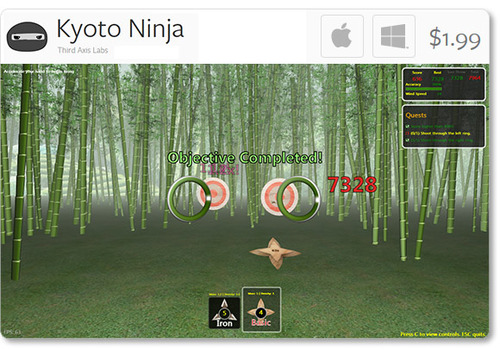
Kyoto Ninja: Hone your ninja throwing skills with Third Axis Labs’ new app for Mac and Windows. In Kyoto Ninja, you can take control of various ninja stars to perfect your technique, and earn points for precision strikes.

Social & Web

image

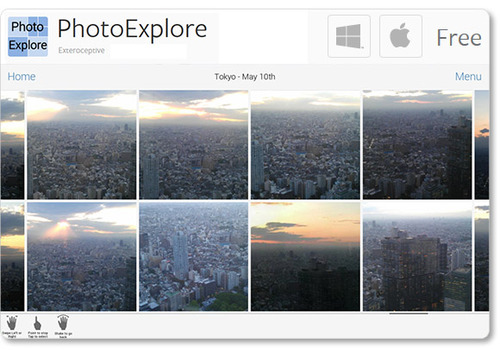
PhotoExplore: Newly available for Mac OS X, Exteroceptive’s PhotoExplore for Facebook allows you to fly through a landscape of friends and albums. View, stretch, and like your favorite photos with ease.

Browser Apps

image

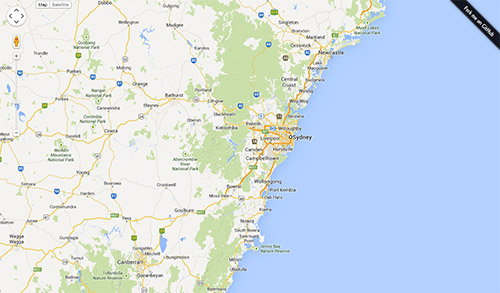
Google Maps Control: An early hack by developer Brian R. Jackson, this interactive Google Map allows you to reach out and explore the world. Grab the map with one hand to pan around, or grab with two hands to zoom.

image

GoSquared Labs Globe: See your site traffic in a whole new way, with this browser experience that maps location analytics to an interactive 3D globe. Use one open hand to turn the globe, and two open hands to zoom in and out.

Plugins

image

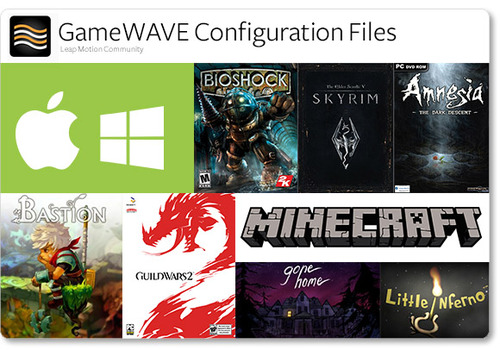
GameWave Files: After trying out Uwyn’s popular gaming and OS-control app GameWAVE, many Leap Motion community members have posted custom configuration setups for their favorite apps.

On the developer’s site, you can now find configuration files for Windows 7 and 8, Mac OS X, Skyrim, Amnesia: The Dark Descent, Bastion, and Guild Wars 2. On another site, we found a great collection of files for titles including Bioshock, Little Inferno, and Minecraft.

We’d love to hear about your experiences as we share the latest apps from Airspace and the web. Post your comments in our latest app forum thread.

3 Weeks, 1 Million App Downloads (Video)

It’s been just 3 weeks since we launched the Leap Motion Controller, and today we’ve surpassed one million downloads on the Airspace Store. As people from 100+ countries have taken their #FirstLeap, we’ve seen thousands of pictures and videos from the Leap Motion community.

To celebrate the 1 million downloads milestone, we’re sharing some incredible #FirstLeap reactions from around the world – people exploring new ways to control their computers, play games, learn about the universe, create music, and more.

image

Since launch, we’ve added 13 new titles to the Airspace Store and more coming soon. Around the world, thousands of developers are experimenting and creating new applications for Leap Motion technology. Musicians, doctors, teachers, artists, students, and gamers have all found creative and practical uses for their Leap Motion Controllers, and we’re just getting started. Thank you.

Try Your Hand at these Apps for OS Interaction

Over the last two weeks, lots of people have taken their #FirstLeap with OS interaction using the Leap Motion Controller. While traditional interfaces are designed for 2D interactions, our developers are exploring new ways of bringing 3D interactivity to your desktop.

At Leap Motion, we want to enable you to choose your favorite OS apps to use. We’ve been excited to see the debut of three new OS interaction apps on the Airspace Store since our launch, and we expect more on the way. Here are the five apps currently available that allow you to reach out and take control of your computer.
image

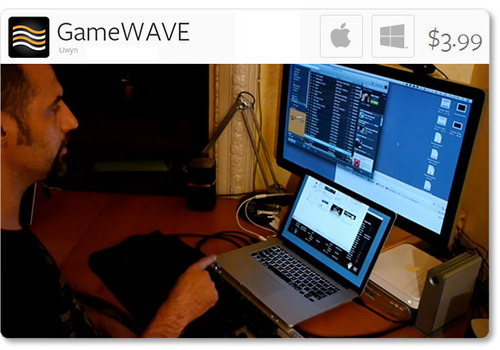
Uwyn’s GameWAVE, available for Mac and Windows, recently debuted in Airspace. It allows you to completely control keyboard and mouse-based video games, as well as your OS. Assign actions to different gestures and make them correspond to what your favorite games are expecting.

Highlights

  • alternate between trigger and steering modes
  • 20 distinct swipe and circle gestures, 6 continuous movement
  • directions, and several other configurable gestures
  • wide variety of supported actions that can be mapped to gestures
image

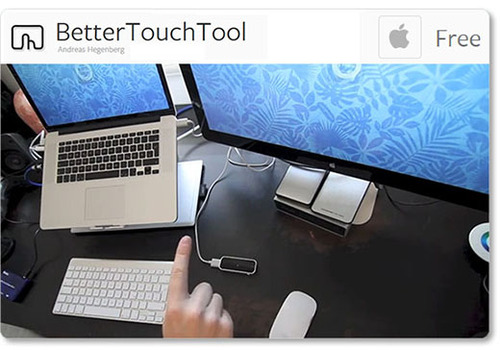
One of the highest-rated apps on the Airspace Store, Andreas Hegenberg’s BetterTouchTool is a highly customizable free app for Mac OS X. It currently supports 25 gestures, which can be mapped to keyboard shortcuts and your mouse.

Highlights

  • works with the Leap Motion Controller, Apple’s Magic Mouse, Macbook Trackpad and Magic Trackpad
  • create application-specific gestures and global gestures
  • disable interaction for specific apps

Created for OS X by AppCannon Software, Swish allows you to easily switch between different apps, control your music, and bind gestures to keyboard shortcuts and other pre-defined actions.

Highlights

  • music options include changing system volume and selecting a song to play
  • easily accessible App Switcher
  • gesture sensitivity options
  • beta Cursor Control system

imageimage

The Touchless apps for Mac and Windows represent a first step towards bringing Leap Motion control to traditional OS interaction. Available for free on the Airspace Store, they allow you to browse the web, open applications and documents, and control menu items.

Highlights

  • click by pointing your finger towards the screen
  • scroll by swiping multiple fingers in the air
  • zoom in and out by pinching your fingers

Since launch, we’ve heard lots of constructive feedback about the Touchless apps from the Leap Motion community. We’re thankful for your comments, and our team is continuing to refine the software and improve the Touchless experience. You can join the conversation and let share your thoughts on our OS interaction forum thread.

These five apps are just the beginning, and we can’t wait to see what our developers will build next. We’d like to hear about your experiences with Leap Motion OS interaction, and what you’d like next from our developer community. Let us hear what you have to say on our forum thread.